Description
YOKOGAWA ALR121-S00 | RS-422/RS-485 Serial Communication Module | DCS Interface
Key Technical Specifications
| Parameter | Specification |
|---|---|
| Manufacturer | Yokogawa Electric Corporation |
| Model | ALR121-S00 |
| Module Type | Serial Communication Module |
| Serial Interface | RS-422 / RS-485 |
| Number of Ports | 2 |
| Communication Function | Half-duplex |
| Synchronization | Start-stop |
| Transmission Code | Binary |
| Installation | Yokogawa N-IO/FIO system architecture |
| Standard Suffix | -S |
| Basic Configuration | 0 |
| Weight | Approx. 0.34 kg |
Yokogawa’s published specifications identify ALR121 as a 2-port RS-422/RS-485 serial communication module. The documented suffix structure uses -S for standard type and 0 for the basic configuration, matching the ALR121-S00 designation.
For Modbus applications, Yokogawa documentation specifies ALR121 as the serial interface with two RS-422/RS-485 ports. The documented Modbus package uses half-duplex communication, start-stop synchronization, binary transmission, and Modbus RTU. Baud-rate options documented for that package include 1200, 2400, 4800, 9600, and 19200 bps.
Product Introduction
The YOKOGAWA ALR121-S00 is a two-port serial communication module designed to connect RS-422/RS-485 devices with Yokogawa control-system architectures. It provides the physical serial interface needed for equipment such as PLCs, analyzers, meters, controllers, and other serial field devices.
For maintenance teams working on installed Yokogawa systems, the important point is that ALR121-S00 is a communication interface module rather than a general-purpose I/O card. The exact communication package, station configuration, cable arrangement, and protocol settings should be checked before replacing an installed unit.
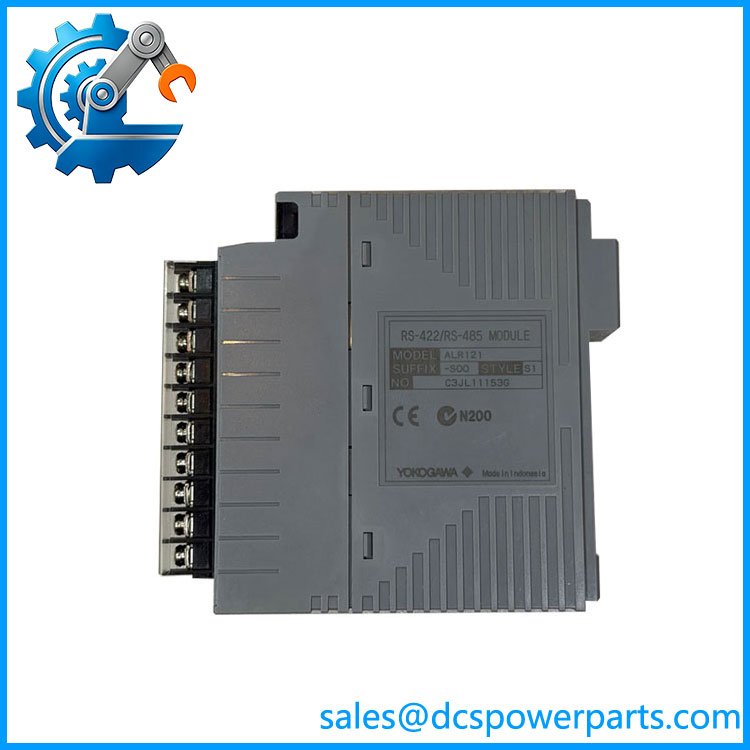
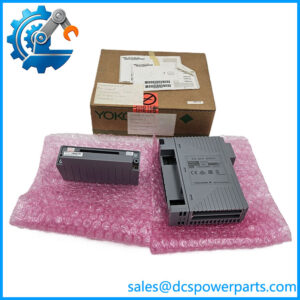
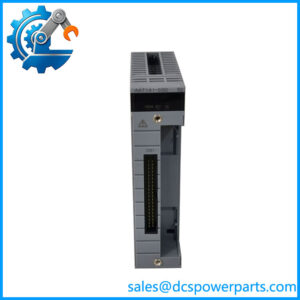
ALR121-S00
Application Scenarios & Field Pitfalls — The Engineer’s Perspective
Engineering Pain Point
Serial communication faults are often misdiagnosed as module failures. A device may remain powered while the actual problem is a reversed RS-422 pair, incorrect RS-485 termination, incompatible station parameters, or a mismatch between the Yokogawa communication package and the connected device. The -S00 should therefore be checked together with its wiring and software configuration.
Typical Applications
- RS-422 communication with industrial controllers and serial equipment
- RS-485 multidrop device networks
- Yokogawa DCS integration with third-party serial instruments
- Modbus RTU communication
- Legacy serial-device replacement projects
- N-IO/FIO-based control-system installations
Technical Pitfalls
- Do not confuse with ALR111. ALR111 is the RS-232C two-port serial module, while is the RS-422/RS-485 version.
- Verify the exact suffix. Yokogawa provides several suffix configurations, including explosion-protection and ISA G3 options. is the standard/basic configuration, so it should not automatically be substituted with an -E or other suffix.
- Check the protocol configuration. hardware supports the RS-422/RS-485 interface, but the actual application protocol depends on the installed communication package and system configuration. Yokogawa specifically documents Modbus RTU operation through its Modbus Communication Package.
- RS-422 and RS-485 wiring are not interchangeable by assumption. Confirm the transmitter/receiver arrangement, polarity, signal ground, termination, and multidrop topology before commissioning.
- Check the installed system generation. Yokogawa documentation identifies for N-IO/FIO architectures, while other documentation covers its use in ProSafe-RS-related environments. Confirm the host platform and applicable system specifications before approving a replacement.
- Do not rely on generic online specifications. Some secondary listings assign unsupported power-supply, temperature, baud-rate, and dimensional to . For procurement, Yokogawa’s model/suffix documentation should take precedence.
Related Products
- — Later/replacement configuration listed for the serial communication family; verify system compatibility before substitution.
- — standard type with ISA Standard G3 option; suffix differs from the basic -S00 configuration.
- — configuration with ISA Standard G3 and temperature option.
- — Explosion-protection configuration; not automatically interchangeable with the standard type.
- ALR111-S00 — Two-port RS-232C serial communication module; different physical interface from .
- ALE111-S00 — Ethernet communication module; used for Ethernet rather than RS-422/RS-485 serial links.
- VP6F9281 / VP6F9281A — Yokogawa Modbus Communication Package, documented for ALR111/ applications.
- AFV10 / AFV30 / AFV40 — Yokogawa field-control-station hardware families associated with ALR-series communication modules.
Procurement Note
For an , match the complete suffix rather than purchasing only an “.” Confirm host system, mounting location, communication protocol, RS-422/RS-485 wiring, and required environmental option before installation. For a running DCS, the installed module label and system engineering database should be treated as the final configuration reference.