Description
Key Technical Specifications
| Parameter | Value |
|---|---|
| Manufacturer | SST |
| Product Model | 5136-PFB-PCI |
| Product Type | PCI PROFIBUS Interface Card |
| Bus Interface | 32-bit PCI |
| PROFIBUS Protocol | DP Master / DP Slave / FDL Layer 2 |
| Baud Rate | 9.6 kbps to 12 Mbps |
| Processor | Intel i960 RISC processor |
| Shared Memory | 2 MB host memory area / onboard RAM configuration varies by revision |
| Flash Memory | Firmware and configuration storage |
| Network Connector | PROFIBUS 9-pin D-sub |
| PCI Compatibility | PCI 2.1 / PCI 2.2 systems |
| Operating Temperature | 0°C to +50°C typical |
| Power Requirement | 5 V PCI supply |
| Diagnostic Function | LED network status indication |
| Configuration Storage | Flash-based parameter storage |
The 5136-PFB-PCI uses an onboard processor to handle PROFIBUS timing and protocol processing instead of relying entirely on the host PC CPU. The card supports PROFIBUS communication rates up to 12 Mbps and can operate in master, slave, and FDL modes.
Product Introduction
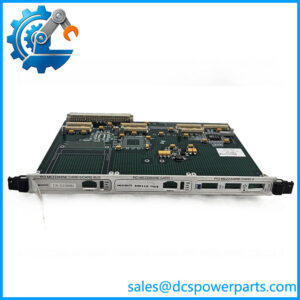
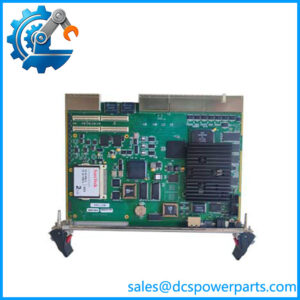
SST 5136-PFB-PCI PROFIBUS Interface Card
The SST 5136-PFB-PCI is an intelligent PCI communication card designed for connecting industrial PCs with PROFIBUS networks. It is commonly used in PC-based control systems, SCADA stations, diagnostics platforms, and automation test equipment requiring PROFIBUS DP connectivity.
Its onboard communication processor handles PROFIBUS protocol processing, which reduces dependence on Windows PC timing behavior. For older automation computers still running PCI-based hardware, this card remains a practical maintenance component when the original driver environment and application software are preserved.
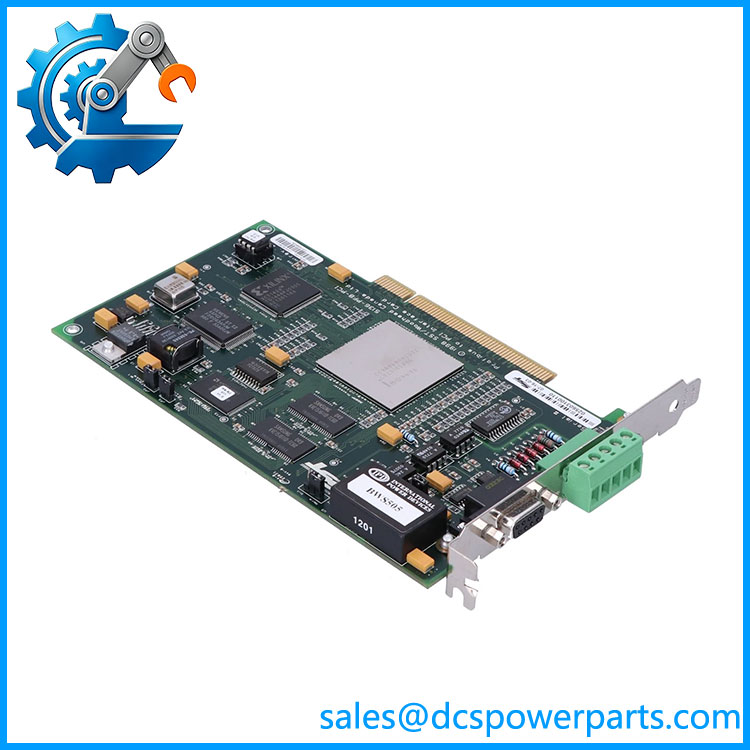
5136-PFB-PCI
Application Scenarios & Field Pitfalls — Engineer’s Perspective
Engineering Pain Point
A common failure during replacement of old PROFIBUS PCI cards is assuming that any PROFIBUS interface card will work.
The application software, driver stack, firmware, PCI compatibility, and PROFIBUS configuration database are all part of the system. A card that communicates electrically may still fail during startup because the host software expects SST-specific drivers and diagnostics.
Typical Applications
- Factory automation systems — PROFIBUS DP master communication with remote I/O, drives, and field instruments.
- SCADA/HMI computers — connecting Windows-based monitoring stations to PROFIBUS networks.
- Machine test equipment — collecting data from PROFIBUS devices during commissioning or validation.
- Legacy PLC integration — maintaining PC-based communication with older PROFIBUS installations.
Technical Pitfalls to Avoid
- Do not assume SST-PFB3-PCI is a direct replacement.
The newer SST-PFB3-PCI family maintains some backward compatibility, but it is not a direct drop-in replacement for every 5136-PFB-PCI installation. Driver, software, and PCI requirements must be checked first. - Verify the PC motherboard PCI type.
The 5136-PFB-PCI was designed for legacy PCI systems. Modern industrial PCs may use PCI Express only, requiring a different hardware solution or adapter strategy. - Keep the original configuration files.
PROFIBUS master configurations, GSD files, station addresses, and communication parameters should be backed up before replacing the card. - Check PROFIBUS termination and wiring.
Many communication faults blamed on the PCI card are actually caused by incorrect bus termination, damaged cable shielding, or incorrect node addressing. - Confirm software compatibility.
The card may function at the hardware level but fail if the existing application depends on SST-specific libraries, drivers, or configuration tools.
Related Products
- SST-PFB3-PCI
Newer PCI PROFIBUS interface family. Provides updated PCI compatibility, but should not be treated as a simple replacement without software verification. - 5136-PFB-ISA
ISA-bus version of the SST PROFIBUS card family for older industrial computers. Shares similar PROFIBUS functions but uses a different host interface. - 5136-PFB-VME
VMEbus version for industrial VME computer platforms. Supports PROFIBUS DP and FDL communication. - 5136-PFB-104
PC/104-related version of the SST PROFIBUS interface family. Used in embedded industrial computers. - SST-PFB-CLX
PROFIBUS interface solution for ControlLogix platforms. Different host architecture; not a PCI replacement. - SST-PBMS
PROFIBUS multi-slave interface product. Used for emulation or monitoring applications rather than standard PCI PC communication. - Siemens CP5611
Alternative PCI PROFIBUS communication card commonly used in Siemens environments. Software compatibility must be checked before substitution. - Hilscher CIFX PROFIBUS PCI Series
Another industrial PC PROFIBUS interface family. Requires application-level compatibility review before migration.
Procurement Note
For replacement records, specify:
SST 5136-PFB-PCI — PCI PROFIBUS DP Master/Slave Interface Card — Intel i960 Processor Version
Before approving a replacement, verify:
- Existing industrial PC motherboard type
- Operating system and driver version
- PROFIBUS configuration software
- Master/slave operating mode
- Existing GSD files and network parameters
For legacy production systems, the driver environment and application compatibility are often more critical than the card itself. A confirmed working spare with matching firmware and software support is usually lower risk than changing to a newer interface without a migration test.