Description
Key Technical Specifications
| Parameter | Specification |
|---|---|
| Manufacturer | ProSoft Technology |
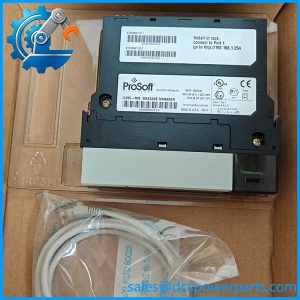
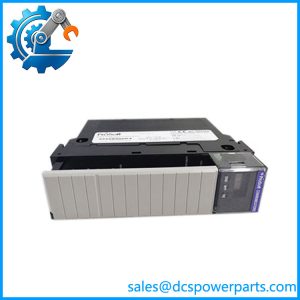
| Model | MVI56-PDPS |
| Product type | PROFIBUS DP slave communication module |
| Controller platform | Rockwell Automation ControlLogix |
| Chassis compatibility | 1756, single slot |
| Network role | PROFIBUS DP slave |
| PROFIBUS baud rate | 9.6 kbps to 12 Mbps |
| Maximum input data | 122 words |
| Maximum output data | 122 words |
| Combined input/output limit | 200 words |
| PROFIBUS connector | DB-9 female |
| Backplane current at 5 V | 800 mA |
| Backplane current at 24 V | 3 mA |
| Operating temperature | 0°C to 60°C (32°F to 140°F) |
| Storage temperature | −40°C to 85°C (−40°F to 185°F) |
| Configuration | Configuration file and ladder logic |
| PROFIBUS features | Auto baud setting, Sync mode, Freeze mode |
| Node address range | 0–125 |
Specifications are based on the manufacturer’s product datasheet and user manual. Confirm the applicable documentation revision when validating an existing installation.
Application Scenarios & Pain Points
A PROFIBUS communication fault can interrupt PLC data exchange even when the controller and field devices remain operational. In a replacement job, the challenge is restoring the correct data mapping—not simply getting the module’s status LEDs to turn green.
Typical applications
- Drive integration: Exchanges PLC command and status data with PROFIBUS-compatible drive systems through a PROFIBUS DP master.
- Process automation: Connects ControlLogix applications to PROFIBUS networks used in industrial process and equipment control.
- Water and utility systems: Supports data exchange between PLC control logic and remote equipment connected through a PROFIBUS network.
- Legacy ControlLogix maintenance: Replaces a failed communication module while preserving the existing network architecture, subject to configuration and hardware compatibility checks.
Field note
Suppose a replacement module powers up, but the PROFIBUS master still reports a communication fault. Check the node configuration, cable termination, master-side device configuration, and module status first. Then verify that the input and output data mapping matches the PLC logic. A healthy module does not guarantee a correct application data exchange.
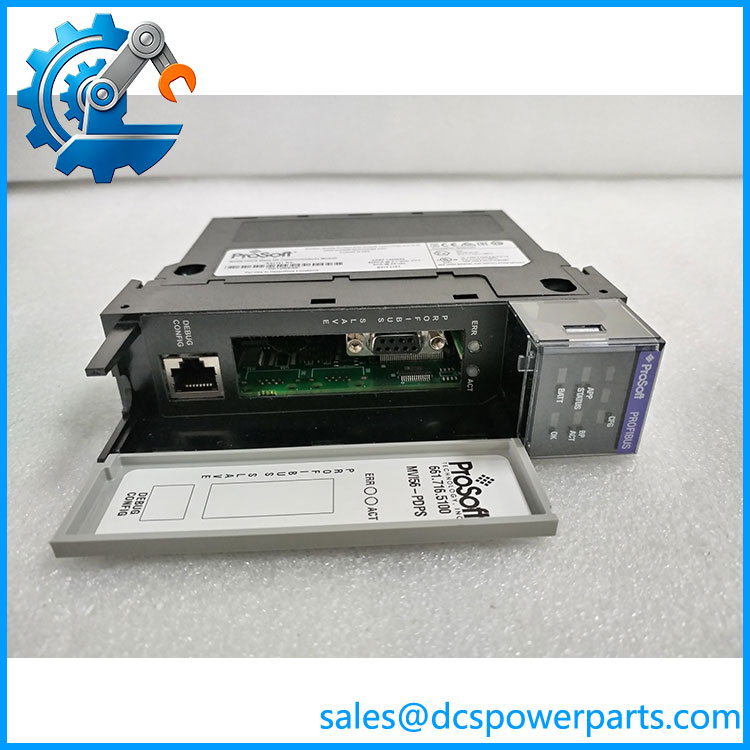
MVI56-PDPS
Related Products
These products and components are relevant to ControlLogix and PROFIBUS integration. They have different functions and are not all direct substitutes.
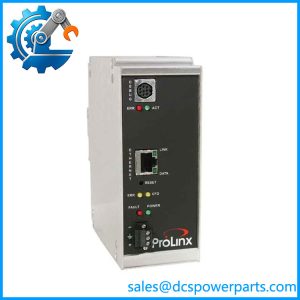
- MVI56-PDPMV1 — PROFIBUS DP V1 master/slave module for ControlLogix applications. Its master/slave capabilities differ from the MVI56-PDPS slave-only role; verify configuration requirements before considering a migration.
- MVI56-PDPM — PROFIBUS DP master communication module reference. Intended for applications where the ControlLogix side must act as a master rather than a slave; confirm the exact hardware and software version.
- MVI56E-PDPMV1 — Enhanced PROFIBUS DP V1 master/slave module family. It offers different capabilities from the legacy MVI56-PDPS and requires an engineering compatibility review.
- 1756-L71 — ControlLogix controller model. It performs the controller logic function and is not a replacement for the PROFIBUS communication module.
- 1756-A7 — ControlLogix seven-slot chassis. It provides the physical backplane for compatible modules; verify chassis requirements and available slot capacity.
- 1756-PA72 — ControlLogix AC power supply. It powers the chassis and serves a different function from the MVI56-PDPS.
- PROFIBUS DP master — Network controller that initiates communication with the MVI56-PDPS slave. Confirm supported baud rate, slave configuration, and I/O length.
- PROFIBUS DB-9 connector and cable assembly — Network connection hardware. Verify connector wiring, cable specifications, shielding, and termination before reuse.
The ProSoft product documentation distinguishes the MVI56-PDPS slave function from the master/slave capabilities of other modules. The related hardware listed here must be checked against the installed system before procurement.
The Engineer’s Guide: Field Pitfalls to Avoid
Warning 1 — Treating a master module as an equivalent replacement
The operates as a PROFIBUS DP slave. A master-capable module has a different network role and may require changes to the configuration and PLC application.
- Confirm the required PROFIBUS role.
- Check the full catalog number and module generation.
- Review the controller program and network configuration before approving a substitute.
Warning 2 — Losing the existing data map
The module transfers data through configured input/output areas and PLC logic. A replacement with different mapping or configuration can leave the network online while the application reads the wrong values.
- Back up the configuration file and relevant ladder logic.
- Record input/output word lengths and byte-swapping settings.
- Validate command and status data against the actual PLC tags before returning the system to service.
Warning 3 — Overlooking PROFIBUS addressing and termination
A correct module can still fail to communicate because of an incorrect node address, cabling fault, or missing bus termination.
- Confirm the configured node address is within the supported range.
- Inspect the DB-9 connection, cable shielding, and termination at the appropriate bus ends.
- Check the master diagnostics and module status indicators before replacing additional hardware.
Frequently Asked Questions (FAQ)
1. What does the ProSoft do in a ControlLogix system?
It provides a PROFIBUS DP slave interface for a ControlLogix processor. The module exchanges configured input and output data with a PROFIBUS DP master, allowing PLC data to be shared with devices on the fieldbus.
It occupies one slot in a compatible 1756 chassis and uses configuration data and ladder logic to exchange information with the controller.
2. Can the connect directly to a PROFIBUS DP slave device?
The itself operates as a slave, so it is intended to communicate with a PROFIBUS DP master. It does not perform the master function required to initiate communication with other slaves.
If the ControlLogix system needs to control a network of PROFIBUS slave devices, select a suitable master-capable interface instead.
3. How much input and output data can the transfer?
The documented limits are up to 122 words of input data and 122 words of output data, with a combined maximum of 200 words. The actual configuration must remain within both the individual and combined limits.
When replacing a unit, compare the configured data lengths and PLC mapping. Do not assume that the maximum theoretical capacity is the same as the application’s actual data layout.
4. Is the compatible with any ControlLogix 1756 chassis?
It is designed for a single slot in the 1756 ControlLogix platform. Compatibility should still be checked against the controller, chassis, project configuration, and the exact module version.
Before installation, confirm the required configuration software, ladder logic, and module definition in the existing project. Physical fit alone does not guarantee successful integration.
5. How should I verify that a replacement module is functional?
Request photographs of the label and connectors, confirmation of the unit’s condition, and a test report where available. For refurbished stock, ask whether testing covers backplane communication, module status, and PROFIBUS operation.
After installation, verify the processor-to-module data transfer and the PROFIBUS master diagnostics. A successful power-up is not proof that the full data exchange is working.
6. Can I replace the without changing the PROFIBUS master configuration?
A like-for-like replacement may allow the existing master configuration to remain in place, but this depends on the module identity, network configuration, node settings, and application data mapping.
Back up the existing configuration and verify the replacement’s network parameters before commissioning. A different module family or master/slave role may require engineering changes.
7. What should I confirm about warranty and lead time?
Ask the supplier to confirm the exact catalog number, physical stock status, condition, warranty terms, and expected dispatch date in writing. If the unit is refurbished, request the functional test scope and any exclusions.
For a time-critical shutdown, distinguish stock that is physically available from a sourcing estimate, and allow time for configuration checks and communication testing before the system returns to operation.