Description
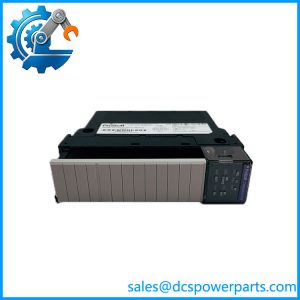
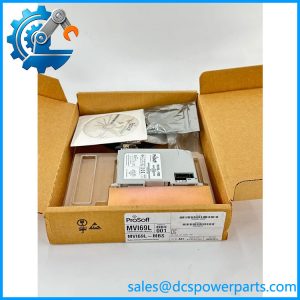
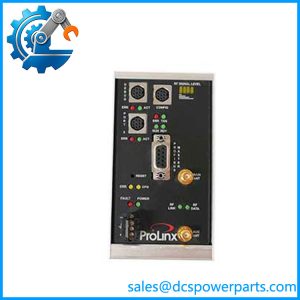
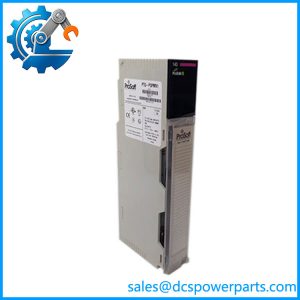
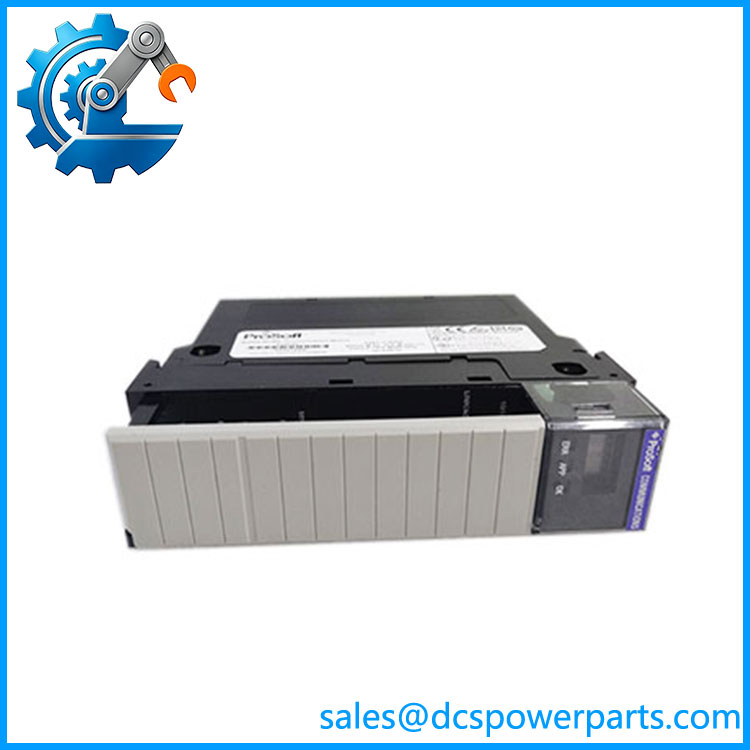
ProSoft MVI56-MCM | Modbus Master/Slave Communication Module | ControlLogix
Key Technical Specifications
| Parameter | Specification |
|---|---|
| Product | MVI56-MCM |
| Manufacturer | ProSoft Technology |
| Host Platform | Rockwell Automation ControlLogix |
| Module Type | Modbus Master/Slave Communication Module |
| Application Ports | 2 |
| Serial Modes | RS-232, RS-422, RS-485 |
| Protocols | Modbus RTU, Modbus ASCII |
| Baud Rate | 110 to 115.2 kbaud |
| Data Bits | 7 or 8 |
| Stop Bits | 1 or 2 |
| Parity | None, Even, Odd |
| Modbus Slave Address | 1–247 |
| Master Commands | Up to 100 commands per Master port |
| Floating Point | Enron, Daniel, and other configurable formats |
| Backplane Interface | ControlLogix |
| Configuration Tool | ProSoft Configuration Builder |
ProSoft documentation specifies baud rates from 110 to 115,200 baud, selectable parity and stop-bit settings, and RTU/ASCII operation. A Master port supports up to 100 configurable commands, with command-level error information and slave-status monitoring.
The module supports standard Modbus functions including reading coils and registers, writing single or multiple coils/registers, diagnostics, and selected slave functions such as Report Slave ID and Mask Write Register.
Product Introduction
The ProSoft MVI56-MCM provides serial Modbus connectivity for Rockwell ControlLogix systems. Installed in the ControlLogix chassis, it transfers Modbus data between field devices and the controller’s data structures without requiring the PLC processor to handle the serial protocol directly.
The two application ports can operate independently as Master or Slave interfaces. This makes the module suitable for connecting legacy drives, meters, controllers, analyzers, RTUs, and other Modbus devices to an existing ControlLogix system. ProSoft documentation also supports configurable floating-point handling for Enron, Daniel, and other implementations.
MVI56-MCM
Application Scenarios & Field Pitfalls — The Engineer’s Perspective
Engineering Pain Point
A Modbus link can appear simple until the PLC is communicating with several devices using different register maps, serial settings, byte orders, or response characteristics. The MVI56-MCM handles the protocol conversion, but the application still depends heavily on correct command configuration and device-specific addressing.
Typical Applications
- ControlLogix-to-Modbus RTU integration
- Legacy PLC and DCS equipment integration
- Drives, meters, analyzers, and process instruments
- SCADA and field-device communication
- Migration of serial Modbus equipment into ControlLogix systems
Technical Pitfalls
- Check register addressing carefully.
A Modbus device’s documented register number does not always correspond directly to the address entered in the MVI56-MCM command list. Zero-based versus one-based addressing is a common commissioning problem. - Verify serial mode on both ends.
RS-232, RS-422, and RS-485 are electrical interfaces, not interchangeable protocol settings. For RS-485 installations, confirm wiring polarity, termination, biasing, and node arrangement. - Do not assume all Modbus devices use the same floating-point format.
The MVI56-MCM supports configurable floating-point implementations, including Enron and Daniel formats. The device manual should determine the correct word/byte arrangement. - A failed slave can affect polling behavior.
The module maintains slave status and can suspend communication with a slave after the configured retry behavior is exhausted. This matters when a network contains intermittent or powered-down devices. - Do not disable an unused port by blindly zeroing every parameter.
ProSoft’s knowledge base documents a specific case where setting unused-port parameters to zero can cause the module to fault rather than simply disabling the port. - Check isolation when troubleshooting ground faults.
ProSoft documentation states that the two application serial ports provide electrical isolation from the ControlLogix backplane. The separate debug/configuration port does not provide the same isolation. - Do not automatically substitute MVI56E-MCM.
The enhanced MVI56E-MCM is a later generation with features such as Add-On Profile, Add-On Instruction support, and enhanced diagnostics. ProSoft states that MVI56E products are backward-compatible with earlier MVI56 modules, but an installed system should still be checked for firmware, configuration, and project-level compatibility before replacement.
Related Products
- ProSoft MVI56E-MCM — enhanced ControlLogix Modbus Master/Slave module with Add-On Profile and Add-On Instruction support.
- ProSoft MVI56E-MCMXT — enhanced version intended for the Logix-XT platform and harsher operating environments.
- ProSoft -MCMR — related reduced-data-block Modbus communication variant; application architecture should be checked before substitution.
- ProSoft MVI69-MCM — Modbus Master/Slave module for CompactLogix/MicroLogix platforms, not a direct ControlLogix form-factor replacement.
- ProSoft MVI46-MCM — earlier Modbus Master/Slave communication module for other Rockwell platforms.
- ProSoft -MNET — Ethernet-based Modbus TCP communication module for ControlLogix applications; different physical network architecture.
- ProSoft -DFCM — serial DF1 communication module for ControlLogix; different protocol and application.
- Rockwell 1756-L6x / 1756-L7x controllers — ControlLogix host platforms commonly associated with the family.
Procurement Note
For an existing installation, match by its complete model and hardware revision rather than simply purchasing a generic “ProSoft Modbus module.” Record the ControlLogix processor and chassis, RS-232/422/485 configuration for each port, firmware revision, ProSoft configuration file, command list, slave addresses, and floating-point/word-order settings.
If replacing an installed unit with MVI56E-MCM, verify the controller project and firmware requirements first. The enhanced module provides additional integration features, but the safest replacement decision is based on the existing application configuration rather than the physical similarity of the two modules.