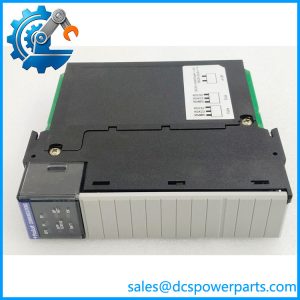
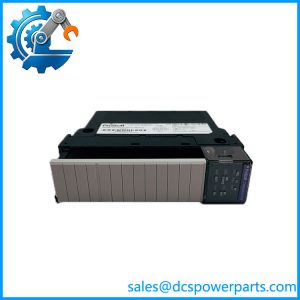
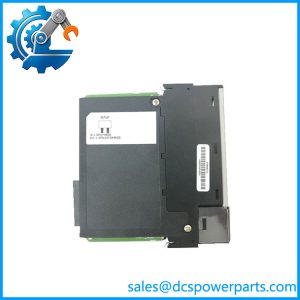
Description
ProSoft Technology 5201-MNET-MCM-WEB | ProLinx Modbus Gateway | Ethernet-to-Serial Integration
Key Technical Specifications
| Parameter | Specification |
|---|---|
| Manufacturer | ProSoft Technology |
| Model | 5201-MNET-MCM-WEB |
| Product Family | ProLinx 5000 Series |
| Product Type | Communication Gateway |
| Ethernet Protocol | Modbus TCP/IP |
| Serial Protocol | Modbus RTU / Modbus ASCII |
| Serial Interface | RS-232 / RS-422 / RS-485 |
| Operating Mode | Modbus Master or Slave |
| Internal Database | Up to 4,000 registers |
| Master Commands | Up to 100 commands per Master port |
| Baud Rate | 110 to 115,200 baud |
| Data Bits | 5 to 8 |
| Stop Bits | 1 or 2 |
| Parity | None, Even, Odd, Mark, Space |
| Modbus Slave Address | Software selectable |
| Configuration | ProSoft Configuration Builder |
| Serial Isolation | 2500 VRMS port-to-port; 3000 VDC minimum port-to-ground/logic |
| Web Server | HTML Web Server, factory-installed -WEB option |
| Web Storage | 8 MB HTML/graphics file storage |
| Maximum HTML Page | 32 KB |
| Mounting | DIN rail |
| Hazardous Area Marking | Class I, Division 2 / ATEX-related markings depend on applicable product revision |
| Product Status | Legacy |
The MCM driver supports each available Modbus serial port as either Master or Slave. Master operation supports configurable read/write command lists, while Slave operation exposes the gateway’s internal database to external Modbus Masters.
Product Introduction
The ProSoft Technology 5201-MNET-MCM-WEB is a ProLinx Modbus Master/Slave communication gateway designed to connect serial Modbus equipment with Ethernet-based Modbus TCP/IP systems. The MCM driver supports RS-232, RS-422, and RS-485 communication and allows the serial port to operate as either a Modbus Master or Slave.
The -WEB suffix is important. ProSoft documentation states that the Series C Ethernet gateways did not include the HTML Web Server as standard; the -WEB version required a factory-installed hardware addition providing 8 MB of HTML/graphics storage and support for HTML pages up to 32 KB.
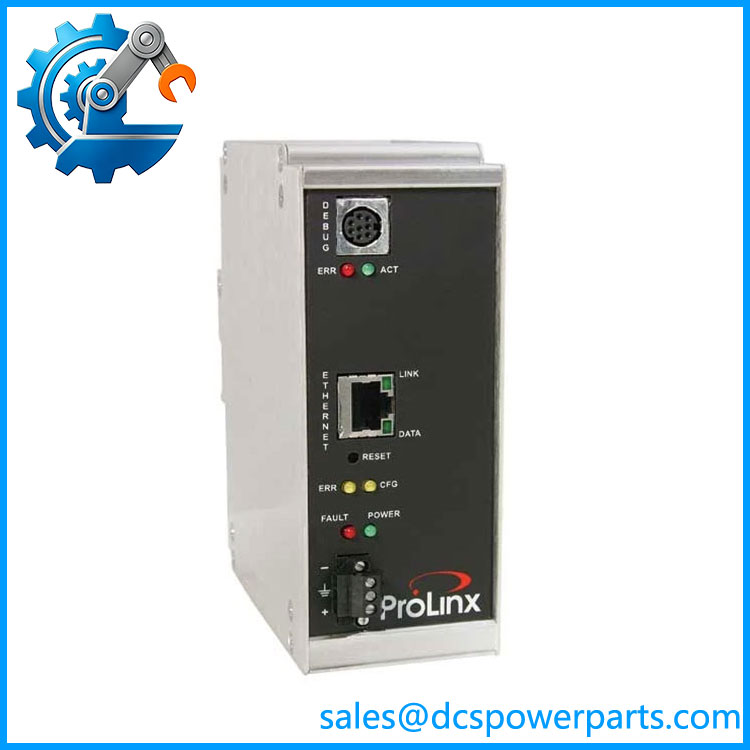
5201-MNET-MCM
Application Scenarios & Field Pitfalls — Engineer’s Perspective
Engineering Pain Point
The 5201-MNET-MCM-WEB is often encountered in older PLC and plant communication systems where a serial Modbus network has been retained while the supervisory or control network has moved to Ethernet. A replacement must therefore preserve the serial electrical interface, Modbus addressing, register mapping, command timing, and existing gateway configuration rather than simply matching the Ethernet connector.
Typical Applications
- PLC-to-Modbus device integration where serial Modbus equipment must exchange data with an Ethernet network.
- RS-485/RS-422 Modbus networks containing drives, meters, controllers, or other field devices.
- Modbus TCP supervisory connections to data held in the ProLinx internal database.
- Legacy automation system maintenance where the existing ProLinx configuration and WEB functionality need to be retained.
Technical Pitfalls to Avoid
- Do not confuse MNET-MCM with a simple Ethernet-to-RS-485 converter.
The MCM driver has an internal database of up to 4,000 registers and supports configurable Master command lists, Slave addressing, polling behavior, error handling, and floating-point data movement. It performs protocol processing rather than simple electrical conversion. - The
-WEBsuffix must be matched exactly when the installed system uses the Web Server.
ProSoft states that the HTML Web Server required a factory-installed hardware addition. Ordering a standard 5201-MNET-MCM does not automatically provide the same hardware capability. - Check the serial interface configuration before replacement.
Port 0 uses a jumper to select RS-232, RS-485, or RS-422, while additional ports on applicable configurations are software-configured. Port 0 is also unbuffered and ProSoft cautions about operation above 38.4 kbps; buffered additional serial ports can support up to 115.2 kbps. - Preserve the configuration file and register map.
The gateway’s internal database is shared between the protocol drivers, so replacing the hardware without restoring the correct configuration can leave the Ethernet side operational while the PLC or field-device data mapping is wrong.
Related Products
- ProSoft 5201-MNET-MCM — Standard ProLinx Ethernet/MCM gateway without the
-WEBfactory option. - ProSoft 5202-MNET-MCM4 — Related multi-port MCM configuration for applications requiring multiple Modbus serial ports.
- ProSoft 4102/5102-MBS3-MBM — Modbus port-expander hardware referenced by the MCM driver documentation.
- ProSoft ProLinx 5000 Series — Gateway family containing the MNET communication products.
- ProSoft MNET Protocol Driver — Ethernet-side Modbus TCP/IP functionality used by the gateway architecture.
- ProSoft MCM Driver — Serial Modbus Master/Slave driver supporting RTU and ASCII operation.
- ProSoft Configuration Builder — Configuration software used to configure and maintain the gateway.
Procurement Check
Before approving a 5201-MNET-MCM-WEB replacement, verify:
- Exact part number: 5201-MNET-MCM-WEB
- ProLinx 5000 Series hardware generation
-WEBfactory-installed hardware option- Ethernet Modbus TCP/IP configuration
- Number of active serial ports
- RS-232 / RS-422 / RS-485 selection
- Modbus RTU or ASCII configuration
- Master/Slave role for each port
- Baud rate, parity, data bits, and stop bits
- Modbus slave addresses
- Master command lists
- Internal database/register mapping
- Floating-point data configuration, if used
- Response timeout and retry settings
- Existing ProSoft Configuration Builder project
- Hardware revision and firmware version
- Existing hazardous-area certification requirements
Recommended procurement description:
ProSoft Technology 5201-MNET-MCM-WEB ProLinx 5000 Series Modbus Master/Slave Communication Gateway, Modbus TCP/IP Ethernet Interface, RS-232/RS-422/RS-485 Serial Modbus, Factory-Installed HTML Web Server Option.
The key procurement point is the -WEB hardware option. The 5201-MNET-MCM-WEB is not merely a standard MCM gateway with a software checkbox; ProSoft documentation states that the Web Server option required a factory-installed hardware addition. For a field replacement, match the complete part number, hardware revision, serial interface configuration, Modbus database mapping, and existing configuration file.