Description
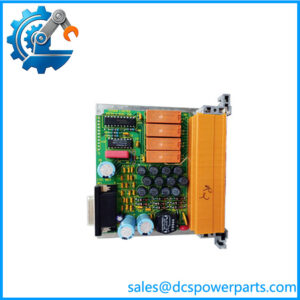
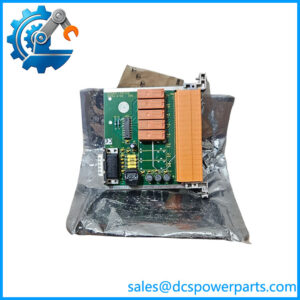
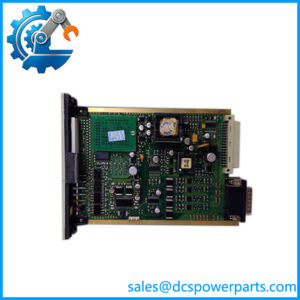
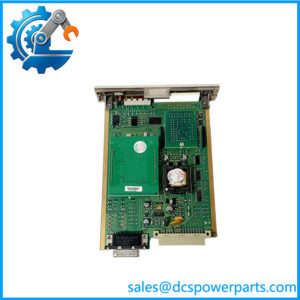
Honeywell TK-IOLI01 51403427-175 I/O Link Interface Module
Key Technical Specifications
| Parameter | Specification |
|---|---|
| Manufacturer | Honeywell |
| Documented model | TK-IOLI01 |
| Part number | 51403427-175 |
| Module designation | IOLIM |
| Product type | I/O Link Interface Module |
| System family | Honeywell Series-A |
| Primary function | Interface between the control system and PMIO |
| Supply voltage | 24 VDC |
| Current consumption | Nameplate data from an identified module lists approximately 73 mA at 24 VDC; verify hardware revision and complete power budget |
| Installation | Compatible Series-A chassis slot |
| Supported I/O architecture | PMIO |
| Maximum module count | Up to two in applicable documented chassis configurations |
| Operating temperature | Confirm from the applicable Honeywell hardware documentation |
| Protection rating | Confirm from the applicable chassis and module documentation |
| Firmware / hardware revision | Check the module label and system records |
| Replacement compatibility | Requires verification of chassis, system revision, link configuration, and part number |
The confirmed role of this module is the PMIO interface in the Series-A architecture. Published third-party listings contain conflicting or unrelated specifications, so values such as universal I/O channel counts, IO-Link 1.1, Modbus support, and DIN-rail mounting should not be assumed for this Honeywell part.
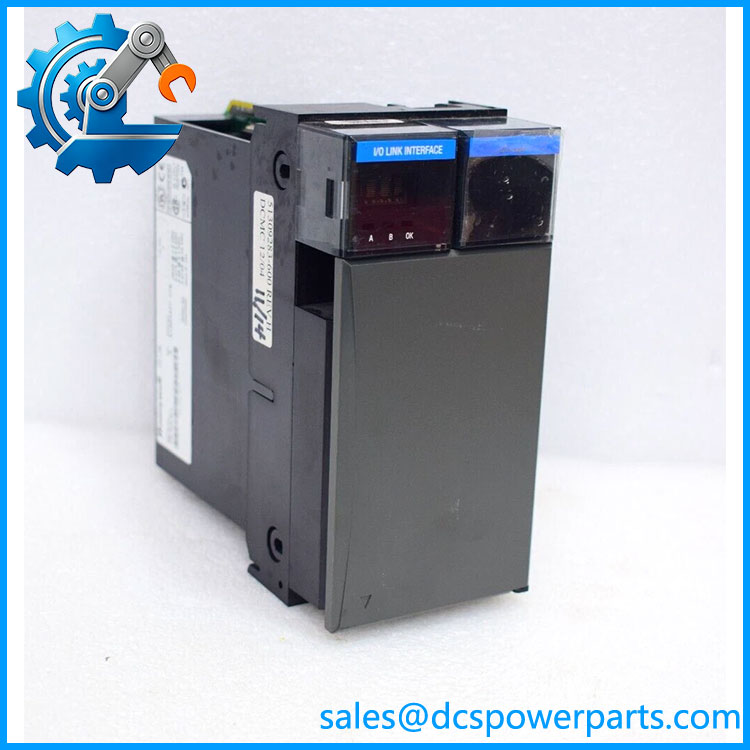
TK-IOL101 51403427-175
Product Introduction
The Honeywell TK-IOLI01, part number 51403427-175, is an I/O Link Interface Module used in applicable Series-A control-system installations. Its role is to provide the interface between the controller-side architecture and Process Manager I/O. A fault in this module or its associated link can interrupt access to a group of field I/O points, making it important to distinguish an interface failure from an individual sensor, field termination, or I/O channel fault.
The part number is especially important when maintaining older Honeywell systems. The model appears in some catalogs as TK-IOL101, while system-related documentation identifies it as TK-IOLI01. Before ordering, compare the installed label, hardware revision, chassis slot, and associated I/O configuration. A module with a similar catalog description is not sufficient evidence of electrical or architectural compatibility.
Application Scenarios & Field Pitfalls — The Engineer’s Perspective
Engineering Pain Point
When a group of process signals disappears simultaneously, the fault may be in the I/O interface or its link rather than in multiple field devices. Replacing individual input or output modules without checking the shared interface can waste commissioning time and leave the original failure unresolved. Troubleshooting should begin with chassis diagnostics, module status, link connections, and the system’s configured I/O architecture.
Typical Applications
- Connecting Series-A control hardware to Process Manager I/O.
- Maintaining legacy Honeywell HPM-based control installations.
- Diagnosing loss of communication between the control environment and PMIO.
- Replacing a failed IOLIM after confirming the chassis and system configuration.
Technical Pitfalls to Avoid
- Verify the exact model spelling. Confirm whether the installed label reads
TK-IOLI01and whether51403427-175matches the order requirement. - Check the chassis architecture. Confirm the correct Series-A chassis, slot assignment, and permitted number of interface modules.
- Inspect the I/O link before replacing hardware. Check connectors, cabling, link status, and associated PMIO hardware.
- Separate shared-link faults from field faults. If multiple channels fail together, investigate the common interface and remote I/O path before replacing individual signal modules.
- Confirm revision compatibility. Record hardware and firmware markings and compare them with the installed system’s documentation.
- Protect the live process. Follow the site’s approved isolation, redundancy, and maintenance procedures before removing a module. Do not assume that the module is hot-swappable without confirmation from the applicable Honeywell manual.
- Validate after replacement. Confirm restored communication, expected I/O point status, alarms, and representative field readings before returning the affected equipment to normal operation.
Related Products
These modules are associated with Honeywell Series-A and related control-system architectures. They are not direct substitutes for TK-IOLI01.
- TK-PRS021 — C200 control processor module; performs controller processing rather than the PMIO interface function.
- TK-FTEB01 — Field termination-related module used in Series-A installations; verify its precise role and assembly revision.
- TK-FPCXX2 — Series-A system module identified in hardware listings; confirm its specific function and compatibility against the installed chassis.
- TK-CCR01 — Related Series-A control-system component; verify its exact designation and role before specifying it.
- TK-, 51403427-175 — The documented I/O Link Interface Module designation for the requested part.
- TK-PRS021, 51404305-475 — A documented C200 processor variant; not an I/O link interface replacement.
These related designations appear in Series-A hardware references and module listings. Verify each full part number against the system bill of materials before procurement.
Procurement Note
For Honeywell TK- / 51403427-175, request a clear photograph of the nameplate, including the model, part number, hardware revision, and firmware marking where present. Confirm that the existing installation uses the Series-A PMIO architecture and identify the relevant chassis and slot. Before commissioning a replacement, verify link communication and the status of representative I/O points. Do not select a substitute based only on a catalog entry describing a generic I/O link or universal analog/digital interface.