Description
Product Introduction
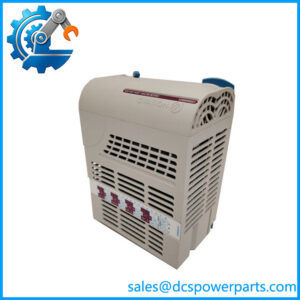
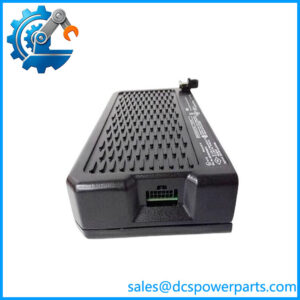
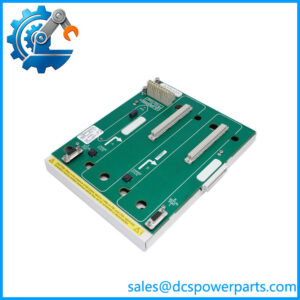
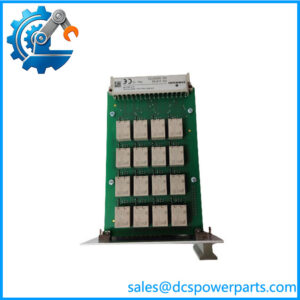
When an Ovation control system needs to exchange data with equipment on a PROFIBUS DP network, the interface hardware must match the installed system architecture and configuration. The Emerson Ovation 5X00300G02 is identified in product references as a PROFIBUS DP interface electronics assembly. Its catalog description also includes “with Time,” making it important to verify the exact time-related function and configuration against the applicable system documentation.
For replacement procurement, start with the complete model number and the installed interface arrangement. Confirm the supported PROFIBUS configuration, connected devices, controller-side connection, and software compatibility. Some third-party listings incorrectly classify this part as an analog output module and publish detailed output specifications that are not supported by the more consistent catalog identification. Do not use those analog-output claims to specify or commission this interface.
Key Technical Specifications
| Parameter | Details |
|---|---|
| Manufacturer | Emerson / Westinghouse |
| Model Number | 5X00300G02 |
| Product Family | Ovation DCS |
| Product Type | PROFIBUS DP interface electronics assembly |
| Catalog Description | EMOD assembly, PROFIBUS DP with Time |
| Primary Function | PROFIBUS DP communications interface |
| Network Protocol | PROFIBUS DP, as identified in product references |
| Time-Related Function | Indicated by the catalog description; exact behavior requires confirmation from applicable documentation |
| Controller Compatibility | Verify against the installed Ovation hardware and software |
| Power Requirements | Confirm from the relevant hardware manual; do not infer from generic seller listings |
| Installation | Applicable Ovation hardware assembly; verify mounting and connection details |
| Operating Temperature | Confirm from the applicable product documentation |
| Condition | Confirm unit status, inspection evidence, and warranty terms |
Specification caution: The available references do not establish a reliable channel count, analog output range, resolution, accuracy, isolation rating, or detailed environmental limits for this model. These values should not be copied from unrelated or conflicting supplier descriptions.
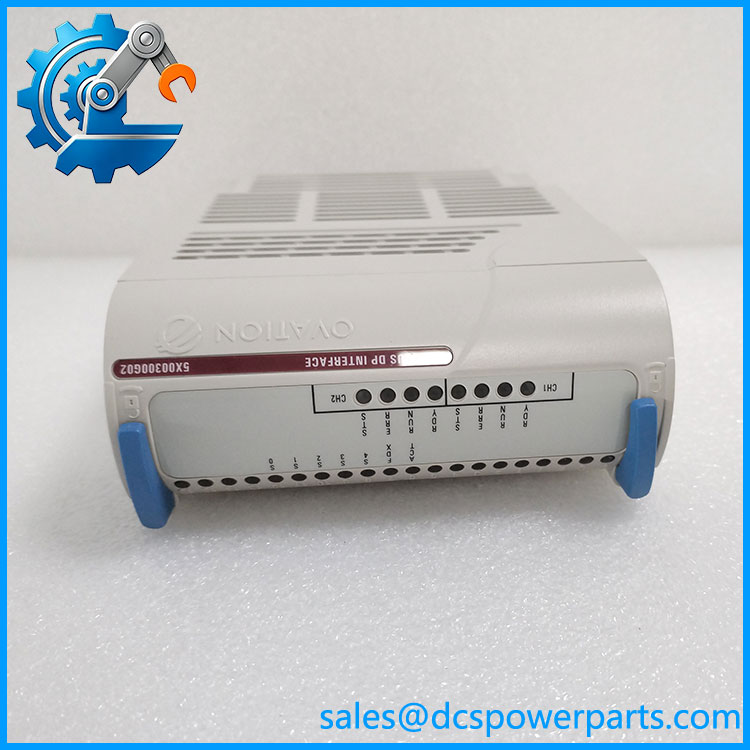
5X00300G02
Application Scenarios & Pain Points
- PROFIBUS DP integration: Supports communication between the Ovation system and compatible devices on a configured PROFIBUS DP network.
- Distributed equipment connectivity: Relevant where field equipment or subsystem controllers exchange process or status data through PROFIBUS DP.
- Legacy DCS maintenance: Provides a specific part-number target when an existing Ovation communication interface requires replacement.
- Troubleshooting communication faults: May be relevant when diagnosing interface hardware, but network cabling, bus termination, device addressing, and configuration should also be checked before condemning the module.
Related Products
These are related Ovation communication or interface components, not confirmed direct substitutes.
- 5X00419G02 — Ovation Ethernet link controller with timestamp, a different communications interface.
- 5X00226G03 — Controller I/O interface assembly with block-transfer and extended-register protocol functions.
- 1C31166G02 — Ovation link controller electronics module, a separate component in the Ovation communications architecture.
- 1C31179G02 — Ovation media attachment unit electronics assembly for a four-channel configuration.
- 1C31181G01 — Ovation media attachment unit personality module for an 850 nm fiber-optic configuration.
The Engineer’s Guide: Field Pitfalls to Avoid
1. Mistaking the interface for an analog output module. Some supplier pages assign analog-output functions to 5X00300G02, but the more consistent product identification describes it as a PROFIBUS DP interface. Confirm the catalog description and physical nameplate before purchasing.
2. Assuming protocol compatibility guarantees interoperability. PROFIBUS DP communication also depends on supported device profiles, bus parameters, addressing, configuration files, and the connected equipment. Verify these items against the installed system.
3. Replacing hardware without checking the network. Inspect bus wiring, connectors, termination, device diagnostics, and configuration records before replacing the interface. After installation, confirm communication with the expected devices and validate process data before returning the affected system to service.
Frequently Asked Questions
Q1: What is Emerson 5X00300G02 used for?
It is identified as an Ovation PROFIBUS DP interface electronics assembly. Confirm its specific role in the installed architecture using the applicable hardware documentation.
Q2: Is 5X00300G02 an analog output module?
The more consistent catalog identification describes it as a PROFIBUS DP interface, not an analog output module. Treat listings that claim 4–20 mA output channels as unverified unless supported by authoritative documentation for this exact part number.
Q3: What does “with Time” mean in its catalog description?
The catalog description includes “with Time,” but the available references do not establish the precise time-related function. Confirm whether it relates to time synchronization, timestamping, or another system-specific function before writing a technical specification or planning an integration.
Q4: Can 5X00300G02 replace another Ovation communication module?
Not automatically. Different communication assemblies can support different protocols, connections, and configuration requirements. Match the full part number and verify the approved replacement path.
Q5: What should I verify before ordering?
Check the complete model number, product label, installed controller and network architecture, connected PROFIBUS devices, system software requirements, and the required condition of the replacement. Request photographs and any available inspection or functional-test records.
Q6: How can I evaluate refurbished stock?
Ask for a clear condition statement, label photographs, test evidence appropriate to the interface function, warranty terms, and return conditions. A module that powers up is not necessarily proven to communicate correctly with the installed network.
Q7: What should be tested after installation?
Follow the site’s approved maintenance procedure. Verify module diagnostics, PROFIBUS network status, communication with the intended devices, device addressing and configuration, and the validity of transferred data before restoring normal operation.
Procurement recommendation: For the Emerson Ovation 5X00300G02, prioritize confirmation of the PROFIBUS DP interface identity and its exact role in the installed system. Do not approve it on the basis of analog-output specifications or generic claims of compatibility.