Description
Key Technical Specifications
| Parameter | Value |
|---|---|
| Manufacturer | Eaton / Micro Innovation |
| Model | XVS-460-57MPI-1-1E |
| Product Family | XV400 / XVS400 Micro Panel |
| Product Type | Industrial HMI Touch Panel |
| Display Size | 5.7 in |
| Display Technology | TFT color display |
| Operator Input | Touchscreen |
| Communication Variant | MPI |
| Supply Voltage | 24 VDC |
| Primary Function | Machine/operator interface |
| Typical Mounting | Panel-mounted |
| Application | PLC and machine-control visualization |
| Typical Systems | Industrial automation / machine control |
| Lifecycle | Legacy |
| Configuration | Model-specific firmware and communication settings |
The 5.7-inch size and MPI designation are consistently associated with this model. One available record explicitly lists XVS-460-57MPI-1-1E as a 5.7-inch Micro Panel, while another identifies it as an HMI touch panel with 24 VDC supply.
Specification caution: I would not publish an exact TFT resolution, CPU specification, memory capacity, Ethernet capability, or protection rating for this exact suffix without the original Eaton/Micro Innovation datasheet. Several secondary listings mix specifications from different XV400/XVS variants. That is a common problem with this family.
Product Introduction
Eaton XVS-460-57MPI-1-1E
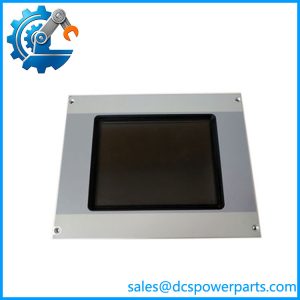
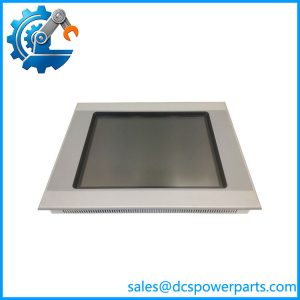
The Eaton XVS-460-57MPI-1-1E is a compact industrial HMI touch panel from the XV400 Micro Panel family. Its 5.7-inch display provides the operator interface for machine status, process values, alarms, parameter adjustment, and control commands. The MPI designation identifies the communication variant.
This type of panel is particularly useful when maintaining an older machine rather than redesigning the entire operator station. If the existing application depends on the original HMI software, screen project, and MPI addressing, preserving the exact hardware variant can save considerable commissioning time.
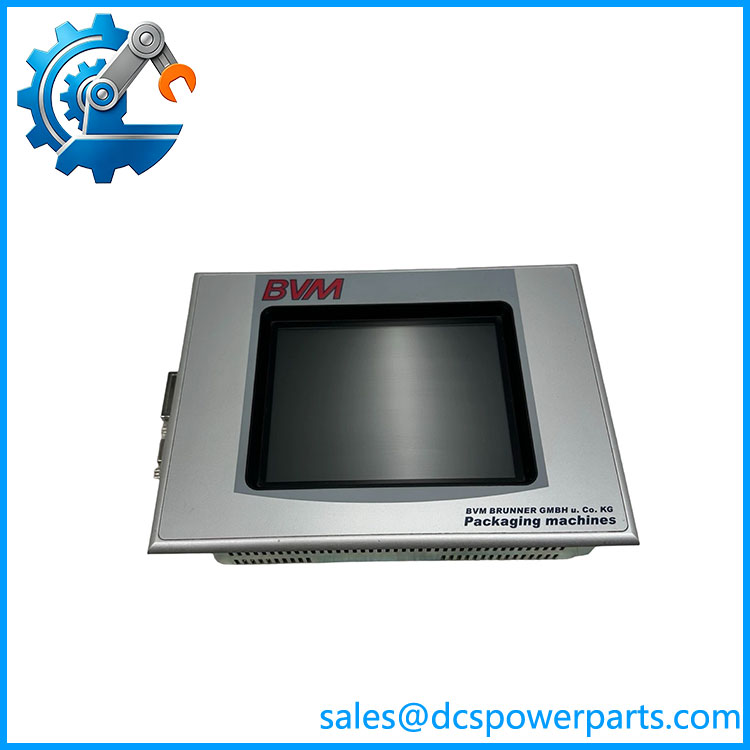
XVS-460-57MPI-1-1E
Application Scenarios & Field Pitfalls
Engineering Pain Point
A failed HMI can stop a machine even when the PLC and field I/O are completely healthy. The usual problem is not the touchscreen itself. It is the loss of the original project, incorrect MPI settings, incompatible firmware, or a replacement panel that looks similar but belongs to another XV400 configuration.
Typical Applications
- Machine Automation — Operator interface for production machines, status monitoring, alarm acknowledgment, and parameter entry.
- Packaging Equipment — Recipe selection, machine sequencing, alarm display, and operator commands.
- Material Handling — Conveyor status, motor controls, fault indication, and production counters.
- Factory Automation — Local operator station for PLC-controlled equipment and legacy machine-control systems.
Technical Pitfalls to Avoid
- Verify the complete suffix.
Do not substitute another XVS-460 simply because the display size is the same. The MPI interface designation is important. - Back up the HMI project before replacement.
A replacement panel without the correct application project is essentially a blank operator terminal. Preserve the original project file and document the firmware version. - Check MPI addressing.
The panel must use the correct MPI address and communication parameters for the existing PLC network. A physically correct HMI can still appear completely offline when its network configuration is wrong. - Verify the 24 VDC supply under load.
HMI panels are often blamed for intermittent resets caused by a weak power supply, poor terminal connections, or voltage drops in long cabinet runs. - Do not assume touch failure means complete HMI failure.
Check the display, backlight, touch layer, communication port, and application separately. A functioning display with failed touch input is a different maintenance problem from a dead panel. - Check the panel cutout before installation.
A 5.7-inch XV400 panel may look interchangeable with another compact HMI, but mounting dimensions and connector positions can differ between generations. - Preserve the original cable routing.
MPI communication can be sensitive to grounding, shielding, termination, and cable routing. Do not introduce a new cable path alongside high-current switching conductors without checking the installation. - Verify firmware/application compatibility.
Older HMI projects can depend on specific firmware behavior. A later or different hardware revision may require project conversion before commissioning. - Do not rely on generic XV400 specifications.
The family contains multiple display, communication, and hardware variants. Specifications from an XVS-450, XVS-460, or another suffix should not automatically be assigned to XVS-460-57MPI-1-1E. - Test the complete operator sequence.
After replacement, check more than communication. Verify alarms, setpoints, recipes, manual commands, automatic sequences, and PLC/HMI status indications before returning the machine to production.
Related Products
- Eaton XVS-450-57MPI-1-10 — Closely related 5.7-inch /XVS-series HMI variant. It can be useful when evaluating a replacement or migration, but the exact MPI hardware and application compatibility must be checked.
- Eaton -15MPI-1-10 — Another family HMI configuration with a different display size. It demonstrates why the complete model suffix matters when selecting a replacement.
- Eaton XVS-440-10MPI-1-10 — Larger -family HMI with MPI communication. It provides a useful alternative when a machine upgrade requires a larger operator display, but it is not a mechanical drop-in replacement for the 5.7-inch unit.
- Eaton XVS-440-10MPI-1-1U — Another MPI-equipped -family panel configuration. The hardware format and display arrangement differ, so application compatibility must be evaluated before substitution.
- Eaton XV-442-57CQB-1-10 — 5.7-inch-class XV-family HMI configuration. It is relevant for migration discussions but uses a different communication/hardware configuration from the MPI version.
- Eaton XV-460-15TXB-1-10 — Larger XV-series operator panel. It is useful where a legacy machine requires a larger display, but panel dimensions and application software must be checked.
- Eaton XV-230-57MPN-1-10 — Earlier/smaller XV-family Micro Panel configuration. It belongs to the same broad operator-interface ecosystem but should not be assumed to run the same project without software and hardware verification.
- Eaton XVH-340-57CAN-1-10 — 5.7-inch-class Eaton operator interface with a CAN-oriented communication configuration. It is a functional alternative only for a system designed around the corresponding network architecture.
- Eaton ST-GF1-10TVD-102 — Larger Eaton/Micro Innovation operator panel configuration. It is relevant to HMI modernization but is not a direct replacement for -57MPI-1-1E.