Description
Product Overview
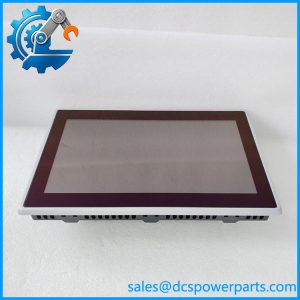
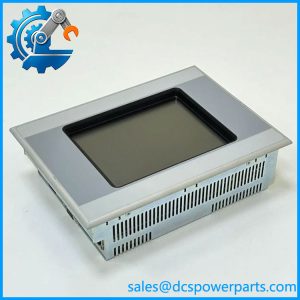
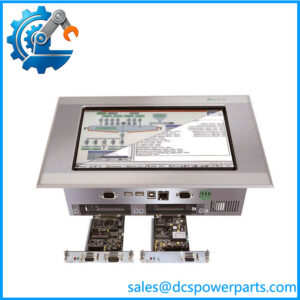
The Eaton MC2-440-10TVB-1-21 is an industrial Micro Panel HMI from the MC2 family, associated with the XV400 product range. It provides an operator interface for displaying machine information, viewing process values, acknowledging alarms, and entering commands through a touch-sensitive front panel. Eaton’s documentation identifies the MC2-440-10TVB family as a 10.4-inch version using infrared touch technology with a standard front frame. Depending on the system configuration, MC2 panels can serve as visualization terminals or as integrated HMI/PLC devices. The exact capabilities of an installed unit depend on its hardware version, software, and configured control functions.
For equipment maintenance, matching the complete model code is important because the MC2 family includes different screen sizes, touch technologies, and front-panel arrangements. The suffix -1-21 should be checked against the device nameplate and original equipment documentation before selecting a replacement. Engineers should also verify the mounting cutout, power supply, communication interfaces, application project, and any required communication modules. A panel with a similar appearance may not support the same connections or application software. The Eaton MC2-440-10TVB-1-21 should therefore be evaluated as part of the complete machine interface rather than as a display-only component.
For legacy machinery, retaining the original HMI model may help preserve familiar operator screens and reduce the scope of a retrofit. Before installation, inspect the display, touch response, connectors, mounting hardware, and available project files. Confirm that the replacement starts correctly and communicates with the target controller before returning the machine to production. When sourcing a legacy unit, ask for the complete nameplate details, condition declaration, and available functional-test records. These checks help establish whether the panel is suitable for the intended maintenance task.
Product Introduction
An HMI replacement can delay a machine restart when the new panel does not match the original touch technology, mounting arrangement, or communication setup. The Eaton MC2-440-10TVB-1-21 belongs to the 10.4-inch MC2 Micro Panel family with infrared touch operation.
Before ordering, verify the full suffix, supply requirements, controller interface, and availability of the original HMI project. Confirm the individual unit’s condition and test status before commissioning.
Key Technical Specifications
| Parameter | Value |
|---|---|
| Product Model | MC2-440-10TVB-1-21 |
| Manufacturer / Brand | Micro Innovation / Eaton |
| Product Family | MC2 Micro Panel |
| Related Product Family | XV400 |
| Product Type | Industrial HMI touch panel |
| Display Size | 10.4 inches |
| Touch Technology | Infrared touch |
| Front Panel | Standard front configuration for the documented 10.4-inch family |
| Supply Voltage | Verify from the exact unit nameplate; 24 VDC is reported for related models |
| Communication Interfaces | Confirm exact configuration from the device label and manual |
| PLC Function | Depends on hardware version, software, and licensing/configuration |
| Mounting | Panel mount; verify cutout dimensions |
| Application | Machine visualization, operation, and control |
| Software Compatibility | Confirm the original project format and supported engineering tools |
| Operating Temperature | Verify against the applicable manual |
| Lifecycle | Legacy product family |
| Condition | Confirm unit-specific status and test records |
Specification note: The family-level display size and touch technology are documented. Do not assume interface availability, power consumption, or software compatibility from a related suffix without checking the exact unit.
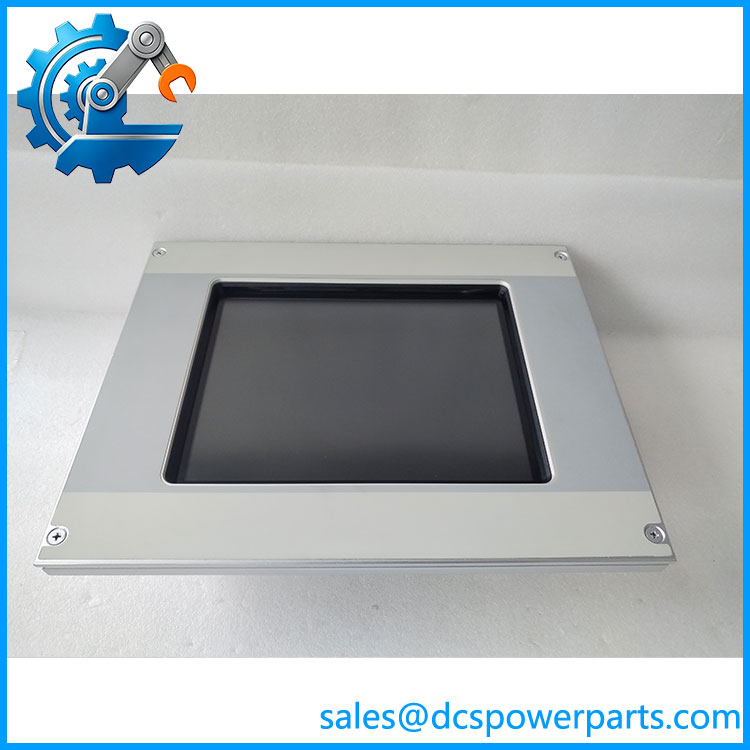
MC2-440-10TVB-1-21
Related Products
- MC2-430-10TVB-1-11 — 10.4-inch MC2 variant with resistive touch; touch operation differs from the infrared version.
- MC2-440-10TVB-1-11 — Related 10.4-inch infrared-touch model; verify the complete suffix and front-panel configuration.
- -1-20 — Related MC2 model designation; compare nameplate and application requirements before substitution.
- -1-30 — Related 10.4-inch HMI variant; confirm interfaces and configuration.
- MC2-440-12TSB-1-11 — 12.1-inch infrared-touch HMI; mounting dimensions and display size differ.
- XV-440-10TVB-1-11 — Corresponding XV400-family model; confirm the exact version and suffix before considering it.
- XV-430-10TVB-1-11 — Related 10.4-inch XV400 panel with resistive touch rather than infrared touch.
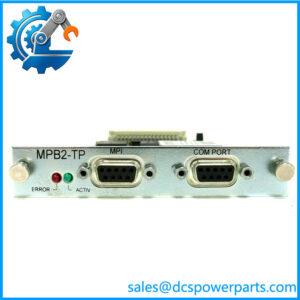
- MPB2-TP — Module identified in a supplier listing as associated with the -1-21; verify its role and compatibility against the original machine documentation.
These models are related references, not guaranteed drop-in replacements. Confirm the display format, touch method, electrical connection, communication options, mounting, and application compatibility before choosing an alternative.
Frequently Asked Questions
1. What is the Eaton -1-21 used for?
It is an industrial HMI panel for machine visualization and operator interaction. It displays process information and provides a touch interface for supported machine functions.
the have a 10.4-inch infrared touch display?
The family is documented as a 10.4-inch infrared-touch version. Confirm the complete model suffix and nameplate on the individual unit.
3. Can I replace it with an MC2-430-10TVB model?
Not automatically. The MC2-430 variant uses resistive touch, while the MC2-440 variant uses infrared touch. Check the machine’s operator requirements, mounting, wiring, and application compatibility before approving a replacement.
4. Can I hot-swap this HMI while the machine is running?
Do not assume live replacement is supported. Follow the equipment manufacturer’s shutdown and isolation procedures, and consider the effect of losing the operator interface on machine control and monitoring.
5. Will the existing HMI program transfer to a replacement panel?
Not necessarily. The application project may depend on the hardware version, engineering software, communication settings, and optional PLC functionality. Back up the original project and verify the supported migration path before changing the panel.
6. How can I confirm the unit is genuine and in working condition?
Check the rear nameplate, complete part number, serial information, connectors, and display condition. Request a startup and touch-function test report where available. Confirm whether the unit is new, surplus, refurbished, or used.
7. What should I verify before purchasing a replacement?
Confirm the complete model code, display size, touch technology, mounting dimensions, supply requirements, communication interfaces, and project compatibility. Request warranty terms and available test records so the replacement can be assessed before installation.