Description
Key Technical Specifications
| Parameter | Value |
|---|---|
| Manufacturer | TEWS Technologies |
| Model | TVME200 |
| Product Type | 6U VMEbus IndustryPack Carrier |
| Bus Standard | VMEbus ANSI/VITA 1 |
| IndustryPack Standard | ANSI/VITA 4 |
| VME Form Factor | 6U / 4TE |
| IndustryPack Slots | 4 × single-size IP or 2 × double-size IP |
| VME Address Modes | A16 / A24 / A32 |
| Data Transfer | D08 / D16 |
| VME Interrupts | IRQ1–IRQ7 |
| IP Interface Speed | 8 MHz |
| DMA Support | Not supported |
| Front Panel I/O | Four 50-pin 0.1-inch ribbon cable connectors |
| Rear I/O | Available on TVME200-20 variant |
| IP Memory Mapping | A24/A32 memory space |
| Memory Size | Configurable up to 2 MB per IP in A24; fixed 8 MB per IP in A32 |
| Address Configuration | Rotary switch configuration |
| Power Protection | Self-resetting fuses and RF filtering on IP power lines |
| Status Indicators | IP access, +5V, +12V, -12V LEDs |
| Operating Temperature | -40°C to +85°C |
| Mounting | VME chassis installation |
Product Introduction
TEWS TVME200 Overview
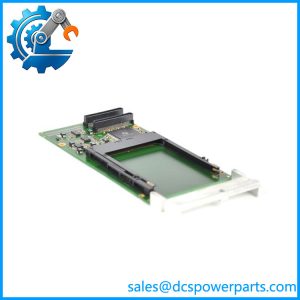
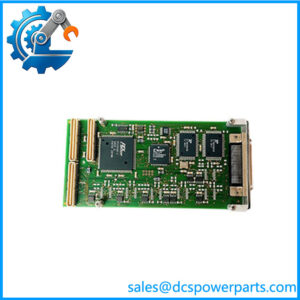
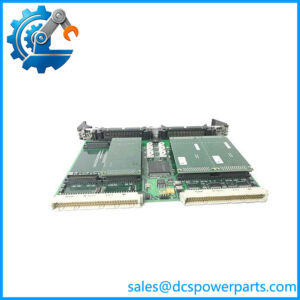
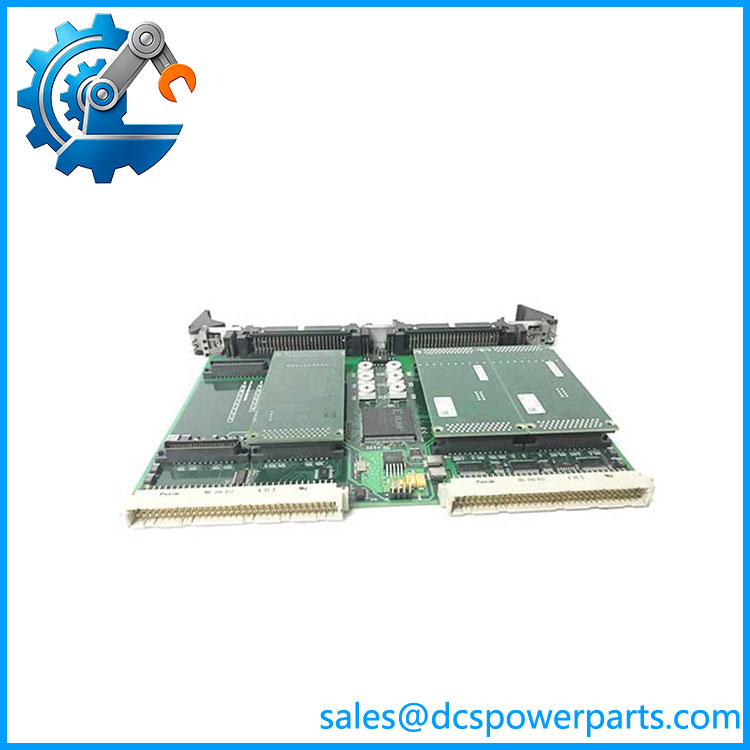
The TEWS TVME200 is a 6U VMEbus carrier module designed to provide a flexible expansion platform for IndustryPack-based I/O systems. Instead of providing fixed I/O channels, the carrier acts as a bridge between the VMEbus backplane and interchangeable IndustryPack modules, allowing system designers to select the required analog, digital, communication, or specialized interface functions according to the application.
The TEWS TVME200 supports up to four single-size IndustryPack modules or two double-size IndustryPack modules. Each installed IP module receives access to VME address spaces, interrupts, and power resources, enabling integration into embedded systems that require modular I/O expansion. The carrier supports A16, A24, and A32 VME addressing modes with D08 and D16 data transfers.
The TEWS TVME200 is commonly deployed in long-life VME systems where flexibility and maintainability are important. Typical installations include industrial controllers, automated test equipment, process monitoring platforms, and specialized embedded computers. The front panel provides four 50-pin ribbon cable connectors for direct access to IndustryPack I/O signals, simplifying connection to external field wiring and interface assemblies.
The is a carrier board rather than an independent controller. Its final function depends on the IndustryPack modules installed and the host VME processor environment. When replacing an existing unit, engineers should verify the installed IP modules, VME addressing configuration, interrupt assignments, cabling, and software drivers.
TVME200
Application Scenarios & Field Pitfalls (The Engineer’s Perspective)
Engineering Pain Point
A legacy VME system requires I/O expansion replacement, but the original configuration documentation is incomplete. The carrier board appears functional, yet connected I/O modules fail to initialize or communicate.
Recommended troubleshooting sequence:
- Identify installed IndustryPack modules
- Record VME address settings
- Verify interrupt assignments
- Check IP power indicators
- Confirm software driver support
- Inspect ribbon cable connections
The provides the hardware framework, but system behavior depends on the installed IndustryPack modules and VME software configuration.
Typical Applications
Industrial Control Systems
Used for:
- Distributed machine I/O
- Process monitoring
- Custom automation interfaces
- Legacy VME controllers
Automated Test Equipment
Applied for:
- Signal acquisition
- Measurement interfaces
- Device testing platforms
Transportation Systems
Used in:
- Traffic control equipment
- Embedded monitoring systems
- Railway control applications
Communication Systems
Applied for:
- Custom communication interfaces
- Embedded network equipment
- Protocol conversion systems
Technical Pitfalls to Avoid
1. Verify IndustryPack Compatibility
Before replacement, confirm:
- IP module size
- Electrical requirements
- I/O connector type
- Software driver availability
The only provides the carrier interface; the installed IP modules determine system functionality.
2. Check VME Address Configuration
Review:
- A16 short I/O address
- A24/A32 memory mapping
- Interrupt routing
- Rotary switch settings
Incorrect address configuration can prevent the VME processor from detecting modules.
3. Confirm Cable Configuration
Verify:
- 50-pin ribbon cable wiring
- Front panel connector assignment
- Field termination arrangement
A replacement carrier with different connector routing may require cable changes.
4. Preserve Software Configuration
Document:
- VME device addresses
- Driver versions
- Application mapping
- IP module identification
Hardware installation alone does not restore the original application environment.
Related Products
- variant with front panel I/O using 50-pin ribbon cable connectors.
- Variant providing front panel I/O plus rear I/O capability through VME P2 connections.
- TEWS TVME201
Four-slot IndustryPack VME carrier using HD50/SCSI-2 style front connectors. - TEWS TVME220
VME64x IndustryPack carrier designed for newer VME64x platforms. - ALPHI VME-4SIP-200
Alternative 6U VME IndustryPack carrier compatible with applications.