Description
Product Overview
The STAHL ET-436-AT-R2-HB-TX-100GB-V is identified in available industrial automation records as an ET-436 series operator and monitoring panel. The unit is intended for the human-machine interface layer of an automation system, where operators view process information, acknowledge alarms, enter commands, and interact with the control application. Current product records identify the model specifically as an ET-436 operator and monitoring panel, while other records classify it as an HMI or control module.
For STAHL ET-436-AT-R2-HB-TX-100GB-V, the complete suffix should be retained when specifying a replacement. The 100GB designation is particularly important because storage configuration can affect the installed operating-system image, visualization software, historical data, and application environment. A replacement with the same basic ET-436 family designation but a different storage or hardware configuration should not automatically be considered interchangeable.
The STAHL ET-436-AT-R2-HB-TX-100GB-V should be evaluated as part of the complete HMI system rather than as an isolated display. Communication drivers, application software, Ethernet configuration, screen project, storage image, and connected PLC/DCS equipment all affect whether a replacement can be commissioned without engineering changes. Public documentation for this exact ordering code is limited, so specifications such as processor type, display resolution, screen size, operating-system version, and exact communication interfaces should be verified from the unit’s nameplate and configuration data before procurement.
Product Introduction
When an HMI fails, the display itself is rarely the only concern—the application image and communication configuration are usually more important. STAHL ET-436-AT-R2-HB-TX-100GB-V belongs to the ET-436 industrial operator-panel family and is used at the operator interface layer of automation equipment.
For an industrial HMI replacement, preserve the complete ordering code and verify the storage configuration. A matching physical panel with the wrong software image can still create a significant commissioning problem.
Key Technical Specifications
| Parameter | Value |
|---|---|
| Manufacturer | STAHL |
| Model | ET-436-AT-R2-HB-TX-100GB-V |
| Product Family | ET-436 |
| Product Type | Industrial HMI / Operator and Monitoring Panel |
| Primary Function | Operator monitoring and machine/process control |
| Application Layer | HMI / Visualization |
| Storage Designation | 100 GB |
| Communication | Application-dependent; verify installed interface configuration |
| Software/Image | Must be matched to installed HMI application |
| Display | ET-436 industrial operator-panel configuration; exact size/resolution requires nameplate verification |
| Touch Interface | Configuration-dependent; verify exact unit |
| Mounting | Panel-mounted industrial HMI architecture |
| Product Status | Legacy / surplus equipment |
| Replacement Requirement | Match complete ordering code and installed software image |
The exact ordering code is listed as an ET-436 operator and monitoring panel in available industrial automation records.
Important specification note: I would not publish unsupported values for screen size, resolution, processor, RAM, or Ethernet ports for this exact suffix. The publicly indexed information available for ET-436-AT-R2-HB-TX-100GB-V is sparse and inconsistent. For a production replacement, the physical nameplate and backed-up HMI image should take precedence over generic ET-436 family specifications.
Related Products
- ET-436-A-FX-R2-SR-16GB-NOV — Related ET-436 family configuration. Its storage and hardware designation differ, so it should be evaluated as a related configuration rather than a direct substitute.
- ET-436 series — Same industrial HMI family. Useful when identifying compatible mechanical and software architecture, but the complete ordering code remains important.
- PLC communication interface — The HMI depends on its configured communication path to the underlying controller. The exact PLC protocol and driver must be retained when migrating the application.
- Industrial Ethernet interface — Used for communication between the operator panel and control system where Ethernet-based protocols are configured.
- HMI application image — The software environment containing screens, tags, alarms, recipes, and communication configuration. This is often more important to a replacement than the bare hardware.
- HMI storage device — The storage subsystem contains the operating environment and application files; the 100GB designation should be checked against the existing unit.
- ET-436 replacement panel — A same-family replacement can reduce mechanical engineering work, but exact hardware, software, and interface compatibility must be confirmed before installation.
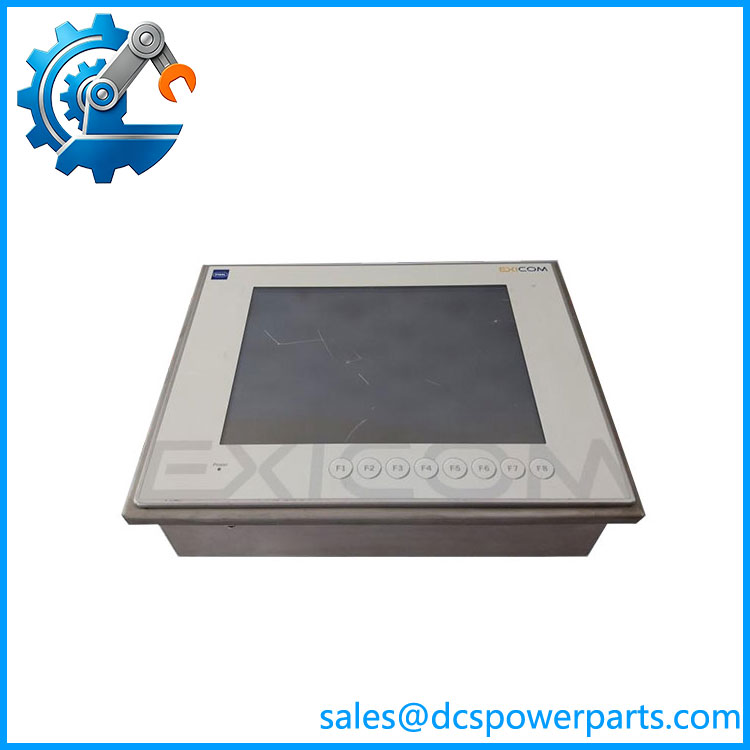
ET-436-AT-R2-HB-TX-100GB-V
Frequently Asked Questions
What is STAHL ET-436-AT-R2-HB-TX-100GB-V used for?
The unit serves as an industrial operator interface/HMI, allowing personnel to interact with a machine or process-control application.
Typical functions include:
- Process visualization
- Alarm display and acknowledgment
- Operator commands
- Status monitoring
- Setpoint entry
- Diagnostic information
- Communication with the underlying control system
Available records specifically identify the ET-436 model as a man-machine interface / operator and monitoring panel.
Is ET-436-AT-R2-HB-TX-100GB-V a PLC CPU?
No.
It belongs at the HMI/operator layer rather than serving as the primary PLC CPU. The distinction matters during replacement: replacing an HMI normally involves restoring the visualization project and communications configuration, whereas replacing a PLC CPU involves control-logic execution and controller memory.
What does the 100GB designation mean?
The model suffix includes 100GB, indicating a 100 GB storage configuration or designation associated with this specific ordering code.
Do not assume that the storage device is interchangeable merely because another ET-436 panel has the same physical dimensions. The storage may contain:
- Operating-system files.
- HMI runtime software.
- Visualization project.
- Communication drivers.
- Historical data.
- Configuration files.
The replacement should therefore be checked against the original system image.
Can I replace ET-436-AT-R2-HB-TX-100GB-V with another ET-436?
Possibly, but the complete hardware and software configuration must match.
Check the following before approving a replacement:
- Full ordering code
- Display dimensions
- Touch technology
- Storage capacity
- Operating-system version
- HMI runtime version
- Ethernet/serial interfaces
- PLC communication driver
- Application project
- Panel cutout and mounting arrangement
A physically compatible ET-436 can still require software reconfiguration if its internal hardware differs.
Can I hot-swap this HMI?
No—do not treat an HMI as a hot-swappable I/O module.
Before removing the panel, shut down the HMI according to the site’s procedure and determine whether the process can continue safely without operator visualization.
The HMI may not execute the underlying control logic, but loss of the operator interface can remove alarm visibility and manual-control capability.
Will I lose my HMI screens when replacing the unit?
The hardware replacement does not guarantee automatic preservation of the application.
The project should be backed up separately before removing the original panel. Preserve:
- HMI project
- Runtime installation
- PLC communication configuration
- IP address
- Tag database
- Alarm configuration
- Recipes
- Historical-data configuration
- User accounts and permissions
If the original storage device is still readable, creating a complete image before replacement is preferable to manually rebuilding the project.
How should I verify a New Surplus ET-436-AT-R2-HB-TX-100GB-V?
For this type of legacy HMI, I would use a functional acceptance test rather than relying on a power-on photograph.
Recommended procedure:
- Verify the complete ET-436-AT-R2-HB-TX-100GB-V nameplate.
- Record serial number and hardware revision.
- Inspect the display and touch surface.
- Check mounting hardware and connectors.
- Verify the 100 GB storage configuration.
- Boot the unit and check system diagnostics.
- Verify the operating-system and HMI runtime versions.
- Test Ethernet and other installed communication interfaces.
- Load a controlled copy of the application image.
- Verify representative PLC/DCS tags.
- Test alarms and operator commands.
- Confirm stable operation after extended runtime.
To be completely transparent, new surplus does not prove software compatibility. For this exact ET-436 ordering code, I would request a nameplate photograph and, if available, the existing HMI software/version information before treating a surplus unit as a direct production replacement.