Description
Product Overview
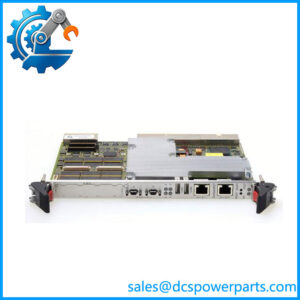
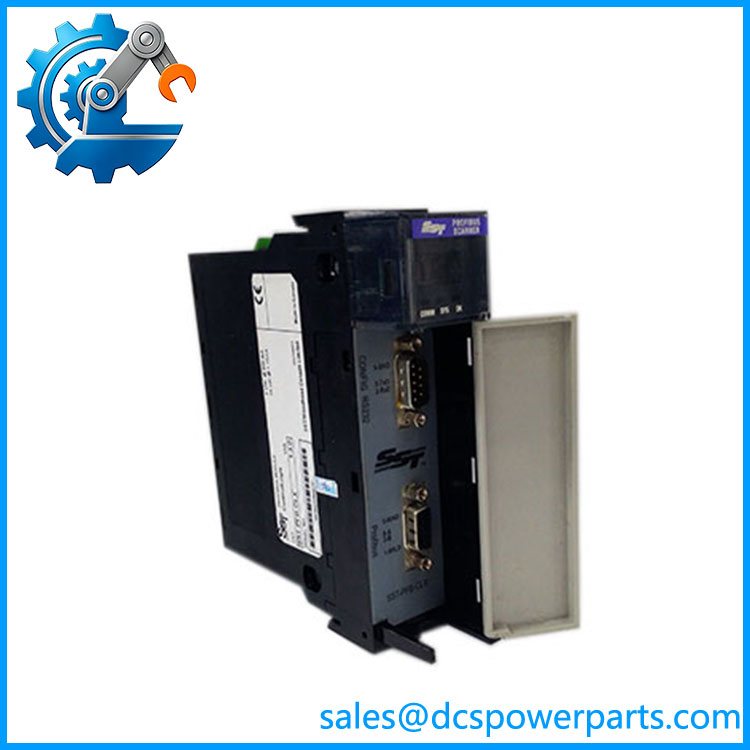
The SST-PFB-CLX is a PROFIBUS DP scanner designed to connect an Allen-Bradley ControlLogix controller with PROFIBUS field devices. Installed in a ControlLogix chassis, it operates as a PROFIBUS DP Master and manages cyclic data exchange with PROFIBUS slave devices such as remote I/O, drives, motor-control equipment, and other field-level devices. The module stores the PROFIBUS master configuration in onboard flash memory, allowing the network configuration to be maintained independently of the ControlLogix processor application.
For SST-PFB-CLX, the key architectural point is that this is a network scanner, not a general-purpose ControlLogix I/O module. The ControlLogix processor exchanges scanner data through the 1756 backplane while the SST module handles PROFIBUS-side communication. Published specifications identify standard PROFIBUS baud rates from 9.6 kbps through 12 Mbps, while the module is documented for PROFIBUS DP Master operation.
The SST-PFB-CLX was also documented for integration with ControlLogix and Honeywell PlantScape environments. Its legacy position makes it particularly relevant to plants where PROFIBUS infrastructure remains in service and a complete field-network migration would create unnecessary commissioning work. A replacement should be evaluated against the actual GSD files, node configuration, I/O mapping, scanner firmware, and ControlLogix program—not just the module’s external form factor.
Product Introduction
A ControlLogix rack does not natively provide every fieldbus interface required by an older plant. SST-PFB-CLX fills that gap by operating as the PROFIBUS DP master and providing the ControlLogix-side data path through the 1756 backplane, with network speeds reaching 12 Mbps.
For a ControlLogix PROFIBUS network upgrade or legacy replacement, retain the existing scanner configuration and GSD files before hardware exchange. Network addressing and cyclic I/O mapping are often more important than the physical replacement itself.
Key Technical Specifications
| Parameter | Value |
|---|---|
| Manufacturer | SST / Woodhead |
| Model | SST-PFB-CLX |
| Product Type | PROFIBUS Scanner Module |
| Host Platform | Allen-Bradley ControlLogix |
| Chassis | ControlLogix 1756 |
| Protocol | PROFIBUS DP |
| Operating Role | DP Master |
| PROFIBUS Baud Rate | 9.6 kbps to 12 Mbps |
| Maximum PROFIBUS Nodes | 125 |
| Backplane Supply | ControlLogix backplane |
| Backplane Current | Approx. 850 mA @ 5 VDC; 1.75 mA @ 24 VDC |
| Configuration Interface | RS-232 |
| PROFIBUS Interface | RS-485 |
| Configuration Storage | Onboard flash memory |
| Typical Application | ControlLogix-to-PROFIBUS integration |
| Mounting | 1756 ControlLogix chassis |
| Approx. Weight | 0.2–0.24 kg |
| Operating Temperature | 0°C to 60°C |
| Condition | New Surplus — verify revision and accessories |
The PROFIBUS registry confirms the module’s DP Master classification and 12 Mbaud maximum communication rate. Published technical references provide the backplane-current figures and environmental range.
Related Products
- SST-PFB-CLX-RLL — Related SST PROFIBUS scanner designed for ControlLogix. Its documented architecture includes an Intel i960 processor, local RAM, shared memory, flash storage, and DPV1 Class 1/Class 2 master functionality.
- ILX56-PBM — Later ControlLogix PROFIBUS DPV1 Master/Slave platform. It belongs to a newer generation and should not be treated as a configuration-identical replacement without checking the migration requirements.
- MVI56-PDPMV1 — ControlLogix PROFIBUS communication solution intended for DP master applications. It is a different hardware and configuration platform, so application migration must be assessed before substitution.
- MVI56E-PDPMV1 — Enhanced ControlLogix PROFIBUS DP master platform with additional configuration capabilities. It is more relevant to migration projects than to a simple one-for-one legacy spare.
- 1756 ControlLogix Chassis — The host backplane into which the SST-PFB-CLX is installed.
- 1756-CNB / 1756-CNBR — ControlNet bridge modules that can be used in architectures where a PROFIBUS scanner is located in a remote ControlLogix rack. SST documentation specifically discusses remote-rack configurations using the 1756-CNB family.
- PROFIBUS DP Slave Devices — Remote I/O, drives, motor starters, instrumentation, and other field devices scanned by the SST-PFB-CLX.
- PROFIBUS GSD Files — Device description files required during network configuration. The scanner configuration depends on the correct device-specific GSD information.
SST-PFB-CLX
Frequently Asked Questions
What is SST-PFB-CLX used for?
The SST-PFB-CLX connects a ControlLogix controller to a PROFIBUS DP network and operates as a PROFIBUS DP Master. The module scans configured PROFIBUS devices and exchanges their process data with the ControlLogix application.
Typical applications include:
- PROFIBUS remote I/O
- Variable-speed drives
- Motor-control equipment
- Process instrumentation
- Existing PROFIBUS field networks connected to ControlLogix
Can SST-PFB-CLX communicate with PROFIBUS DP slaves?
Yes. That is its primary function.
The scanner is registered as a PROFIBUS DP Master, and published information specifies support for PROFIBUS communication up to 12 Mbaud.
The actual usable data size and diagnostic capabilities depend on the scanner revision, firmware, configured slave devices, and application architecture.
Can I use SST-PFB-CLX with a ControlLogix PLC?
Yes. The module was specifically designed for the ControlLogix 1756 platform. It occupies a ControlLogix chassis slot and exchanges data with the PLC through the backplane.
When replacing an installed module, check the processor, chassis, firmware, scanner configuration, and existing ladder/data mapping rather than assuming every ControlLogix revision will behave identically.
What is the maximum PROFIBUS speed?
The published specification gives a maximum baud rate of 12 Mbps, with supported rates beginning at 9.6 kbps.
Actual network performance depends on cable length, topology, node count, slave response characteristics, and the selected PROFIBUS baud rate.
Can I hot-swap the SST-PFB-CLX?
Do not assume that it is safe to remove the module from a live production chassis.
Even though the ControlLogix platform has defined module-removal procedures, the scanner’s removal can terminate PROFIBUS communication with field devices. The process response depends on how the PROFIBUS slaves and ControlLogix application handle communication loss.
For a production replacement:
- Put the affected process in its approved maintenance state.
- Record the existing scanner configuration.
- Record firmware and hardware revision.
- Save the ControlLogix application.
- Verify PROFIBUS node addresses.
- Replace the scanner according to the approved maintenance procedure.
- Restore the scanner configuration.
- Verify all slave diagnostics.
- Confirm process data before returning the equipment to service.
Does SST-PFB-CLX support PROFIBUS DPV1?
The original SST-PFB-CLX is documented primarily as a PROFIBUS DP Master, while later related SST hardware explicitly documents DPV1 Class 1/Class 2 functionality.
For an existing installation requiring specific DPV1 acyclic services, verify the exact hardware revision and firmware documentation rather than assuming DPV1 functionality from the generic PROFIBUS designation.
Does SST-PFB-CLX require ladder logic?
The scanner handles the PROFIBUS communication, but the ControlLogix application still needs to consume and act on the scanner’s data. The exact programming arrangement depends on the module revision and application architecture.
When replacing an existing unit, do not alter the ControlLogix data mapping unless required. Preserve the established program structure first, then verify the scanner’s input/output data after startup.
What happens if I replace SST-PFB-CLX with a newer PROFIBUS module?
A newer module may provide more functions, but it should not automatically be considered a drop-in replacement.
Check:
- ControlLogix data mapping
- Scanner configuration format
- Firmware compatibility
- GSD files
- PROFIBUS node addresses
- Input/output data sizes
- Diagnostic handling
- ControlLogix program references
- Configuration software
For a running plant, an exact SST-PFB-CLX spare can be considerably simpler than migrating the PROFIBUS architecture to a different scanner family.
How should a New Surplus SST-PFB-CLX be tested?
A proper acceptance test should cover both the ControlLogix and PROFIBUS sides.
Recommended procedure:
- Confirm the SST-PFB-CLX model marking.
- Record hardware and firmware revisions.
- Inspect the 1756 backplane connector.
- Inspect the PROFIBUS RS-485 interface.
- Verify the configuration interface.
- Install the scanner in a compatible ControlLogix test chassis.
- Confirm normal module initialization.
- Load the intended PROFIBUS configuration.
- Verify node addresses.
- Connect a controlled PROFIBUS slave network.
- Confirm cyclic input/output data.
- Check PROFIBUS diagnostic status.
- Verify ControlLogix data mapping.
- Cycle power and repeat the communication test.
- Record configuration, firmware, and test results.
Procurement note: The SST-PFB-CLX is a legacy PROFIBUS DP Master for ControlLogix, with published support up to 12 Mbps. When sourcing a surplus unit, matching the hardware revision and preserving the existing PROFIBUS configuration are more important than simply finding another module that fits a 1756 chassis.