Description
Key Technical Specifications
| Parameter | Specification |
|---|---|
| Product model | XVH-340-57CAN-1-10 |
| Eaton catalog number | 139870 |
| Manufacturer | Eaton / Moeller |
| Product series | XVH300 |
| Product type | Human-machine interface (HMI) |
| Display technology | CSTN color LCD |
| Screen size | 5.7 inches |
| Resolution | 320 × 240 pixels |
| Color depth | 256 colors |
| Touch technology | Infrared touch |
| Touch matrix | 47 × 31 logic channels |
| Visible display area | 115 × 86 mm |
| Brightness | Typically 150 cd/m² |
| Contrast ratio | Typically 35:1 |
| Backlight | Dimmable CCFL |
| Backlight service life | Typically 50,000 hours |
| Processor | 32-bit RISC, 200 MHz |
| DRAM | 64 MB |
| Available flash storage | Approximately 1.5 MB |
| External storage | CompactFlash Type I/II slot |
| Operating system | Windows CE; license required |
| Visualization software | GALILEO / EPAM |
| Ethernet | 1 × 10/100 Mbps |
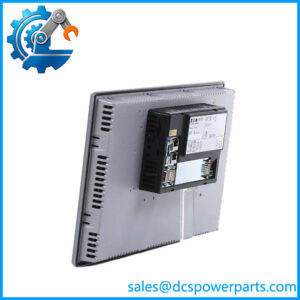
| CAN interface | 1 × galvanically isolated CAN, 9-pin D-sub |
| USB | 1 × USB 1.1 device port, not galvanically isolated |
| Nominal supply | 24 VDC |
| Permissible operating voltage | 20.4–28.8 VDC |
| Absolute voltage range | 19.2–30 VDC; 35 VDC for less than 100 ms |
| Typical power consumption | 12 W |
| Maximum power consumption | 16 W |
| Operating temperature | 0 to +50 °C |
| Storage temperature | -20 to +60 °C |
| Relative humidity | 10–95%, non-condensing |
| Front protection | IP65 |
| Rear protection | IP20 |
| Mounting | Flush / panel mounting |
| Housing | Anodized metal |
| Weight | Approximately 1.7 kg |
Specifications are taken from Eaton’s catalog datasheet for catalog number 139870.
Product Introduction
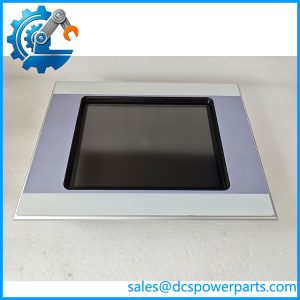
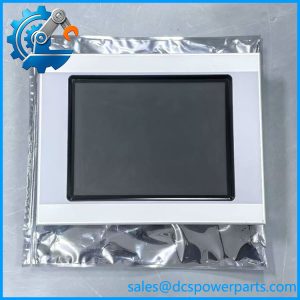
The Eaton XVH-340-57CAN-1-10 is a 5.7-inch operator interface terminal in the XVH300 HMI family. It combines a CSTN color display, infrared touch input, Ethernet, CAN, and USB connectivity in a metal panel-mount enclosure. The unit uses a 32-bit RISC processor and runs Windows CE with the required license. Its visualization environment supports GALILEO and EPAM engineering software.
This model is intended for machine-level operator interaction and process visualization. It does not provide an onboard PLC function, so control logic must be handled by a separate PLC or controller.
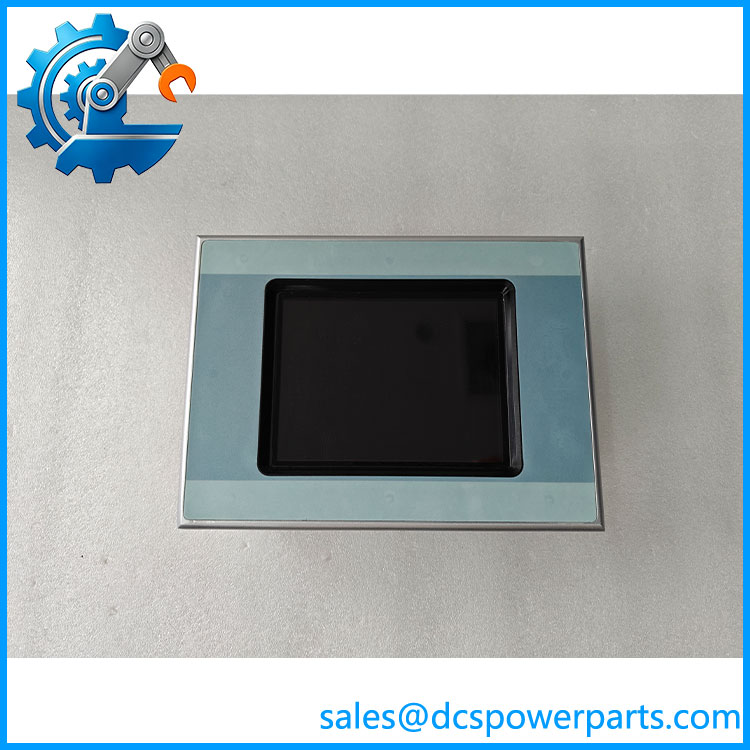
XVH-340-57CAN-1-10
Application Scenarios & Field Pitfalls
The XVH-340 is suited to machines where operators need to view process values, acknowledge alarms, enter setpoints, and interact with a separate control system. Its CAN interface is useful in installations designed around the corresponding CAN communication configuration. Ethernet provides a separate connection for supported network communication and engineering tasks.
Typical application areas
- Packaging machinery: Operator screens for machine status, production settings, alarms, and operating modes.
- Material handling: Local visualization and operator commands for conveyor and transfer systems.
- Process equipment: Display of operating values, alarm messages, and recipe-related information.
- Machine tools and production lines: Panel-mounted operator interface connected to a separate PLC or machine controller.
Field pitfalls
1. Do not confuse CAN connectivity with a specific application protocol. The hardware includes an isolated CAN interface, but the actual communication depends on the project configuration, licensed interface functions, and connected controller. Verify the CAN node settings and application protocol before commissioning.
2. Check the visualization project and software license. The unit supports GALILEO and EPAM, and Windows CE requires the appropriate license. A replacement panel without the matching project files, software configuration, or required license may power up but fail to reproduce the original operator interface.
3. Account for the CompactFlash requirement. The XVH300 platform uses CompactFlash storage for its operating system, programs, and data. Confirm the original card type and contents before transferring a project or replacing the terminal.
4. Respect the enclosure protection difference. The front is rated IP65 when correctly installed, but the rear is IP20. The cabinet must protect the rear connections from dust, moisture, and accidental contact. Also verify the panel cutout and mounting clearance before installation.
Related Products
- XVH-330-57CAN-1-10 — XVH300 HMI with 5.7-inch display and CAN interface; uses resistive touch rather than the XVH-340’s infrared touch.
- XVH-342-57SKS-1-10 — XVH300 variant with infrared touch and Suconet K / RS-232 communication configuration.
- XVH300 Series — The broader Eaton/Moeller HMI family; screen size and communication interfaces vary by model.
- XV-430 Series — Eaton/Moeller operator panels from a different HMI family; engineering software and hardware compatibility must be checked.
- XV-440 Series — Another operator-interface family with different display and communication configurations; not a direct substitute based on family name alone.
The XVH-330 and XVH-342 distinctions are documented in the catalog overview.
Procurement note: When sourcing a replacement for the XVH-340-57CAN-1-10, verify the full typecode, catalog number 139870, infrared touch technology, CAN interface, CompactFlash card, and installed visualization project. A visually similar 5.7-inch panel is not necessarily a functional replacement.