Description
Product Overview
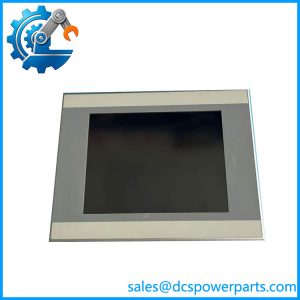
The Eaton XVS-440-10MPI-1-10 is an industrial human-machine interface (HMI) terminal designed for operator interaction with machine control and process automation systems. Part of the XVS400 product family, it combines a 10.4-inch TFT color display with infrared touch technology, allowing operators to access configured screens without relying on a physical keyboard or mouse. Its 640 × 480 VGA resolution supports established visualization projects in which operators need to monitor machine status, review alarms, and enter operating commands. The metal enclosure and laminated, nonreflective safety glass front suit flush-mounted control panels in industrial environments.
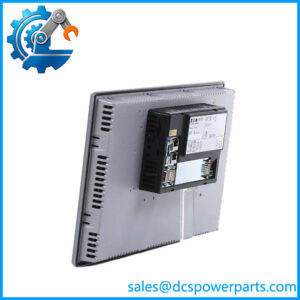
For control-system integration, the XVS-440-10MPI-1-10 includes one 10/100 Mbps Ethernet interface, one RS-232 interface, one PROFIBUS/MPI interface, two USB host ports, and one USB device port. Its operating environment is Windows CE, with the required license and CompactFlash storage arrangement. Depending on the project, visualization and programming software may include GALILEO, EPAM, or the supported XSOFT-CODESYS environment. The PLC function is not automatically included: Eaton documents it as a user-installable option, and the applicable license must be verified. The communication functions may also require separate licenses.
In an existing installation, the Eaton XVS-440-10MPI-1-10 is most relevant when maintaining a legacy machine interface or replacing a failed operator terminal without redesigning the complete control panel. Before purchasing, compare the exact model suffix, panel cutout, communication method, CompactFlash contents, software version, and installed licenses. A display with matching dimensions does not guarantee compatibility with the existing visualization project. The model is listed in historical product documentation, so availability and support status should be confirmed for the specific unit. Preserving the original application files and validating communications before commissioning will reduce the risk of extended downtime.
Product Introduction (Non-Templated)
Replacing an older HMI can become a larger project when the visualization software, PLC connection, and memory card are tied to the original hardware. The Eaton XVS-440-10MPI-1-10 uses a 10.4-inch infrared touch display with 640 × 480 resolution and supports Ethernet, RS-232, and PROFIBUS/MPI connections.
For a legacy HMI replacement, verify the existing application, license requirements, and panel cutout before selecting a spare. The optional PLC function and communication licenses must be checked separately.
Key Technical Specifications
| Parameter | Value |
|---|---|
| Manufacturer | Eaton / Moeller Electric |
| Model | XVS-440-10MPI-1-10 |
| Catalog Number | 139973 |
| Product Series | XVS400 |
| Product Type | HMI operator interface |
| Display Type | Color TFT |
| Display Size | 10.4 inches |
| Resolution | 640 × 480 pixels, VGA |
| Touch Technology | Infrared |
| Number of Colors | Selectable: 65,536 or 256 |
| Typical Brightness | 350 cd/m² |
| Typical Contrast Ratio | 350:1 |
| Backlight | Dimmable; rated life depends on the documented display version |
| Operating System | Windows CE; license required |
| Ethernet | 1 × 10/100 Mbps Ethernet |
| Serial Interface | 1 × RS-232 |
| Fieldbus Interface | 1 × PROFIBUS/MPI |
| USB Interfaces | 2 × USB host; 1 × USB device |
| Memory Card Slots | 2 × CompactFlash Type I/II |
| Nominal Supply Voltage | 24 VDC |
| Permitted Rated Operating Voltage | 20.4–28.8 VDC |
| Heat Dissipation | 24 W maximum |
| Front Protection | IP65 |
| Rear Protection | IP20 |
| Mounting Method | Flush mounting |
| PLC Function | Optional; requires the applicable license |
| Visualization Software | GALILEO, EPAM, supported XSOFT-CODESYS versions |
| Catalog Status | Historical product; verify current availability and support |
Specifications are based on Eaton’s published product documentation. Confirm the exact hardware revision, applicable software version, and license configuration before installation.
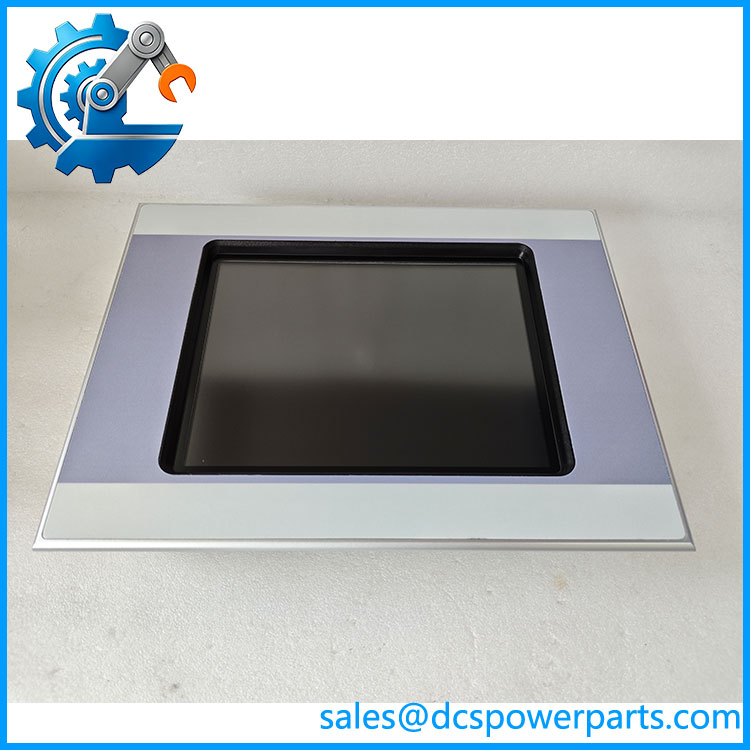
XVS-440-10MPI-1-10
Related Products
The following models belong to the historical Eaton/Moeller XVS operator-interface family. They differ in screen size or touch technology; they should not be treated as automatic drop-in replacements.
XVS-430-10MPI-1-10
The 10.4-inch resistive-touch counterpart to the model. It offers the same nominal display resolution but uses a different touch technology. Check the panel interface, application configuration, and mounting details before substitution.
XVS–12MPI-1-10
A 12.1-inch infrared-touch model with an 800 × 600 display. It provides a larger viewing area, but its mounting cutout and visualization layout differ from the 10.4-inch unit.
XVS-430-12MPI-1-10
A 12.1-inch resistive-touch alternative. Consider it when evaluating a larger panel interface, provided the mechanical dimensions, touch behavior, and project software are compatible.
XVS–57MPI-1-10
A 5.7-inch infrared-touch terminal from the same product family. Its smaller 320 × 240 display may suit compact machines, but screen layouts and panel cutouts require separate verification.
XVS-450-57MPI-1-10
A 5.7-inch resistive-touch model in the broader XVS family. Its smaller display and different touch technology make it an alternative for selected machine designs, not a direct equivalent.
XV-460-84MPI-1-10
An 8.4-inch operator interface from the related XV product family. It may be relevant to panel redesigns, but mechanical fit, interface options, and software compatibility must be established independently.
LIC-PLC-MXP-MEDIUM
The documented license option associated with adding PLC functionality to applicable XVS400 terminals. Confirm the required license version and software compatibility; the license is not a replacement HMI.
Frequently Asked Questions (FAQ)
the Eaton compatible with my existing PLC?
Compatibility depends on the PLC model, communication protocol, visualization project, and installed licenses. The terminal provides Ethernet, RS-232, and PROFIBUS/MPI interfaces, but that does not mean every PLC can communicate with it without additional configuration.
Before ordering, identify the existing PLC, record the active protocol, and confirm that the current HMI project can run on the replacement unit.
2. eplace the with the XVS-430-10MPI-1-10?
The two models have the same nominal 10.4-inch screen size and 640 × 480 resolution, but the uses infrared touch technology while the XVS-430 uses resistive touch technology.
melectric.s3.amazonaws.com+1
Check the following before substitution:
- Touch-screen operation and operator expectations.
- Panel cutout and mounting dimensions.
- Existing visualization software and license requirements.
- Communication interfaces and project compatibility.
A similar display specification does not guarantee a direct replacement.
. Does the support firmware or software version 3.1?
A blanket compatibility statement for version 3.1 cannot be established from the model number alone. The relevant version may refer to the operating system, visualization runtime, PLC programming environment, or communication driver.
Confirm the exact software package and version installed on the original terminal, then compare it with the available replacement hardware and applicable documentation. Preserve the original application files before attempting a migration.
4. Will I lose my HMI project if I replace the terminal?
The application may be stored on CompactFlash media or in other project-specific storage locations. A replacement terminal should not be assumed to contain your existing screens, tags, alarms, recipes, or communication settings.
Before removing the original unit:
- Back up the application and available project files.
- Record the installed software and license details.
- Preserve the original CompactFlash cards where possible.
- Verify that the replacement supports the required runtime and project version.
- Test communications and operator functions before returning the machine to service.
5. Is a plus Eaton guaranteed to be factory sealed?
No. The term new surplus describes a claimed unused-stock condition, but it does not establish that the unit remains in its original sealed packaging or has passed functional testing.
Request actual-unit photographs, label and catalog-number confirmation, packaging evidence, and written inspection results. If the supplier claims the unit is factory sealed, ask for evidence supporting that specific claim.
6. What should I check if the touch panel powers on but cannot communicate with the PLC?
Begin with the simplest potential causes rather than immediately changing the application.
- Confirm the supply voltage is within the specified range.
- Inspect the Ethernet cable or serial/PROFIBUS connection.
- Verify the PLC address, port configuration, baud rate, or other protocol-specific settings.
- Check whether the required communication license is installed.
- Review application diagnostics and confirm the PLC is running the expected program.
If the connection still fails, compare the original terminal’s configuration with the replacement and verify that the selected interface supports the actual PLC protocol.
7. What warranty should I expect when buying this discontinued HMI?
Warranty terms depend on the supplier, the unit’s actual condition, and the written sales agreement. Manufacturer warranty coverage should not be assumed for older stock.
Before purchase, request the warranty period, return conditions, testing scope, and procedure for reporting a fault. For a critical machine, also confirm whether the supplier can provide a tested unit and whether replacement stock is available if the terminal fails commissioning.