Description
Key Technical Specifications
| Parameter | Specification |
|---|---|
| Manufacturer | Bently Nevada |
| Series | 3500 Machinery Condition Monitoring System |
| Module | 3500/94 VGA Display Module |
| Part Number | 145988-01 |
| Primary Function | Rack data display/interface |
| Display Interface | VGA |
| System Interface | 3500 rack |
| Display Application | Local monitoring and system-status visualization |
| Installation | 3500 rack |
| Configuration | 3500 system configuration |
| Typical Use | Machinery condition monitoring |
| Display Source | Selected 3500 rack data |
| Module Type | Display / Interface Module |
Important: The 3500/94 is not a measurement card. It does not replace a vibration, position, speed, or process-input module. It provides a display interface for information generated elsewhere in the 3500 system.
Product Introduction
Bently Nevada 3500/94 145988-01 Overview
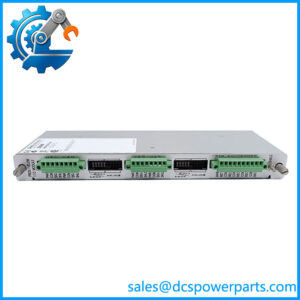
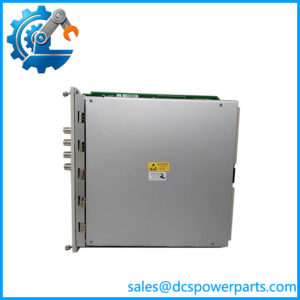
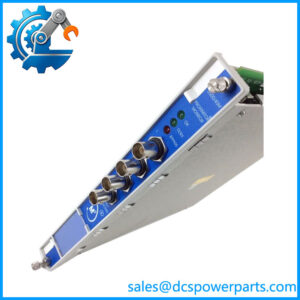
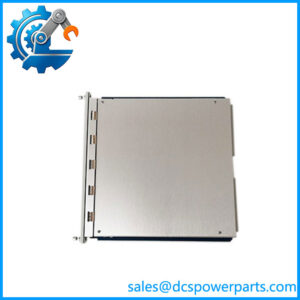
The Bently Nevada 3500/94 145988-01 is a display interface module used with the 3500 Machinery Condition Monitoring System. It provides a local graphical interface for viewing selected rack information through an external VGA display, giving operators and maintenance personnel direct access to machinery-monitoring information without relying entirely on a remote host system.
For turbine and rotating-equipment applications, the practical advantage is visibility. A local display can make alarm status, monitored values, and rack information available near the machinery monitoring equipment. It does not perform the underlying measurement itself; the installed 3500 monitor modules remain responsible for signal processing and protection functions.
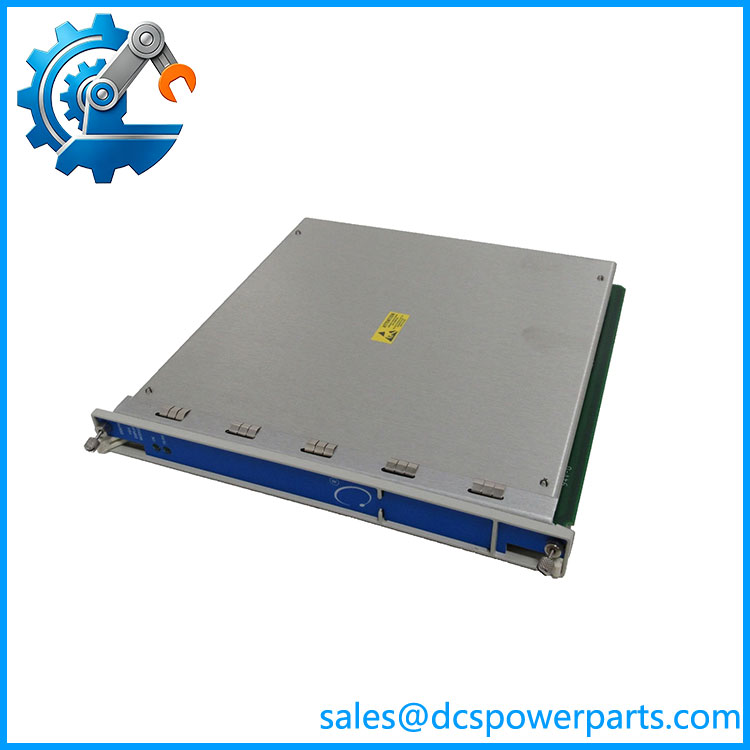
145988-01
Application Scenarios & Field Pitfalls
Engineering Pain Point
A machinery protection rack may be functioning correctly while the operator has poor visibility of what is happening inside it. During commissioning or troubleshooting, walking back and forth between the equipment rack and a remote control-room workstation wastes time. A local 3500/94 display arrangement can provide direct access to configured rack information at the monitoring cabinet.
Typical Applications
- Steam Turbine — Local visualization of turbine vibration, position, speed, and alarm information.
- Gas Turbine — Display of selected machinery monitoring values and system status near the turbine monitoring cabinet.
- Compressor Stations — Local access to compressor vibration and machinery protection information during maintenance.
- Power Generation — Local display interface for 3500 rack status and configured machinery measurements.
Technical Pitfalls to Avoid
- Do not mistake a display problem for a monitoring failure.
If the 3500/94 display is blank, first determine whether the underlying 3500 monitor channels are still operating normally. The display module is not responsible for generating the primary measurement. - Check the VGA path and display hardware.
A faulty VGA cable, incompatible monitor, incorrect display settings, or failed display hardware can produce a blank-screen condition even when the 3500 rack itself is healthy. - Verify configuration after replacement.
A replacement display interface should be checked against the existing 3500 configuration. Do not assume that physical installation automatically reproduces the previous display arrangement.
Standard Operating Procedure (SOP) for Quality Control
A display-interface module requires both hardware and system-level testing.
1. Inbound Inspection
The inspection should include:
- Verify 3500/94 145988-01 identification.
- Record serial number and hardware revision.
- Inspect the rack connector and module housing.
- Check for oxidation, corrosion, contamination, and physical impact.
- Inspect front-panel components and mounting hardware.
- Check for signs of previous board-level modification.
- Confirm that the module is appropriate for the intended 3500 rack.
2. Live Functional Testing
Using a compatible 3500 rack and display setup:
- Install the module in the correct rack position.
- Power the rack and verify module initialization.
- Connect a known-good VGA display and cable.
- Confirm that the display interface becomes active.
- Verify that expected 3500 rack information is displayed.
- Check displayed values against known monitor-channel values.
- Verify alarm/status information where configured.
- Exercise the interface for an extended period to identify intermittent faults.
A power-on test alone is insufficient. The useful test is whether the module correctly receives and presents information from the 3500 rack.
3. Final Packaging
After testing:
- Place the module in anti-static packaging.
- Protect the rack connector against impact and contamination.
- Apply QC identification.
- Record hardware revision and test results.
- Package the module with appropriate moisture and mechanical protection.
The objective is documented functional verification rather than a claim of zero future failures.
Frequently Asked Questions
Q1: What is the Bently Nevada 3500/94 145988-01 used for?
It is a display interface module for the Bently Nevada 3500 system. Its purpose is to present selected information from the machinery monitoring rack through an external VGA display.
It is therefore an interface component, not a vibration-monitoring input module.
Q2: Does the 3500/94 perform vibration or speed measurements?
No. The actual measurement and signal processing are handled by the appropriate 3500 monitoring modules. The 3500/94 provides the display interface for viewing system information.
This distinction is important when troubleshooting. A failed display does not automatically mean that the machinery protection channels have stopped measuring.
Q3: Can I directly replace an older 3500/94 with 145988-01?
Do not assume direct interchangeability based solely on the 3500/94 model number. Verify the complete part number, hardware revision, rack configuration, display arrangement, and system software/configuration requirements.
For an operating machinery-protection system, confirm compatibility before removing the existing module.
Q4: Can I hot-swap the 3500/94 145988-01?
Do not assume that it is safe to remove the module from a powered 3500 rack. Although its primary role is display/interface related, it is still installed within the machinery monitoring rack.
In our experience, planned replacement is preferable unless the exact OEM maintenance procedure and site operating philosophy explicitly permit live removal. The underlying protection system should remain in a known safe state throughout the work.
Q5: What should I check if the 3500/94 display is blank?
Start with the simplest points:
- Confirm that the 3500 rack is powered.
- Check the module status.
- Check the VGA cable.
- Test with a known-good compatible display.
- Verify the display input/source selection.
- Check the 3500/94 configuration.
- Determine whether the underlying monitor modules are still operating normally.
If the rack’s monitoring values remain available through another interface, that is useful evidence that the problem is localized to the display path.
Q6: Will replacing the 3500/94 change my vibration-monitoring settings?
The 3500/94 is not the primary storage location for the machinery measurement itself. However, display configuration and system settings should still be documented before replacement.
After installation, verify that the expected channels, values, alarm states, and status information are displayed correctly.
Q7: What should I verify before purchasing 145988-01?
At minimum, verify:
- Bently Nevada 3500/94
- Part number: 145988-01
- Existing 3500 rack type
- Hardware revision
- VGA/display arrangement
- Required display hardware
- Existing system configuration
- Software compatibility
- Rack slot and connector arrangement
Field note: If a 3500/94 display goes blank, resist the temptation to replace the module immediately. First prove whether the fault is in the display, VGA path, module, rack interface, or underlying 3500 system. That diagnostic separation usually saves more time than swapping parts blindly.