Description
Key Technical Specifications
| Parameter | Specification |
|---|---|
| Product Model | XVC-601-GTI-10-V1-000 |
| Manufacturer | Micro Innovation AG / Klöckner Moeller |
| Associated Brand | Eaton |
| Product Family | XVC600 |
| Product Type | HMI-PLC operator panel |
| Display | 10.4-inch TFT color LCD |
| Active Display Area | 211 × 158 mm |
| Resolution | 640 × 480 pixels (VGA) |
| Color Depth | 256K colors |
| Touch Technology | Infrared light matrix, 81 × 61 logic channels |
| Processor | Pentium 200 MHz, ETX form factor |
| DRAM | 64 MB |
| Retain Memory | Approximately 32 KB SRAM |
| External Storage | CompactFlash Type I/II |
| Operating System | VxWorks |
| Visualization Software | EPAM |
| PLC Programming Software | MXpro |
| Ethernet | 10/100Base-TX |
| Serial Interface | RS-232, 9-pin D-Sub |
| CAN Interface | Electrically isolated, 9-pin D-Sub |
| PROFIBUS | Not fitted on the standard model; available on the DPM variant |
| Rated Supply | 24 VDC |
| Permissible Supply Range | 20.4–28.8 VDC |
| Maximum Power Consumption | 25 W |
| Fuse | 4 A slow-blow |
| Front Protection | IP65 |
| Rear Protection | IP20 |
| Operating Temperature | 0 to +50°C, vertical mounting |
| Storage Temperature | -20 to +60°C |
| Relative Humidity | 10–90%, non-condensing |
| Dimensions (W × H × D) | 345 × 260 × 104 mm |
| Panel Cutout | 329 × 238 mm |
| Weight | Approximately 5.2 kg |
The technical figures are taken from Micro Innovation’s 2006/2007 product documentation, including the XVC600 device overview and technical-data section. The 1.1 A figure found in secondary listings is consistent with approximately 25 W at 24 VDC, but the manual specifies power consumption in watts.
Product Introduction
Eaton / Moeller XVC-601-GTI-10-V1-000 Industrial HMI-PLC
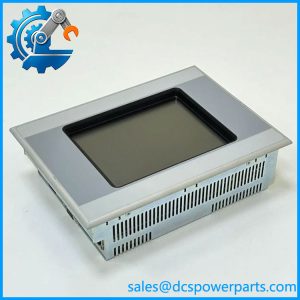
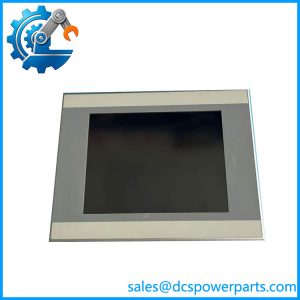
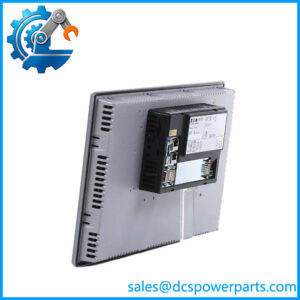
The XVC-601-GTI-10-V1-000 is a 10.4-inch industrial HMI-PLC from the Micro Innovation XVC600 family. It combines a VGA color display, infrared touchscreen, Pentium 200 MHz processor, and integrated PLC functionality in one panel-mounted unit.
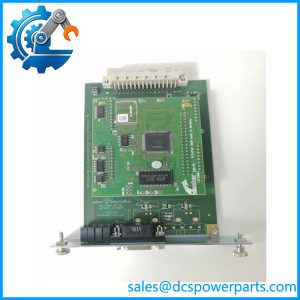
The platform uses EPAM for visualization and MXpro for PLC programming. Its Ethernet, RS-232, and CAN interfaces support integration with industrial automation networks. The removable CompactFlash provides storage for the operating system, application projects, and data.
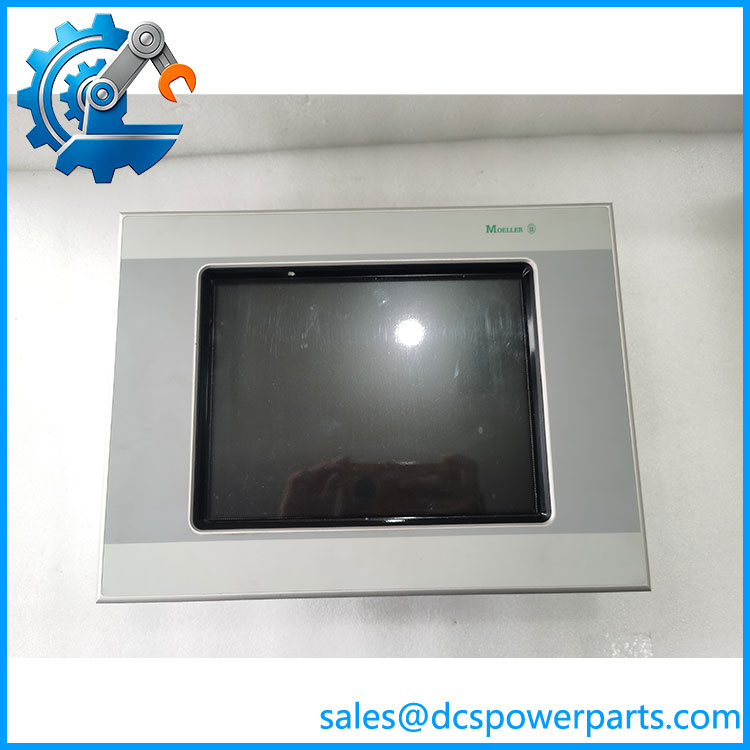
601XVC-601-GTI-10-V1-000
Application Scenarios & Field Pitfalls (Engineer’s Perspective)
The XVC600 is more than a display terminal. It combines visualization and PLC functions, so replacing it requires attention to the control application and stored program data as well as the physical panel.
Typical application scenarios
- Machine control stations: Provides operator access to machine status, alarms, operating modes, and control commands.
- Packaging and production machinery: Displays process values and supports operator interaction with automated sequences.
- OEM equipment: Combines HMI visualization and PLC execution in a single control-panel installation.
- Distributed automation systems: Uses Ethernet and CAN interfaces to communicate with other automation devices.
Field pitfalls to check before replacement
1. CompactFlash and application recovery: Preserve the original CompactFlash card before removing the terminal. Record the operating-system image, EPAM runtime, MXpro application, and any machine-specific configuration. A replacement panel without the correct software and project data may boot successfully but fail to operate the machine.
2. Infrared touchscreen condition: This model uses an optical infrared matrix rather than a conventional resistive touchscreen. Dust, oil deposits, damaged protective glass, or obstructions around the touch perimeter can interfere with input detection. Check touch response across the entire screen, not just at the center.
3. Communication configuration: Confirm the actual Ethernet, RS-232, and CAN connections. Do not assume the standard XVC-601-GTI-10 model includes PROFIBUS-DP. The separate XVC-601-GTI-10-DPM-V1-000 designation identifies the PROFIBUS-DP version. Verify the PLC protocol, connector pinout, and software configuration before commissioning.
Related Products
| Model | Product Description | Relationship |
|---|---|---|
| XVC-601-GTI-10-DPM-V1-000 | 10.4-inch XVC600 HMI-PLC with PROFIBUS-DP | Communication-interface variant |
| XVC-601-GTI-15-V1-000 | 15-inch XVC600 HMI-PLC, XGA display | Larger display version |
| XVC-601-GTI-15-DPM-V1-000 | 15-inch with PROFIBUS-DP | Larger display and fieldbus variant |
| XVC100 | Compact text-display HMI-PLC | Different platform and display architecture |
| XV400 | Modular HMI with optional PLC functionality | Related Micro Innovation product family |
| XVS400 | Compact HMI-PLC family | Related visualization and control platform |
| XVH300 | Compact industrial visualization system | Related Micro Innovation HMI family |
| MEMORY-CF-BRS-1 | CompactFlash storage accessory listed for | Storage-related accessory |
| ACCESSORIES-BAT01x | Battery accessory referenced for | Real-time clock backup |
These products are documented in the Micro Innovation catalog. They are related platform or accessory references, not confirmed drop-in replacements.
Procurement and Quality Control Notes
The is a legacy Micro Innovation platform. Secondary product listings identify the XVC-601-GTI-10-V1-000 as discontinued, so current OEM production and support should not be assumed.
Radwell International+1
Before purchasing, request:
- A photograph confirming the complete model number and hardware revision.
- Confirmation of the infrared touchscreen and LCD operation.
- A boot test with the installed CompactFlash.
- Ethernet, RS-232, and CAN communication checks.
- Confirmation of the EPAM runtime and MXpro PLC application.
- Inspection of the power connector, internal battery, and mounting hardware.
- Evidence of functional testing, not just a power-on inspection.
Replacement warning: The XVC-601-GTI-10-V1-000 and XVC-601-GTI-10-DPM-V1-000 are distinct configurations. If the existing machine communicates through PROFIBUS-DP, verify the DPM designation before ordering. A visually identical standard model may not provide the required interface.