Description
Product Overview
Allen-Bradley 2711-K5A2 is a PanelView 550 operator terminal designed for machine-level and process-level human-machine interface applications. It combines a 5.5-inch monochrome display with an integrated keypad, allowing operators to monitor controller data, acknowledge alarms, enter setpoints, and issue commands without requiring a separate computer-based HMI. The terminal belongs to Rockwell Automation’s legacy PanelView 550 platform and was commonly deployed alongside Allen-Bradley PLC systems.
The 2711-K5A2 is particularly relevant when maintaining an existing control cabinet rather than redesigning an HMI system around a current-generation platform. Its keypad-based interface is useful for installations where operators need direct physical keys for navigation and data entry. Communication and power requirements must be checked against the installed PanelView configuration, because PanelView 550 models were produced with different communication interfaces and electrical configurations.
For plants maintaining legacy PLC systems, Allen-Bradley 2711-K5A2 can serve as a direct replacement candidate when the existing application, terminal configuration, communication network, and firmware requirements are compatible. Before purchasing a replacement, compare the complete catalog number from the installed terminal rather than matching only the PanelView 550 family name.
Technical Specifications
| Parameter | Specification |
|---|---|
| Manufacturer | Allen-Bradley / Rockwell Automation |
| Model | 2711-K5A2 |
| Product Family | PanelView 550 |
| Product Type | Operator Terminal / HMI |
| Display Size | 5.5 in |
| Display Type | Monochrome |
| Operator Input | Integrated keypad |
| Power Supply | 24 VDC |
| Communication | DH-485 / RS-232 |
| Mounting | Panel mount |
| Application | Machine and process operator interface |
| System Type | Legacy Allen-Bradley control systems |
| Lifecycle | Legacy / discontinued |
Identification note: The exact communication configuration should be confirmed from the terminal’s nameplate and the applicable PanelView 550 documentation before a retrofit. PanelView 550 catalog numbers encode hardware differences, so visually similar terminals are not necessarily interchangeable.
Main Features and Advantages
Dedicated Keypad Operation
The 2711-K5A2 uses an integrated physical keypad rather than relying on touch input. This can be useful in industrial environments where operators routinely wear gloves or where tactile feedback is preferred for repetitive machine commands.
5.5-Inch Operator Display
The monochrome display provides the operator with process values, status information, alarms, prompts, and control screens. For a legacy machine, retaining the original display technology can simplify maintenance because the existing application was designed around the PanelView 550 environment.
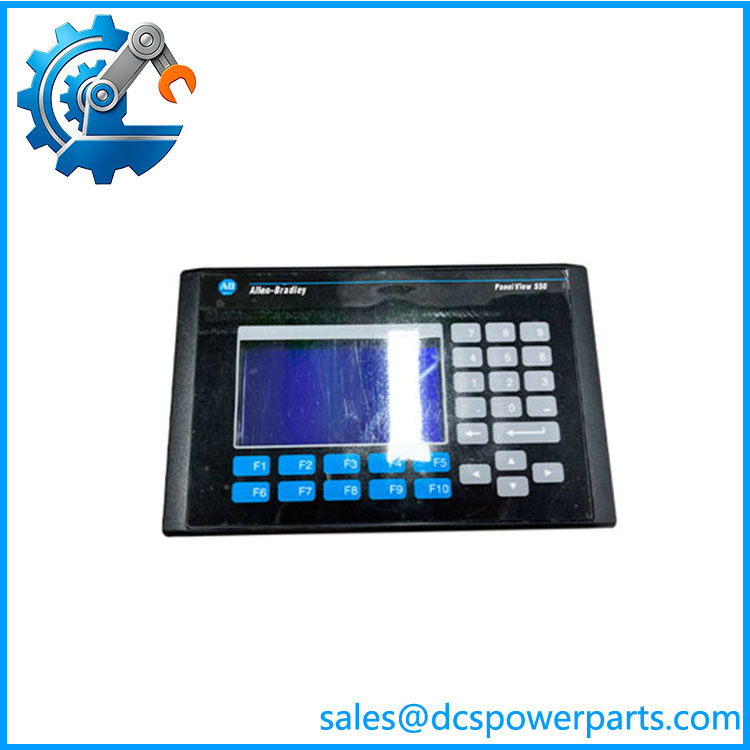
2711-K5A2
Legacy PLC Integration
The PanelView 550 family was designed for integration with Allen-Bradley control architectures. The exact communications interface is important when replacing a failed terminal because the PLC program and HMI application may depend on a specific network configuration.
Useful for Board-Level or Terminal-Level Replacement
When a machine is still mechanically and electrically sound, replacing the failed operator terminal can be considerably less disruptive than migrating the entire HMI application. This is especially relevant to older packaging machines, material-handling equipment, process skids, and production machinery.
Physical Form Factor
A replacement terminal should be evaluated against the existing panel cutout, mounting arrangement, connector locations, and cabinet clearance. A newer HMI may have completely different mechanical dimensions even when it can reproduce the same application functions.
Application Scenarios
Machine Control
The 2711-K5A2 can be used as the operator interface for PLC-controlled machinery, providing status information and operator commands.
Process Equipment
Legacy process skids and auxiliary systems may use PanelView 550 terminals for setpoint entry, alarm monitoring, and equipment status.
Material Handling
Conveyors, transfer systems, and other material-handling equipment commonly use operator terminals for start/stop commands, diagnostics, and production information.
Legacy Plant Maintenance
For an installed PanelView 550 system that still meets operational requirements, maintaining a tested spare can be more practical than undertaking an immediate HMI migration.
Related Products
- — PanelView 550 keypad operator terminal.
- PanelView 550 family — Legacy Allen-Bradley operator-terminal platform with multiple display, keypad, touchscreen, communication, and power configurations.
- PanelView Standard terminals — Related Rockwell operator-interface products used in legacy PLC systems.
- Allen-Bradley PLC-5 / SLC 500 systems — Common legacy control platforms encountered with older PanelView installations.
Engineer’s Guide: Field Pitfalls
⚠️ Do Not Order by “PanelView 550” Alone
PanelView 550 terminals were produced in multiple hardware configurations.
How to avoid it: Copy the complete 2711 catalog number from the existing terminal’s nameplate. The suffix is important.
⚠️ Verify the Communication Interface
A replacement terminal with a different communication configuration may physically fit but fail to communicate with the PLC.
Before installation, confirm:
- PLC model
- Network/protocol
- Communication port
- Cable type
- HMI application
- Terminal firmware
⚠️ Check the Existing Application
A replacement hardware terminal is not automatically equivalent to a modern HMI. The existing PanelView application may contain project-specific screens, tags, alarms, passwords, and PLC addressing.
If the original terminal is still readable, back up the application before removing it.
⚠️ Watch for Aging Displays and Keypads
With legacy PanelView 550 equipment, display degradation, keypad wear, membrane deterioration, and connector oxidation are common concerns. A refurbished terminal should therefore be evaluated for more than simple power-up operation.
Frequently Asked Questions
What is Allen-Bradley 2711-?
It is an Allen-Bradley PanelView 550 operator terminal with a 5.5-inch monochrome display and integrated keypad, intended for industrial HMI applications.
Is 2711- a PLC?
No. It is an HMI/operator terminal. The PLC performs the control logic while the PanelView provides operator interaction and process visualization.
What PLC systems can it work with?
Compatibility depends on the communication interface and the application configuration. Legacy Allen-Bradley PLC systems are the primary environment to investigate, but the actual PLC model and protocol should be verified before replacement.
Is 2711- touchscreen?
No. The K configuration uses a physical keypad. Do not substitute a touchscreen PanelView model simply because it has the same display size.
What should I check before buying a replacement?
Request:
- Exact identification.
- Front-panel photograph.
- Rear nameplate photograph.
- Display condition.
- Keypad test.
- Communication-port inspection.
- Power-up test.
- Firmware information.
- Application/project availability, if relevant.
- Warranty or test report for refurbished equipment.
Is the 2711- still current production?
It should be treated as legacy PanelView hardware. For a production-critical installation, confirm spare availability and application backup rather than waiting for an unexpected terminal failure.
Can I replace it with a newer PanelView?
Potentially, but it is a migration project, not necessarily a direct hardware swap. You need to evaluate panel dimensions, communication protocol, HMI project conversion, PLC addressing, firmware, cabling, and operator workflow before selecting the replacement.