Description
Product Overview
The ABB PP886H operator panel is part of the Panel 800 Version 6 range, designed to give operators a local interface for industrial process and machine control. Its 15.4-inch widescreen display and 1280 × 800 resolution support graphical process screens, alarm displays, operating parameters, and equipment status views. The ruggedized design is intended for installations where temperature tolerance and environmental protection are important considerations.
The PP886H supports connections to compatible automation controllers through configured communication drivers and available hardware interfaces. Its documented connections include Ethernet, USB, and serial communication ports. The actual protocol support depends on the selected driver, application project, and controller configuration; the presence of an Ethernet or serial port alone does not guarantee compatibility with every PLC or DCS. ABB’s Panel Builder engineering environment is used to configure Panel 800 applications, so software version and project compatibility should be reviewed before replacing an installed panel.
For maintenance teams, a replacement PP886H should be checked against the original hardware order number, display configuration, mounting cutout, connector layout, and application backup. Also confirm the available project files and the engineering software needed to restore the operator interface. For surplus stock, request photographs of the actual unit, a clear statement of its condition, and evidence of functional testing. A matching model number does not establish that the panel contains the correct project or is ready for immediate commissioning.
Product Introduction
A failed HMI can leave operators without access to alarms, process values, and local commands even when the underlying controller remains operational. The ABB PP886H provides a rugged 15.4-inch touchscreen interface for compatible industrial automation systems.
Before replacing an installed unit, verify the order code, panel cutout, power supply, communication drivers, and project backup. These checks help reduce avoidable installation and startup delays.
Key Technical Specifications
| Parameter | Value |
|---|---|
| Model | PP886H |
| Manufacturer | ABB |
| Product series | Panel 800 Version 6 |
| Product type | Rugged industrial operator panel / HMI |
| Display technology | TFT-LCD with LED backlight |
| Display size | 15.4 inches |
| Resolution | 1280 × 800 pixels |
| Display brightness | 1,000 cd/m² |
| Power supply | +12 to +28 VDC specified range; 10–32 VDC operating limits in the manual |
| Typical power consumption | Approximately 28–29 W, depending on supply voltage and operating conditions |
| Maximum power consumption | 31.2 W |
| Application memory | 4 GB SLC flash, approximately 3.5 GB available |
| RAM | 1 GB, according to the cited ABB hardware manual |
| External storage | Optional SD card |
| Ethernet | 2 × shielded RJ45 10/100 Base-T ports, per documented configuration |
| USB | USB 2.0 host ports; verify the exact hardware revision |
| Serial interfaces | RS-232 and RS-422/485 options, depending on port configuration |
| Operating temperature | −30°C to +70°C |
| Storage temperature | −40°C to +85°C |
| Front protection | IP65 / NEMA 4X as documented for the PP886H front panel |
| Rear protection | IP20 |
| Front dimensions | Approximately 410 × 286 mm; see installation drawing for full depth |
| Panel cutout | Approximately 394 × 270 mm; confirm tolerances and corner radius |
| Mounting | Panel mount; VESA mounting is also documented |
| Configuration software | ABB Panel Builder environment; confirm compatible version |
| Condition | Confirm actual stock condition and functional test status |
Specification caution: Hardware details can vary across product revisions and documentation. Confirm the full ordering code and use the corresponding ABB manual before designing the panel cutout, specifying environmental limits, or confirming port availability.
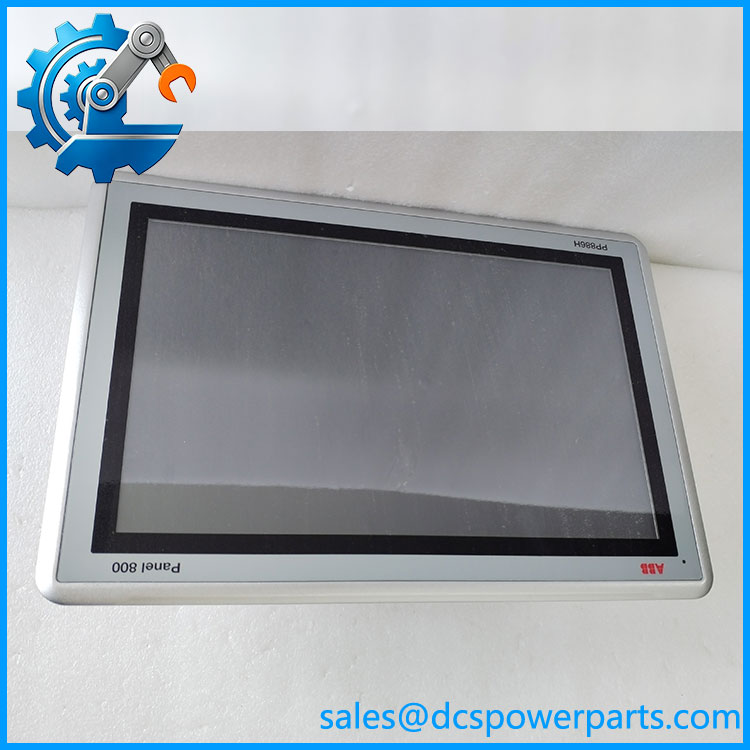
PP886H
Related Products
These products belong to ABB’s Panel 800 operator-panel family or provide useful comparison points. They are not guaranteed drop-in replacements for .
- PP875 — Panel 800 operator panel with a different display and hardware configuration.
- PP881 — Panel 800 HMI model for applications requiring a different panel configuration.
- PP883 — Panel 800 operator panel in the same general product family.
- PP886 — Standard Panel 800 model; differs from the ruggedized .
- PP886M — Related Panel 800 variant with different hardware characteristics.
- PP886R — Related rugged Panel 800 variant.
- PP887H — Rugged Panel 800 model with its own hardware and order-code requirements.
- PP895 — Larger Panel 800 operator panel; physical dimensions and application compatibility differ.
Frequently Asked Questions
1. What is the ABB used for?
The is an industrial HMI used to display process information, alarms, equipment status, and operator controls. It communicates with compatible controllers through configured drivers and the available hardware interfaces. The actual functions depend on the loaded application project and connected control system.
2. Is interchangeable with the standard PP886?
Not automatically. Although the models share the Panel 800 family and a 15.4-inch, 1280 × 800 display format, they differ in hardware and environmental specifications. Compare the full order number, supply requirements, mounting dimensions, interfaces, and project compatibility before substitution.
3. Can the communicate with any PLC or DCS?
No. Compatibility depends on the controller’s communication protocol, the available physical interface, the selected driver, and the HMI application configuration. Confirm that the required driver is supported by the installed Panel Builder version and that the controller’s communication settings match.
4. Can the be hot-swapped while powered?
Do not assume that live replacement is permitted. Follow the machine’s isolation procedure and the ABB installation instructions. Disconnect power before removing the panel unless the approved system procedure explicitly permits another method. Back up the HMI project before replacement whenever possible.
5. Does a replacement require application programming?
It may. A replacement panel might not contain the original application, controller connection settings, alarms, screen layouts, or user configuration. Confirm that a valid project backup and compatible engineering software are available before removing the existing panel. After restoration, test communications, alarms, navigation, and operator commands.
6. How can I verify a surplus before purchase?
Ask for photographs showing the complete model and order code, the screen, rear connectors, and the nameplate. Request details of any power-on, touchscreen, port, and display testing. Clarify whether the unit is new surplus, used, or repaired; visual condition alone does not prove functional performance.
7. What should be checked before installing a ?
Verify the panel cutout, mounting depth, DC supply range, protective grounding, environmental conditions, communication cables, and application backup. After installation, confirm the controller connection, alarm handling, touchscreen response, and all safety-relevant operator commands before returning the machine to service.
Procurement recommendation: Treat the ABB as a configuration-specific rugged HMI, not simply a generic touchscreen. Verify the full order code, hardware revision, application project, interfaces, and actual test status before approving it as a replacement.