Description
ProSoft MVI69L-MBS | Modbus Serial Lite Communication Module | CompactLogix
Key Technical Specifications
| Parameter | Specification |
|---|---|
| Product Model | MVI69L-MBS |
| Manufacturer | ProSoft Technology |
| Product Type | Modbus Serial Lite Communication Module |
| Host Platform | Rockwell Automation CompactLogix |
| Backplane | 1769 I/O bus |
| Serial Ports | 1 |
| Serial Standards | RS-232 / RS-422 / RS-485 |
| Protocol | Modbus |
| Operating Modes | Modbus Master or Modbus Slave |
| Modbus Slave Address | 1–247 |
| Master Command Capacity | Up to 30 commands |
| Maximum FC 1/2/15 Bit Transfer | 2,000 bits |
| Maximum FC 3/4/16 Word Transfer | 125 words |
| Configuration Software | ProSoft Configuration Builder |
| PLC Programming Support | Add-On Instruction / UDT |
| CompactLogix Requirement | 1769 I/O bus capability version 16 or later |
| MicroLogix 1500 | Not supported |
ProSoft describes the MVI69L-MBS as a reduced-scale Modbus Serial module intended for applications involving a smaller number of Modbus devices. Unlike the MVI69E-MBS, which provides two serial ports, the MVI69L-MBS provides one serial port and can operate as either Master or Slave.
Product Introduction
The ProSoft MVI69L-MBS provides a direct serial Modbus interface between a Rockwell CompactLogix controller and external Modbus devices. It operates as a CompactLogix 1769 I/O module while maintaining its own Modbus data database, allowing process data and command/status information to move between the PLC and serial network.
The module supports RS-232, RS-422, and RS-485 on its application port, making it suitable for drives, meters, instrumentation, controllers, and other serial Modbus equipment. Configuration is handled through ProSoft Configuration Builder, while the CompactLogix side can use the supplied Add-On Instruction and controller tags.
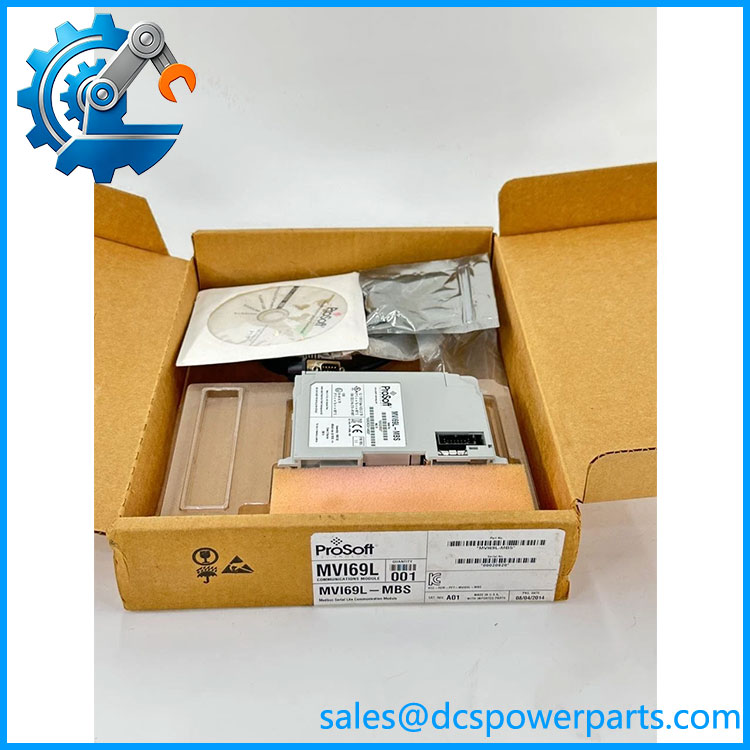
MVI69L-MBS
Application Scenarios & Field Pitfalls — Engineer’s Perspective
Engineering Pain Point
The MVI69L-MBS is useful when a CompactLogix system needs serial Modbus without replacing the PLC architecture. The practical limitation is the single serial port: if the application needs two independent Modbus serial networks, the is not equivalent to the two-port MVI69E-MBS.
Typical Applications
- CompactLogix-to-Modbus Integration — connects legacy serial instruments to a 1769-based PLC.
- Drive Communication — exchanges registers, commands, status, and diagnostic information with compatible Modbus drives.
- Meter and Instrument Integration — reads measurement registers from Modbus RTU/ASCII devices.
- Legacy Equipment Migration — retains serial Modbus equipment while the supervisory PLC remains CompactLogix.
- Modbus Slave Interface — allows a remote Modbus Master to access data held by the module and CompactLogix application.
Technical Pitfalls to Avoid
- Do not confuse with MVI69E-MBS.
The has one serial port, whereas the MVI69E-MBS provides two. A two-network application should not be redesigned around the Lite module without checking the architecture. - Check the CompactLogix firmware/platform requirement.
ProSoft specifies processors with 1769 I/O bus capability version 16 and later and explicitly states that MicroLogix 1500 is not supported. Physical compatibility alone is not sufficient. - Confirm the serial electrical standard.
The port supports RS-232, RS-422, and RS-485, but the wiring and configuration are different. The factory port-selection jumpers are set to RS-232, so an RS-485 installation requires the appropriate hardware configuration and wiring. - Do not treat the module database as ordinary PLC tags.
The module uses controller tags such as MBS.CONFIG, MBS.DATA, MBS.CONTROL, and MBS.STATUS. ProSoft states that the configuration data should be changed through ProSoft Configuration Builder rather than manually editing the configuration array because the configuration includes CRC protection. - Watch the Master command list.
A Modbus Master port supports up to 30 configured commands. Each command requires correct function code, slave address, register addressing, and data count. Overlapping or invalid command definitions can produce incorrect data behavior.
Related Products
- MVI69E-MBS — CompactLogix Modbus Serial module with two serial ports; better suited when two independent serial networks are required.
- MVI69-MNET — ProSoft CompactLogix Ethernet communication family for Modbus TCP applications; different physical network architecture.
- — Variant/order suffix associated with listings; verify the complete nameplate before substitution.
- — Related ordering suffix; complete hardware identification should be checked.
- 1769-L32E — CompactLogix controller family commonly encountered with 1769-based communication modules; controller revision must be checked.
- 1769-L35E — Higher-capacity CompactLogix controller family; verify firmware and 1769 I/O compatibility.
- ProSoft Configuration Builder — Configuration environment used to configure the .
- CompactLogix 1769 I/O System — Host platform and backplane architecture required by the module.
Procurement Note
For a , verify the complete model number, CompactLogix controller revision, firmware compatibility, serial standard, cable/adapter arrangement, Modbus Master/Slave role, and existing ProSoft configuration file.
The module package documented by ProSoft includes the module, RJ45-to-DB9 adapter cable, DB9-to-screw-terminal adapter, Ethernet cable, and ProSoft configuration software media.
For a replacement project, the existing PCB configuration file and CompactLogix Add-On Instruction are as important as the physical module. Preserve the master command list, slave addresses, register mapping, serial parameters, and controller tag structure before removing the original unit.
Procurement identification: ProSoft = Modbus Serial Lite Communication Module for Rockwell CompactLogix, one serial port, RS-232/RS-422/RS-485, Modbus Master or Slave. It is a communication interface module, not a standalone PLC CPU or Ethernet-only Modbus gateway.