Description
Key Technical Specifications
| Parameter | Value |
|---|---|
| Manufacturer | Motorola Computer Group |
| Model | MVME3100 |
| Product Type | VMEbus Single Board Computer |
| CPU | MPC603e PowerPC |
| CPU Speed | Up to 400 MHz, depending on configuration |
| System Bus | 32/64-bit VMEbus |
| VME Standard | VME64 |
| Local Memory | Up to 256 MB SDRAM, configuration-dependent |
| Nonvolatile Storage | Flash memory |
| Removable Storage | CompactFlash interface |
| Ethernet | 10/100BASE-TX |
| Serial I/O | Multiple asynchronous serial interfaces |
| PMC | 1 × PMC expansion site |
| Debug Interface | Front-panel/debug interface |
| Rear I/O | Configuration-dependent |
| Operating Systems | VxWorks, Linux and other PowerPC-supported environments, configuration-dependent |
| Typical Applications | Industrial control, data acquisition, defense/test equipment, embedded computing |
| Form Factor | VME single-board computer |
| Lifecycle | Legacy / obsolete |
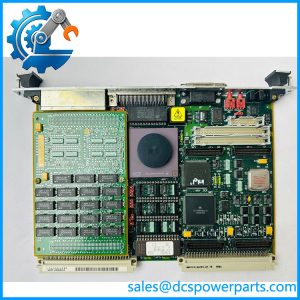
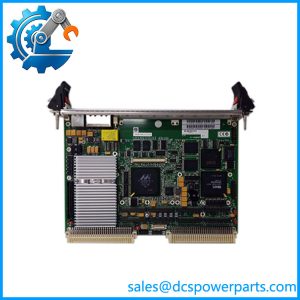
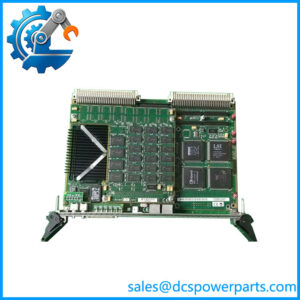
The MVME3100 family is a PowerPC-based VMEbus SBC designed around the MPC603e processor, with VME64 capability, Ethernet, CompactFlash, flash memory, and PMC expansion. Exact CPU speed, memory capacity, rear-I/O configuration, and installed firmware depend on the specific MVME3100 assembly and option configuration.
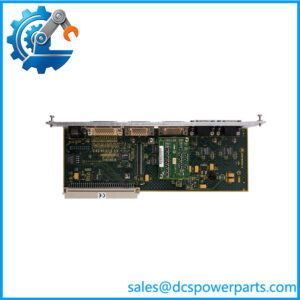
Do not treat every MVME3100 as identical. Motorola produced multiple configurations and revisions. The board identification label, assembly number, memory configuration, and installed transition/rear-I/O hardware should be checked before procurement.
Product Introduction
Motorola MVME3100
The Motorola MVME3100 is a PowerPC-based VMEbus single-board computer intended for embedded industrial and instrumentation applications. It combines an MPC603e processor with VMEbus control, Ethernet networking, local memory, CompactFlash storage, serial interfaces, and PMC expansion on one VME card.
Its practical value is in existing VME systems that still depend on a PowerPC computing environment. For a legacy controller, test platform, or data-acquisition system, replacing the SBC can be far less disruptive than migrating the application, operating system, VME drivers, and PMC hardware to a completely different architecture.
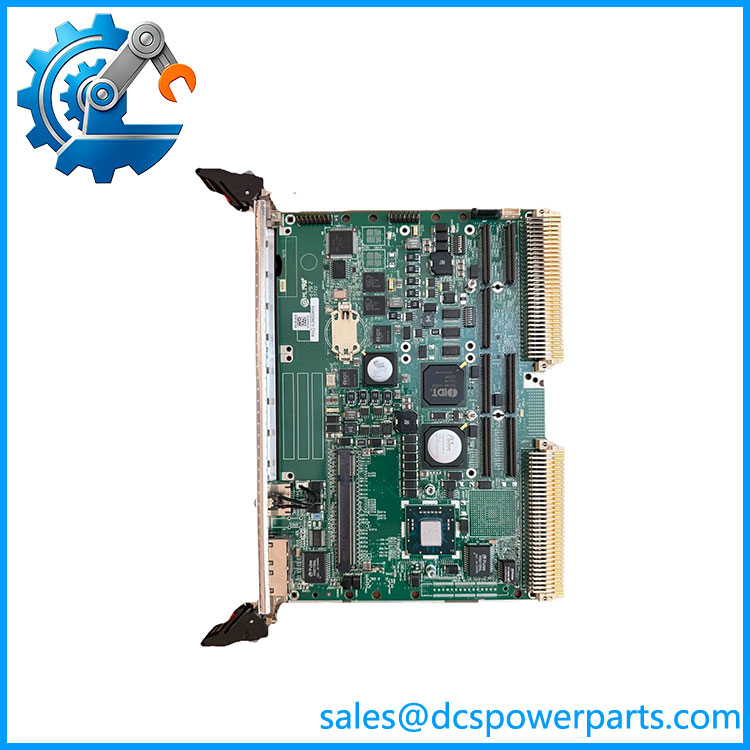
MVME3100
Application Scenarios & Field Pitfalls
Engineering Pain Point
When an -based system fails, the board is rarely the only thing that matters. The application may depend on a particular VxWorks image, boot parameters, CompactFlash filesystem, PMC driver, Ethernet configuration, and VME interrupt structure. A replacement SBC that boots successfully can still be unusable if the software environment does not match.
Typical Applications
- Industrial Automation — VME-based supervisory controllers and machine-control computers.
- Power & Energy — Legacy embedded monitoring, control, and data-acquisition systems.
- Test & Measurement — VME instrumentation platforms requiring local PowerPC processing and PMC expansion.
- Defense & Aerospace Test Equipment — Embedded computing and data-processing systems built around long-established VME architectures.
Technical Pitfalls to Avoid
- Match the exact board configuration.
“” is the family designation. Check the actual assembly/board number, processor configuration, memory, and installed options before ordering. - Back up the boot environment.
Preserve the existing boot parameters and operating-system image. With legacy PowerPC/VxWorks systems, the boot configuration can be just as important as the CPU board. - Check CompactFlash compatibility.
The CompactFlash device may contain application software, boot files, or configuration data. Do not format or replace it simply because the replacement board is new. - Verify VMEbus configuration.
Check the system controller role, VME address windows, interrupt levels, bus arbitration, and installed VME cards. A change in configuration can prevent otherwise healthy cards from communicating. - Check the PMC module.
If the original has a PMC installed, verify the module’s electrical interface and software driver requirements before transferring it to another board. - Do not assume Ethernet is the problem.
If the application loses network communication, check the operating-system driver, MAC configuration, switch port, cabling, and boot image before replacing the SBC. - Check VME backplane power.
A marginal +5 V rail can create multiple symptoms: spontaneous resets, corrupted storage access, VME communication errors, and intermittent Ethernet operation. - Record firmware/boot ROM information.
Different board revisions can have different firmware behavior. Record the existing boot monitor/version before removing a functioning board. - Watch for battery-related issues.
Legacy VME SBCs can contain battery-backed resources. Check the board’s battery condition and any retained configuration during maintenance. - Do not substitute another MVME board casually.
, MVME5100, MVME5500, and other PowerPC VME boards may share the same general form factor but can differ substantially in processor architecture, PCI/PMC implementation, software support, and VME configuration.
Related Products
- Motorola MVME5100 — PowerPC-based VME SBC from a related generation. It is a possible platform-level alternative for some applications, but CPU, PCI/PMC, memory, firmware, and operating-system compatibility must be checked.
- Motorola MVME5500 — Higher-performance PowerPC VME SBC family. It can be considered for system modernization, but it should not be assumed to be a drop-in replacement.
- Motorola MVME2300 — Earlier PowerPC VME SBC family. Relevant for legacy system maintenance where software and VME compatibility are more important than processing performance.
- Motorola MVME2400 — PowerPC VME computer family used in embedded control and data-acquisition systems. It is a related VME platform, not an automatic replacement.
- Motorola MVME2600 — PowerPC-based VME SBC family. Useful when evaluating older VME computing platforms and replacement strategies.
- Motorola MVME2700 — Related VME PowerPC controller family. It may appear in older industrial and instrumentation systems but has different hardware and software characteristics.
- — Configuration variant of the family. The exact processor, memory, and option configuration should be verified against the installed board.
- Motorola -1152 — Example of a configured variant. The numerical suffix is important because memory, storage, and other configuration details can vary between assemblies.
- Motorola VME64 VMEbus Systems — The broader hardware architecture for the . Existing VME backplane design, system-controller assignment, and installed cards are critical when evaluating any replacement SBC.
- Motorola PMC Modules — Expansion hardware installed on the ‘s PMC interface. The exact PMC device and driver should be documented before replacing the CPU board.