Description
Product Overview
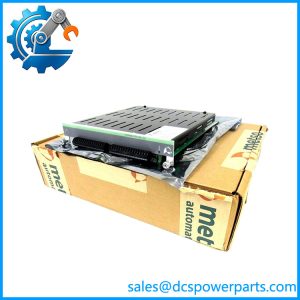
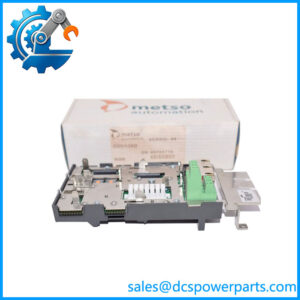
The Metso Automation IOP371 is a fiber-optic Bus Extender Module used to distribute Model IOP system hardware across separate control-room and field locations. In a maxPAC architecture, the module transfers I/O bus information between a local DPU rack and remote I/O equipment. This arrangement reduces the need to bring every field signal back to a single cabinet and gives system designers more flexibility when locating remote I/O panels.
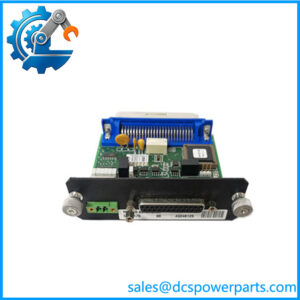
The IOP371 converts parallel I/O bus data into a serial optical signal for transmission and reconstructs the bus information at the receiving end. The documented link distance is up to 2,000 meters using 62.5/125 μm multimode fiber at a 1,300 nm operating wavelength. The reference documentation describes redundant optical links and automatic changeover when a link failure is detected. A relay contact and front-panel indication support monitoring of link failure or failover conditions.
For maintenance teams, the Metso IOP371 is a system-specific communication component rather than a general-purpose Ethernet or fieldbus converter. Correct operation depends on the Model IOP bus architecture, the paired extender arrangement, optical cable type, link configuration, and DPU setup. The manual also specifies limits on local and remote I/O module counts, so adding a remote rack requires checking the full system configuration rather than relying on optical distance alone. When sourcing a replacement, verify the 181500 part number, board revision, connector condition, and compatibility with the installed maxPAC hardware.
Product Introduction (Non-Templated)
Remote I/O placement can become a practical problem when field instruments are spread across a large process area. The IOP371 addresses that layout requirement by carrying the Model IOP bus over fiber instead of requiring all I/O modules to remain close to the DPU cabinet.
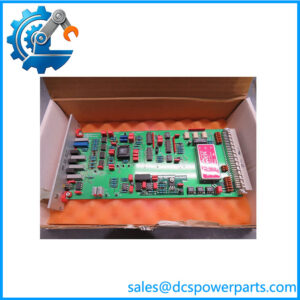
Its optical link and failover functions make it important to inspect more than the board’s appearance during replacement. Confirm the fiber connectors, link status indicators, relay output behavior, and the configuration at both ends before returning the remote I/O segment to service.
Key Technical Specifications
| Parameter | Value |
|---|---|
| Product Model | IOP371 |
| Manufacturer Part Number | 181500 |
| Manufacturer | Metso Automation |
| Product Type | Bus Extender Module |
| System | Metso maxPAC Model IOP |
| Communication Medium | Multimode fiber optic |
| Maximum Link Distance | Up to 2,000 m |
| Fiber Specification | 62.5/125 μm multimode |
| Optical Wavelength | 1,300 nm |
| Power Requirement | 24 VDC, 0.5 A |
| Bus Speed | Maintains Model IOP bus communications |
| I/O Address Capacity | Up to 255 unique addresses per DPU |
| Local I/O Capacity | Up to 60 modules, including local BEMs |
| Remote I/O Capacity | Up to 45 modules per remote BEM bus, including remote BEM |
| Link Redundancy | Redundant optical links supported |
| Link Failure Indication | LED and relay output |
| Operating Temperature | 0°C to 60°C |
| Relative Humidity | 0–90%, non-condensing |
| Installation Method | Model IOP-style I/O module assembly |
| Ethernet / Protocol Support | Not applicable as a general-purpose Ethernet interface |
| Firmware Revision | Not verified; check module label and system documentation |
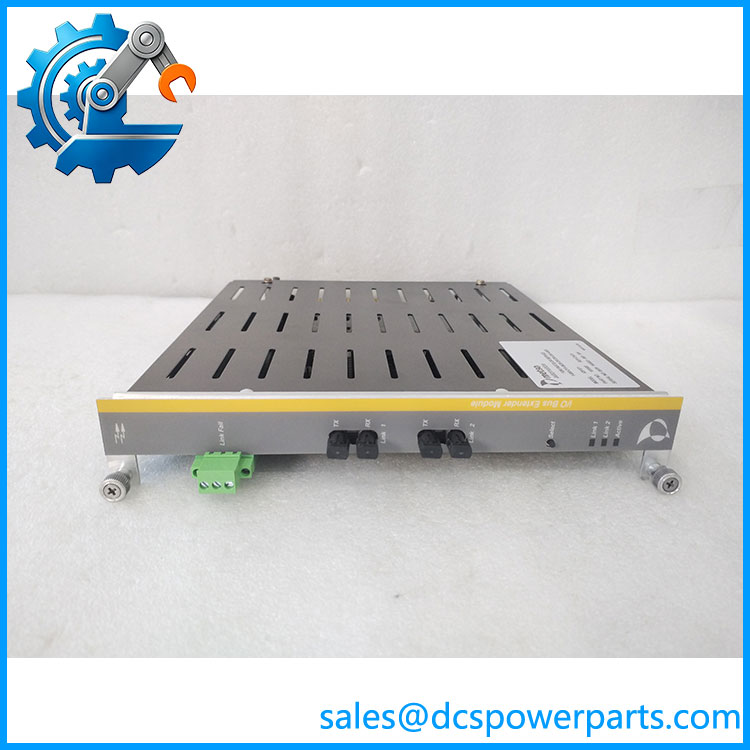
IOP371
Major Features and Advantages
Fiber-optic remote I/O extension
The IOP371 enables remote placement of I/O hardware up to 2,000 meters from the local system, subject to the specified fiber type and system configuration. This can reduce long copper signal runs and simplify cabinet distribution across large facilities.
Redundant optical communication
The documented design supports two optical links. If the active link fails, the extender can switch to the alternate link. The reference manual describes a brief interruption during changeover, so redundancy should not be treated as completely interruption-free.
Link status monitoring
A Form C relay contact reports link failure or failover conditions. The front-panel indicators and test pushbutton provide additional support for commissioning and maintenance checks.
Defined I/O bus capacity
The manual specifies up to 60 modules on the local DPU bus, including local BEMs, and up to 45 modules on each remote BEM bus, including the remote BEM. Actual capacity remains dependent on I/O mix, DPU loading, and application requirements.
Optical isolation between locations
Fiber communication avoids relying on a long copper bus connection between separated cabinets. This can help reduce exposure to electrical interference along the communication route. Cable routing still matters: the manual recommends separating redundant optical cable routes to reduce the chance of a single physical incident disabling both links.
Legacy system maintenance
For an installed maxPAC system, retaining the correct hardware can be preferable to introducing an unverified interface conversion. Confirm the board revision and complete extender configuration before procurement.
Related Products
The following are related by system architecture or maintenance function. They are not asserted to be direct replacements for .
- IOP301 – Analog input module identified in legacy maxPAC-related documentation.
- IOP330 – Digital input module used in the same general I/O family.
- IOP331 – Digital I/O module in the Metso IOP family.
- IOP350 – Relay output module.
- IOP351 – Relay module with Form A/B or Form C output configurations, depending on version.
- IOP353 – Relay driver module.
- DPU – Distributed Processing Unit; the controller-side equipment that communicates with the I/O bus.
- CON062-LLLL – Two-fiber optical cable reference listed for the extender system.
- CON064-LLLL – Four-fiber optical cable reference listed for redundant-link arrangements.
Frequently Asked Questions
Q1: What does the Metso do?
It extends the Metso Model IOP bus over fiber-optic links, allowing remote I/O hardware to communicate with the local DPU system.
Q2: Is the an analog input module?
No. The manufacturer’s maxPAC hardware reference identifies as a Bus Extender Module. Listings that describe it as an analog input module should be treated as incorrect unless they refer to a different part number.
Q3: What is the maximum communication distance?
The documented maximum is 2,000 meters using 62.5/125 μm multimode fiber at 1,300 nm. Confirm the installed cable and optical link arrangement before planning a replacement.
Q4: Can I hot-swap the without shutting down the system?
Do not assume that live replacement is permitted. The documentation available for this model describes bus operation and link failover, but does not establish a general hot-swap procedure. Follow the site’s approved maintenance procedure and the applicable system manual before removing the module.
Q5: Does the support firmware v3.1?
A firmware version or v3.1 compatibility statement was not verified in the available documentation. This module is a bus extender, so confirm the hardware revision and system software compatibility with the installed maxPAC configuration rather than applying a generic firmware requirement.
Q6: What should I check before ordering a replacement?
Verify the full model number , part number 181500, board revision, connector condition, and the optical link configuration. Also check whether the installation uses a single or redundant DPU arrangement.
Q7: How should a used be tested before installation?
At minimum, inspect the PCB and optical connectors, verify the 24 VDC supply requirement, test link establishment with a compatible extender at the opposite end, and confirm failover indication and relay output behavior. A visual inspection alone does not demonstrate correct bus communication.
Procurement and Compatibility Note
The is a system-specific maxPAC bus extender, not a generic fiber converter. Before purchasing, request clear photographs of the module label and PCB revision, confirmation of part number 181500, and a description of the functional test performed. For a replacement in an operating plant, confirm both ends of the optical link and the DPU configuration before installation.