Description
M2I XTOP12TS-SD
Product Introduction
A 12-inch operator panel becomes particularly valuable on older machines where the HMI is expected to handle more than basic status display—alarm history, recipes, operator commands, PLC communication, and maintenance diagnostics all compete for the same screen and communication resources. The M2I XTOP12TS-SD is a 12.1-inch industrial touchscreen HMI built around an 800 × 600 TFT display, 65,536-color output, and analog resistive touch technology. Its manufacturer documentation specifies a 24 VDC supply, with an operating input range of 20–28 VDC.
Communication capability is one of the more useful aspects of this model for legacy automation work. The XTOP12TS-SD provides RS-232C on COM1, RS-232C or RS-422/485 on COM2, 10BASE-T/100BASE-TX Ethernet, USB, and a Type-II CF Card slot; Profibus and CC-Link are available through optional modules. That makes it suitable for PLC/HMI retrofit work where replacing the entire control architecture is not practical.
Key Technical Specifications
| Parameter | Specification |
|---|---|
| Product Model | XTOP12TS-SD |
| Manufacturer | M2I Corporation |
| Product Family | X TOP Series |
| Product Type | Industrial Touchscreen HMI |
| Display Size | 12.1 inches |
| Display Type | TFT Color LCD |
| Display Resolution | 800 × 600 pixels |
| Display Colors | 65,536 |
| Display Area | 246 × 184.5 mm |
| Touch Type | Analog resistive film |
| Touch Resolution | 800 × 600 |
| Touch Life | 1 million touches or more |
| Backlight | LED |
| Backlight Life | 50,000 hours |
| Power Input | 24 VDC |
| Input Range | 20–28 VDC |
| COM1 | RS-232C |
| COM2 | RS-232C / RS-422 / RS-485 |
| Ethernet | 10BASE-T / 100BASE-TX |
| USB Device | USB 1.1 compatible |
| USB Host | USB storage / barcode / scanner support |
| CF Card | Type-II, FAT16/FAT32 |
| Optional Fieldbus | Profibus / CC-Link |
| Screen Memory | 26 MB |
| Backup Memory | 512 KB system buffer |
| Real-Time Clock | Built in |
| Printer Support | EPSON protocol through RS-232C COM1 |
| Installation | Panel-mounted HMI |
The manufacturer-origin catalog identifies the XTOP12TS-SD as the DC version of the 12.1-inch XTOP12TS family. It specifies 800 × 600 resolution, 65,536 colors, LED backlighting, analog resistive touch, two serial ports, Ethernet, USB, CF Card, and optional fieldbus modules.
Power-supply warning
-SD is a DC-only model. M2I’s technical-support response explicitly distinguishes it from the -SA, which is the AC-powered version. The manufacturer specifies DC24V, 20–28V for the SD model. Do not substitute the AC-powered SA configuration based only on the similar model number.
Application Scenarios & Pain Points
The -SD is aimed at machine-level operator interaction rather than high-end process visualization. Its combination of serial communication, Ethernet, removable CF storage, and optional fieldbus expansion gives it enough flexibility for many older PLC-based machines.
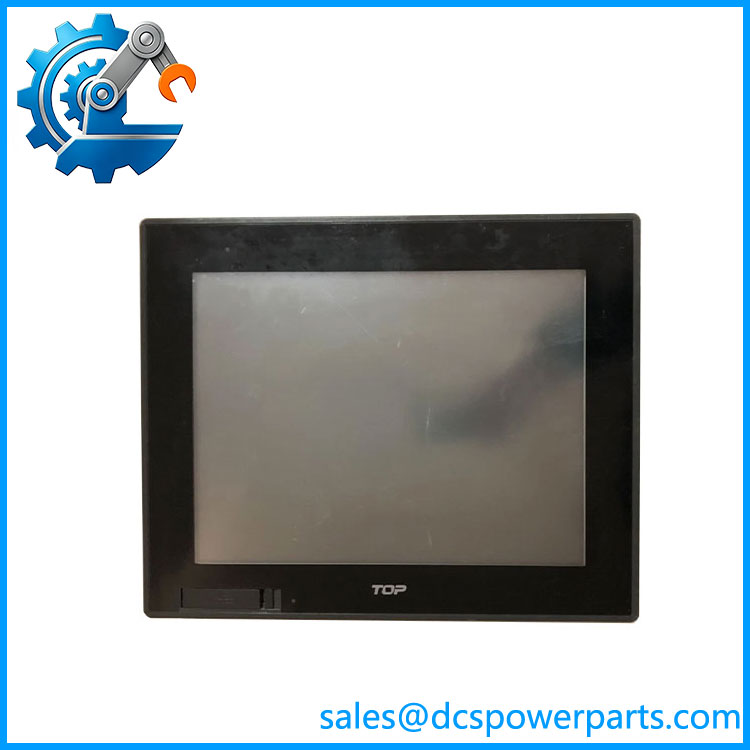
XTOP12TS-SD
- PLC operator stations — Suitable for displaying process values, alarms, recipes, machine states, and operator commands.
- Legacy machine retrofits — The multiple serial interfaces can be useful when the existing PLC or controller does not use Ethernet as its primary HMI link.
- Factory equipment monitoring — The 12.1-inch screen provides considerably more working area than compact 5–8-inch operator panels.
- Recipe and data handling — CF Card support and internal memory can support application data, depending on the project configuration.
- Fieldbus-connected machinery — Optional Profibus and CC-Link modules extend the HMI’s connectivity beyond the built-in serial/Ethernet ports.
One practical issue with legacy HMIs is not the screen itself but the project file. A replacement panel can power up perfectly and still be unusable if the original HMI project, communication settings, PLC address mapping, or compatible runtime software is unavailable.
Related Products
- — AC-powered counterpart in the same 12.1-inch family. It is not electrically interchangeable with the DC-.
- — Related X TOP touchscreen model for hazardous-area applications; the “EX” designation should not be treated as a simple firmware variant.
- M2I XTOP15TX-SD — Larger X TOP Series touchscreen HMI.
- M2I XTOP08TS-SD — Smaller X TOP Series HMI option.
- M2I TOPRX1200-SD — Later M2I DC HMI identified by M2I as a replacement pa was discontinued.
- — Related X TOP Series touchscreen configuration.
- front overlay / touch assembly — Replacement hardware for damaged front touch/display components; verify whether the requirement is the complete HMI or only the front assembly.
Engineer’s Guide: Field Pitfalls to Avoid
1. Do not apply AC power to the SD model
This is the first thing I would verify during replacement.
= 24 VDC, 20–28 VDC.
-SA = AC-powered configuration.
M2I explicitly confirmed that the SD model is DC-only.
2. Do not confuse the complete HMI with the touch overlay
There are separate listi front overlays, touch panels, and replacement glass. If the requirement is a complete operator terminal, ordering only the front touch component will obviously not solve a controller/HMI failure.
3. Preserve the original HMI project
Before replacing a func, back up the application project and record:
- PLC model
- PLC communication driver
- IP address
- Serial-port configuration
- Baud rate
- Station/node address
- Screen project version
- Recipe/alarm data
- CF Card contents
The hardware specification alone does not guarantee project compatibility.
4. Check COM2 wiring before changing communication hardware
COM2 can operate as RS-232C or RS-422/485, so the cable and pinout depend on the configured interface. A replacement connected with the wrong electrical interface can appear completely dead from the PLC communication perspective even though the HMI itself is operating normally.
5. Do not assume Ethernet means every Ethernet protocol is supported
The hardware provides 10/100 Ethernet, but the actual PLC communication protocol depends on the HMI runtime/software configuration and supported driver set.
Confirm the intended PLC driver before specifying the replacement.
6. Check the optional fieldbus module
Profibus and CC-Link are listed as optional modules. If the existing machine communicates through one of these interfaces, verify that the installed option is present and compatible. without the required fieldbus module is not necessarily a functional replacement for a configured fieldbus installation.
7. Inspect the touch panel separately from the LCD
An aging resistive touchscreen can develop dead zones, drift, or poor calibration while the LCD remains perfectly readable. Conversely, a cracked touch layer does not necessarily mean the main HMI electronics have failed.
Diagnose the display, touch layer, and controller independently before replacing the complete unit.
8. Check the 24 VDC supply under load
Do not verify the cabinet supply only with the HMI disconnected. Measure the actual voltage terminals during startup and normal operation. Voltage drop in old cabinet wiring or terminal blocks can cause intermittent HMI resets that look like processor faults.
FAQ
What?
The is a 12.1-inch industrial touchscreen HMI from the X TOP Series. It uses an 800 × 600 TFT color display, analog resistive touch, and multiple communication interfaces for PLC and machine-control applications.
What volta require?
It requires 24 VDC, with M2I specifying an input range of 20–28 VDC. It is a DC-only model.
What is the screen resolution?
has an 800 × 600 pixel display resolution and 65,536-color TFT display. The active display area is approximately 246 × 184.5 mm.
have Ethernet?
Yes. The manufacturer documentation specifies 10BASE-T/100BASE-TX Ethernet through an RJ-45 connection.
What serial communication ports are available?
COM1 provides RS-232C. COM2 supports RS-232C or RS-422/485, with the supported baud rates and electrical interface depending on the selected configuration.
D support Profibus or CC-Link?
Yes, the manufacturer lists Profibus and CC-Link as optional fieldbus modules. These should be confirmed against the actual installed HMI before replacement.
discontinued?
M2I’s technical-support record specifically discusses the discontinua and identifies TOPRX1200-SD as a replacement model. For a legacy installation, however, an o can still be preferable when exact project and panel compatibility are important.
What should I verify when buying a repl?
Confirm the complete model number, 24 VDC power configuration, display/touch condition, communication ports, optional fieldbus hardware, HMI project availability, and actual panel dimensions/cutout. For used equipment, request photographs of the rear label and connectors rather than relying on an “XTOP12” family description.