Description
Product Overview
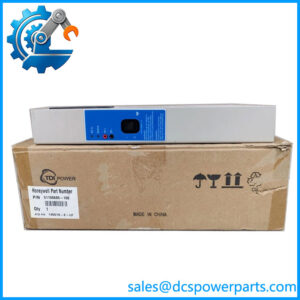
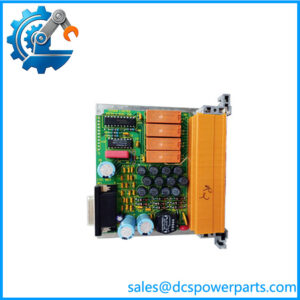
The Honeywell XSL514 is a terminal block for the Excel 5000 Open System distributed I/O family. It provides the wiring interface and mounting base for the XFL524B digital output module, which switches external circuits through six isolated changeover relay contacts. The XSL514 itself is a passive connection component: it does not generate output commands, run control logic, or communicate independently with the controller. Its purpose is to provide the correct field-wiring terminals and mechanical support for the compatible electronics module.
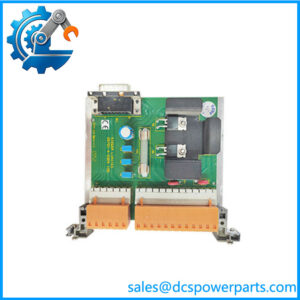
The Honeywell XSL514 has three terminal rows and 18 signal terminals for the XFL524B. Its middle row includes eight interconnected auxiliary terminals, with a further eight interconnected auxiliary terminals in a separate color group; these auxiliary terminals are not connected internally to the electronics module. The bottom row contains seven protective-earth terminals connected together to the DIN rail. Spring-clamp terminals support field wiring, while a safety latch secures the XFL module in place. Mechanical coding features help reduce the risk of installing an incompatible module.
When procuring a Honeywell XSL514 for a legacy control panel, confirm that the installed electronics module is an XFL524B-compatible version and compare the terminal layout against the wiring diagram. Do not substitute the XSL513 based on appearance alone: Honeywell documentation assigns the XSL513 to XFL521-, XFL522-, and XFL523-series modules, while the XSL514 is specified for the XFL524 digital output module. Also inspect the terminal springs, housing, coding features, and latch for damage. For the complete output assembly, verify the ratings and wiring restrictions of the XFL524B itself, especially when switching mains-voltage loads.
Product Introduction
A mismatched terminal base can delay restoration of a legacy building control panel even when the replacement output module is correct. The Honeywell XSL514 provides the dedicated field-wiring interface for the XFL524B digital output module, with 18 signal terminals and DIN-rail mounting.
For maintenance and retrofit projects, verify the terminal numbering, protective-earth arrangement, module coding, and latch condition before installation. The is not interchangeable with the XSL513 without confirming the specific I/O module.
Key Technical Specifications
| Parameter | Value |
|---|---|
| Product Model | |
| Manufacturer / Brand | Honeywell |
| Product Type | Digital output terminal block |
| System Family | Excel 5000 Open System distributed I/O |
| Compatible Electronics Module | XFL524B digital output module |
| Signal Terminals | 18 |
| Terminal Rows | 3 |
| Middle Row | 8 interconnected brown auxiliary terminals and 8 interconnected blue auxiliary terminals; neither group is connected to the electronics module |
| Bottom Row | 7 protective-earth terminals connected together to the DIN rail |
| Wiring Method | Spring-clamp terminals |
| Mounting Method | DIN rail / top-hat rail |
| Module Retention | Safety latch |
| Mechanical Coding | Coding pins; optional XAL-Code coding comb package |
| Communication Protocol | No independent protocol; communication is handled by the associated I/O electronics |
| Working Voltage | Determined by the connected circuit and ratings; verify before use |
| Operating Temperature | Model-specific rating not confirmed; consult the applicable documentation |
| Protection Rating | Not confirmed; verify product documentation |
| Condition | Confirm actual unit condition and inspection status |
Important system-level distinction: The associated has six isolated changeover relay contacts, with published ratings up to 230 VAC and 2 A per output. These are specifications of the electronics module, not independent electrical ratings for the terminal block. Honeywell documentation also cautions against mixing high-voltage and low-voltage signals on outputs of the same module. Check the applicable manual and installation requirements before wiring.
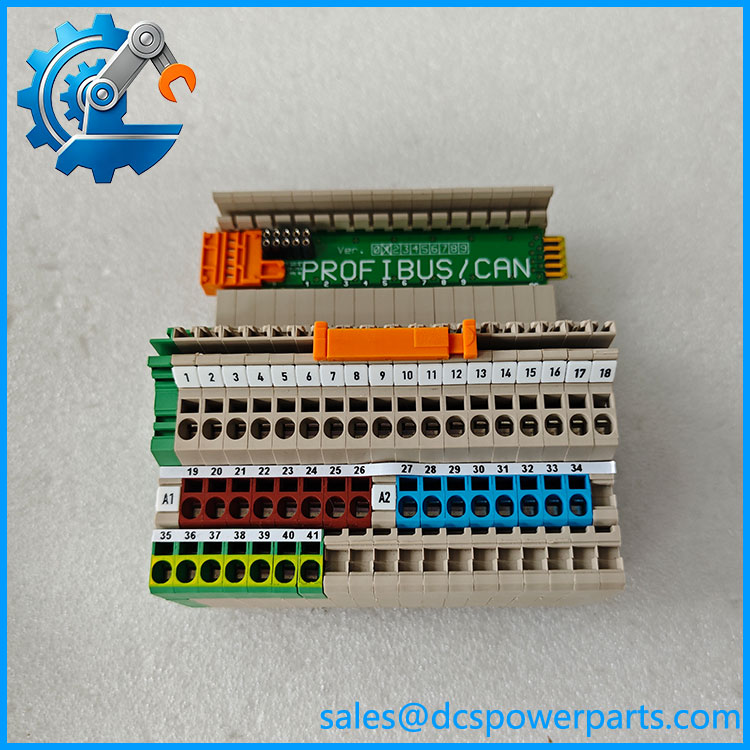
XSL514
Related Products
- XSL513 — Terminal block for XFL521-, XFL522-, and XFL523-series modules. It has a different terminal arrangement and should not be treated as a direct substitute.
- XSL512 — Manual terminal disconnect accessory for the distributed I/O assembly; provides a different function from the terminal block.
- XSL511 — LONWORKS connector module used for the distributed I/O bus connection.
- XFR524A — Manual override accessory for the XFL524 digital output module, used for local output override rather than basic field-wiring termination.
- XFL523B — Digital input module for monitoring binary field states; uses the XSL513 terminal block family.
- XFL522B — Analog output module for compatible control signals; uses the XSL513 terminal block family.
- XFL521B — Analog input module for compatible sensor signals; uses the terminal block family.
- XAL-Code — Coding comb accessory intended to help prevent mismatched module installation.
Frequently Asked Questions
What is the Honeywell used for?
The provides the field-wiring terminals and mechanical base for the digital output module in Honeywell’s Excel 5000 distributed I/O system. It is a passive component rather than an active output module.
Is the compatible with the ?
Yes. Honeywell documentation specifically identifies the as the terminal block for the digital output module. Check the exact module version and terminal configuration against the system documentation before installation.
Can I use an instead of an ?
Do not assume these parts are interchangeable. The is specified for XFL521-, XFL522-, and XFL523-series modules, whereas the is intended for the XFL524 digital output module. Their terminal arrangements differ.
Can I hot-swap the while the system is running?
Do not assume that the terminal block can be removed or replaced under power. Documentation describing online exchange of compatible electronics modules does not automatically authorize live replacement of the terminal block or field wiring. Follow the approved isolation procedure and the applicable installation instructions.
Does the support firmware v3.1?
The is a passive terminal block and does not run firmware. Firmware compatibility is relevant to the electronics module and the controller configuration. Confirm the installed module revision and the applicable control-system documentation.
How can I verify the authenticity and condition of an ?
Inspect the Honeywell part marking, housing, terminal layout, spring-clamp mechanisms, coding features, and latch. Request photographs of the actual unit and any available traceability or inspection records. Packaging alone does not establish authenticity.
Is the available new or as surplus, and what warranty applies?
Availability and condition depend on the individual unit. Ask the supplier to distinguish unused stock from previously installed equipment, state what inspection or testing has been completed, and provide written warranty terms. Do not assume that a manufacturer warranty applies to legacy inventory.
Procurement note: Before ordering, match the to the installed , verify the terminal layout against the wiring drawings, and inspect the latch and terminal springs. Confirm the connected load ratings at the electronics-module level before returning the assembly to service.