Description
Product Overview
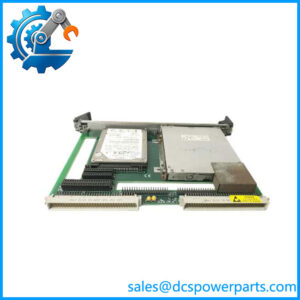
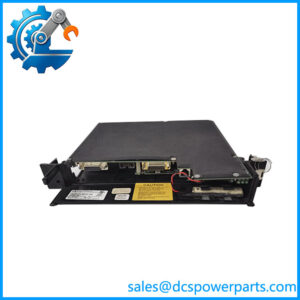
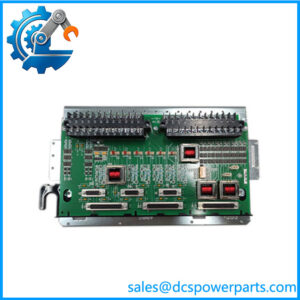
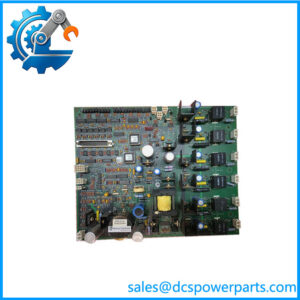
The GE L54E1100BB00 is listed as an input/output (I/O) card associated with the Alstom ESVI1 control system. Its stated purpose is to provide an interface between the controller and field devices, supporting the exchange of signals used by industrial automation equipment. This places the card within the control system’s I/O layer, where correct electrical connections and accurate signal handling are necessary for reliable equipment monitoring and command execution. Available product information reports a 24 VDC supply and 10 W power consumption, although these ratings should be verified against the original hardware documentation before installation.
For maintenance engineers, the GE L54E1100BB00 should be evaluated against the exact ESVI1 hardware configuration in which it will operate. The full part number matters: a similar-looking I/O card may use different terminal assignments, channel arrangements, or electrical interfaces. Published third-party descriptions attribute 16 digital inputs, 16 digital outputs, two analog inputs, and two analog outputs to this model. That channel configuration has not been independently confirmed against an OEM datasheet, so it should be treated as provisional rather than a guaranteed specification.
During a planned shutdown or legacy control system replacement, check the installed card’s markings, connector layout, wiring drawings, and controller compatibility before approving a substitute. Confirm whether the existing application depends on particular channel assignments or configuration settings, and document those settings before removing the original hardware. After installation, validate the affected input and output points individually before returning the equipment to normal operation. The GE L54E1100BB00 may be a useful replacement candidate for an existing ESVI1 installation, but its precise compatibility and functional condition must be established from the actual unit and the applicable system documentation.
Product Introduction (Non-Templated)
A replacement I/O card can fit the cabinet and still fail to match the installed signal configuration. The GE L54E1100BB00 is listed as an I/O card for the Alstom ESVI1 control system, connecting controller hardware with field devices.
Available listings report a 24 VDC supply and 10 W power consumption. For an ESVI1 system upgrade or legacy replacement, verify the channel map, connector arrangement, and electrical ratings before installation.
Key Technical Specifications
| Parameter | Value |
|---|---|
| Product Model | L54E1100BB00 |
| Manufacturer / Brand | GE (General Electric); exact OEM manufacturing attribution should be verified |
| Product Type | Industrial I/O card |
| Control System | Alstom ESVI1, as listed by a third-party product source |
| Supply Voltage | 24 VDC, reported |
| Power Consumption | 10 W, reported |
| Digital Inputs | 16, reported; verify against OEM documentation |
| Digital Outputs | 16, reported; verify against OEM documentation |
| Analog Inputs | 2, reported; verify against OEM documentation |
| Analog Outputs | 2, reported; verify against OEM documentation |
| Operating Temperature | −20°C to +70°C, reported |
| Operating Humidity | 5–95% RH, non-condensing, reported |
| Vibration Rating | 5 g RMS, 10–500 Hz, reported |
| Shock Rating | 30 g, 11 ms, reported |
| Communication Protocol | Not independently verified |
| Interface Type | Controller-to-field I/O interface; exact connector type unverified |
| Installation Method | System-specific card installation; confirm rack and mounting requirements |
| Protection Rating | Not verified |
| Condition | New surplus; confirm actual inventory status |
Engineering note: These values come from a third-party listing, not a verified OEM datasheet. Treat channel counts and environmental ratings as provisional until confirmed against the exact L54E1100BB00 hardware revision.
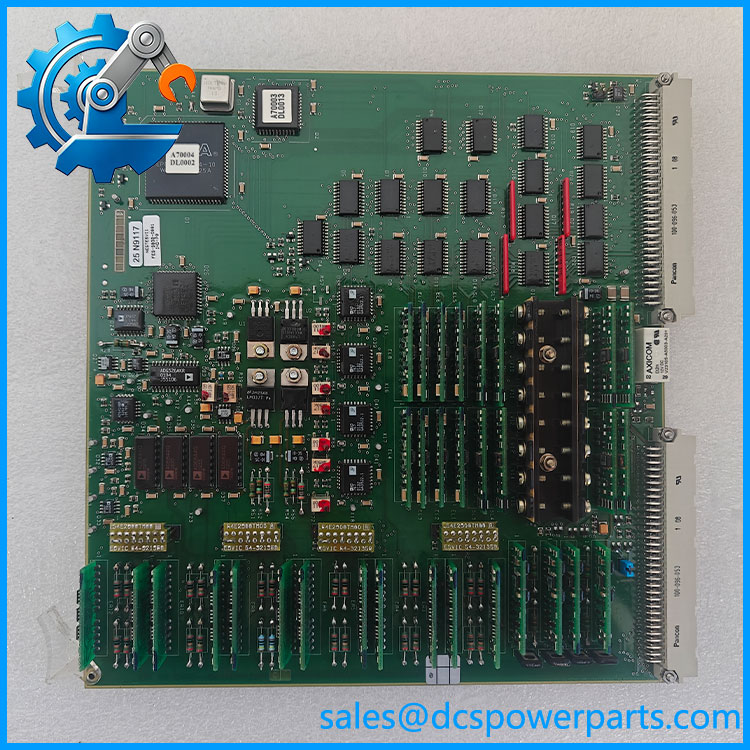
L54E1100BB00
Related Products
The following are relevant hardware categories and system components to investigate when sourcing or maintaining an installation. Specific replacement part numbers should be confirmed against the equipment bill of materials; direct interchangeability has not been established.
- Alstom Controller — The associated control platform identified in the product listing. Confirm controller revision and supported I/O hardware before replacing the card.
- Digital Input Module — A potential alternative category for applications requiring discrete status signals. It is not an assumed substitute for the .
- Digital Output Module — Relevant to discrete command signals, such as relay or actuator control. Verify output voltage, current ratings, and load compatibility.
- Analog Input Module — Used for acquiring continuous process measurements. Confirm supported signal ranges and whether the existing system uses current or voltage inputs.
- Analog Output Module — Relevant to continuous control signals. Check output range, load requirements, and channel configuration before substitution.
- Power Supply Module — Supports the control system’s power distribution. Verify the required supply architecture and rated capacity rather than inferring compatibility from the reported 24 VDC card supply.
- Backplane or Rack Assembly — Provides the physical and electrical connection for compatible control cards. Check slot assignment, connector geometry, and rack revision.
- Communication Interface Module — Handles communication between compatible control components or external systems. Confirm the actual protocol and network architecture required by the installation.
These descriptions identify possible supporting components, not verified model-number equivalents. Obtain the system parts list or original wiring documentation before ordering related hardware.
Frequently Asked Questions (FAQ)
1. What is the GE I/O card used for?
The is listed as an I/O card for the Alstom control system. Its stated purpose is to connect controller hardware with field devices.
The exact division between digital and analog channels should be checked against the card documentation before assigning field wiring or planning a replacement.
2. Is the GE compatible with my existing controller?
Compatibility depends on the installed controller revision, the I/O card’s hardware configuration, and the system’s wiring arrangement.
Before ordering, follow these checks:
- Compare the complete part number and all revision markings.
- Check the installed card’s connector and terminal layout.
- Verify the controller’s supported I/O hardware.
- Confirm the channel assignments and required electrical ratings.
A shared system family alone is not sufficient evidence of compatibility.
3. Does the support firmware version 3.1?
A verified firmware compatibility matrix for this exact part number was not available. Firmware version 3.1 should therefore not be treated as confirmed.
Check the controller documentation, card revision, and configuration software requirements. If the replacement requires firmware loading or parameter changes, obtain the approved procedure before commissioning.
4. Can I hot-swap the while the system is running?
Do not assume hot-swap capability. Removing an I/O card may interrupt field signals or affect equipment controlled through its outputs.
Check the manufacturer’s replacement instructions and the site’s operating procedure. If live replacement is not explicitly supported, schedule an appropriate shutdown or isolation and assess the consequences for connected equipment before proceeding.
5. How can I verify that a new-surplus is genuine?
New-surplus status indicates an inventory condition; it does not automatically prove authenticity or functional performance.
Ask the supplier for:
- Clear photographs of the complete part number and revision markings.
- Available traceability or original packaging records.
- An inspection report covering connectors, terminals, and visible damage.
- Test results identifying which functions were actually checked.
For critical control equipment, distinguish a visual inspection from a functional test under representative operating conditions.
6. Will replacing the erase my PLC or control logic?
Replacing an I/O card does not necessarily erase application logic stored in the controller. However, the card’s configuration, channel mapping, or calibration data may be relevant to restoring normal operation.
Before replacement, back up the controller configuration, record the current channel assignments, and document any card-specific settings. After installation, verify each affected input and output before returning the equipment to service.
7. What warranty and testing should I request when buying the ?
Agree on the warranty period, return conditions, and coverage for defective or incorrectly identified hardware before purchase.
For a new-surplus unit, request a written condition statement and test report. Ideally, the report should identify the part number, inspection date, tests performed, and any limitations. If the supplier cannot perform a complete functional test, that limitation should be disclosed rather than implying that the card has been fully tested.