Description
Key Technical Specifications
| Parameter | Value |
|---|---|
| Product Model | IC754VSI06STD-LH |
| Manufacturer | GE Fanuc / GE Intelligent Platforms |
| Product Family | QuickPanel View |
| Product Type | HMI Operator Interface Terminal |
| Display Size | 6 inches |
| Display Type | Color STN LCD |
| Touch Type | Resistive touchscreen |
| Resolution | 320 × 240 pixels |
| Operating System | Microsoft Windows CE |
| Application Software | Proficy Machine Edition View |
| Communication Ports | RS-232 / RS-485 |
| Power Supply | 12–30 VDC |
| Flash Memory | 32 MB / application storage configuration dependent |
| SRAM | 512 KB battery-backed memory |
| DRAM | 32 MB |
| Mounting | Panel mount |
| Front Interface | Touchscreen operator interface |
| Typical Application | PLC monitoring, machine operation, industrial visualization |
| Environmental Use | Industrial control cabinets |
Product Introduction
GE Fanuc IC754VSI06STD-LH Product Introduction
GE Fanuc IC754VSI06STD-LH is a QuickPanel View 6-inch HMI terminal designed to provide operators with direct interaction between human users and industrial control equipment. It is commonly installed as the local operator station for PLC-based machines, production equipment, and process automation systems.
The GE Fanuc IC754VSI06STD-LH combines display, touchscreen input, communication interfaces, and embedded computing functions in a compact panel-mounted design. The unit allows operators to monitor machine conditions, view alarms, adjust parameters, and control connected automation devices through graphical screens.
The GE Fanuc IC754VSI06STD-LH belongs to the QuickPanel View platform, which was widely used with GE Fanuc PLC systems and other industrial controllers requiring a dedicated operator interface. The terminal communicates with automation equipment through serial connections and relies on configured HMI applications for screen management and data exchange.
For replacement projects, engineers should verify the existing application file, communication driver settings, PLC protocol configuration, and firmware revision. A physically matching HMI does not guarantee immediate operation if the original project database or communication parameters are unavailable.
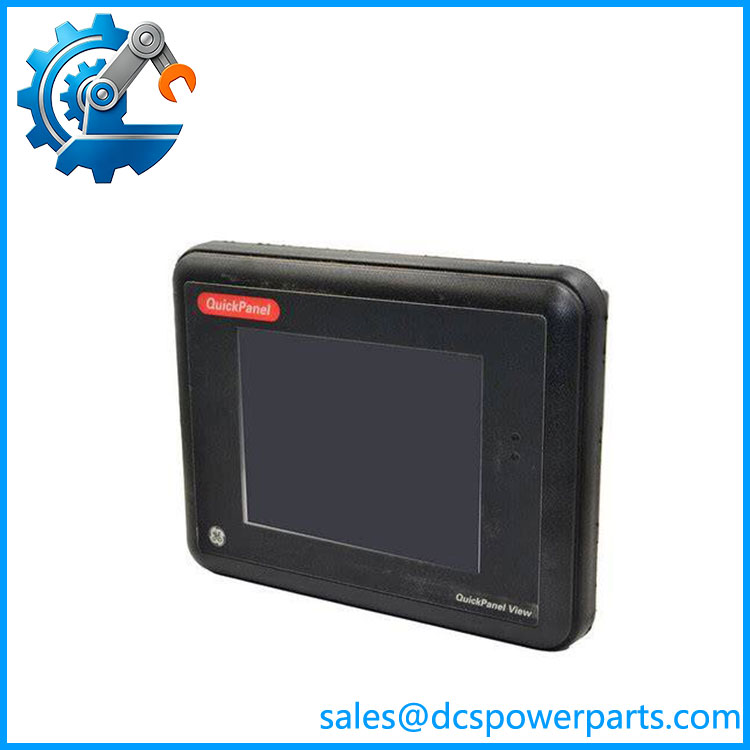
IC754VSI06STD-LH
Application Scenarios & Field Pitfalls (The Engineer’s Perspective)
Engineering Pain Point
An aging machine HMI begins showing touchscreen failures, display issues, or communication errors. Replacing the panel appears simple, but the real challenge is recovering the original application, communication settings, and operator screens.
The HMI is the operator’s connection to the machine. A hardware replacement without proper project backup can result in long commissioning delays.
Typical Applications
Machine Automation
Used for:
- Production line operator stations
- Packaging equipment
- Assembly machines
- Material handling systems
PLC Control Systems
Applied for:
- Status monitoring
- Parameter adjustment
- Alarm visualization
- Manual control functions
Process Equipment
Used in:
- Small process skids
- Pump control systems
- Utility monitoring panels
Industrial Test Equipment
Applied for:
- Test station interfaces
- Data display systems
- Operator-guided procedures
Technical Pitfalls to Avoid
1. Verify HMI Project Compatibility
Before replacement, confirm:
- Original project backup
- Machine Edition version
- Runtime compatibility
- Screen database files
A replacement terminal without the correct project may only display a blank runtime environment.
2. Check PLC Communication Settings
Verify:
- Serial communication parameters
- PLC driver selection
- Baud rate
- Station address
- Cable pinout
Communication faults are frequently caused by configuration mismatch rather than hardware failure.
3. Check Touchscreen Condition
Common aging issues include:
- Touch calibration drift
- Dead touch areas
- Display contrast degradation
- Backlight aging
4. Preserve Existing Configuration
Before removing the installed unit:
- Upload application if possible
- Record communication parameters
- Save PLC connection details
- Document panel settings
Related Products
- GE Fanuc IC754VSI06STD
Base QuickPanel View 6-inch STN touchscreen model within the same product family. - GE Fanuc IC754VSI10MTD
Larger QuickPanel View HMI model designed for applications requiring increased display area. - GE Fanuc IC754VSI12CTD
12-inch QuickPanel View touchscreen terminal for larger visualization applications. - GE Fanuc IC646MPP001
Machine Edition software package used for QuickPanel and PLC application development. - GE Fanuc RX3i PACSystems Series
Controller platform commonly paired with QuickPanel View operator terminals. - GE Fanuc Series 90-30 PLC
Legacy PLC family frequently integrated with QuickPanel operator interfaces.