Description
Product Overview
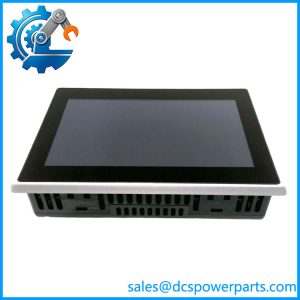
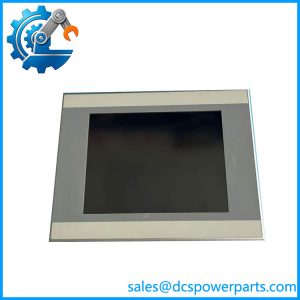
The Eaton XV-303-15-C02-A00-1B is an industrial operator interface from the XV300 series, designed to provide touchscreen visualization and machine interaction in automation systems. Its 15.6-inch-class widescreen TFT display has a resolution of 1366 × 768 pixels, giving operators a graphical interface for process values, machine status, alarms, and configured operating screens. The panel is suited to industrial control applications where operators need to monitor equipment and interact with control functions through a dedicated HMI.
The Eaton XV-303-15-C02-A00-1B supports two Ethernet interfaces alongside RS-232, RS-485, CAN, USB host, USB device, and PROFIBUS/MPI interfaces. This range of connections allows the panel to work with compatible automation equipment, subject to the communication protocols and project configuration used by the installed machine. The model is associated with the Galileo visualization environment. Although the XV300 family includes variants with different hardware and software options, the exact suffix matters: models ending in different option codes may have different communication capabilities or software environments.
For maintenance teams, replacing an Eaton XV-303-15-C02-A00-1B requires more than matching the screen size. Verify the 24 VDC supply, panel cutout, connector arrangement, communication wiring, and compatibility with the existing HMI project. Confirm that the original application files, required visualization software, and any applicable licenses are available before replacing the panel. A physically compatible HMI may not load the existing project without conversion or configuration work. These checks are particularly important when restoring legacy equipment where the operator interface is tied to established PLC communications and machine-specific screens.
Product Introduction (Non-Templated)
When an HMI fails, operators can lose access to alarms, process values, and machine commands even if the PLC and field devices remain operational. The Eaton XV-303-15-C02-A00-1B provides a 15.6-inch-class touchscreen interface with dual Ethernet and PROFIBUS connectivity for compatible control applications.
Before replacement, verify the original HMI project, software environment, communication assignments, and panel dimensions. Confirming these details early helps prevent a display replacement from turning into a larger commissioning task.
Key Technical Specifications
| Parameter | Value |
|---|---|
| Product Model | XV-303-15-C02-A00-1B |
| Manufacturer | Eaton |
| Product Series | XV300 |
| Product Type | Industrial HMI touchscreen panel |
| Display Technology | TFT color display |
| Display Size | 15.6-inch class |
| Display Resolution | 1366 × 768 pixels |
| Touch Technology | Projected-capacitive multi-touch |
| Supply Voltage | 24 VDC |
| Ethernet | 2 × 10/100 Mbps |
| Serial Interfaces | 1 × RS-232, 1 × RS-485 |
| CAN Interface | 1 × CAN |
| USB Interfaces | 1 × USB host 2.0; 1 × USB device 2.0 |
| Fieldbus Interface | 1 × PROFIBUS/MPI |
| Visualization Environment | Galileo |
| PLC Function | Verify licensing and software configuration for the exact unit |
| Operating Temperature | 0 to 50°C, as reported in product specifications |
| Front Protection | IP65 |
| Rear Protection | IP20 |
| Approximate Dimensions | 403.7 × 254.9 × 76.6 mm |
| Cooling | Fanless, passive cooling |
| Backlight Service Life | Approximately 50,000 hours |
| Mounting | Front-mounted panel installation |
| Firmware / Project | Verify installed revision and application compatibility |
Specifications are based on the Eaton product information and the model-specific technical sheet. Confirm the mechanical dimensions and mounting cutout against the installation manual before ordering.
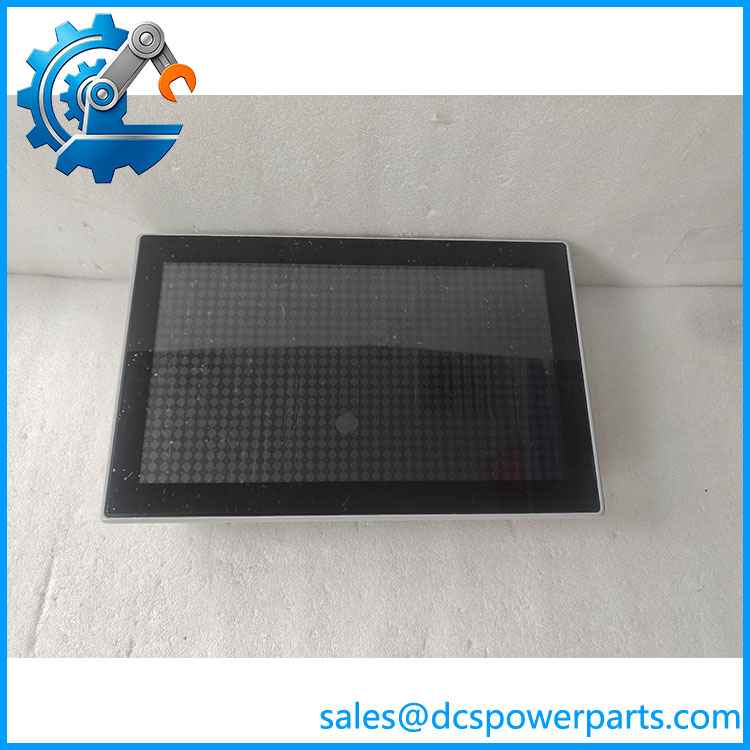
XV-303-15-C02-A00-1B
Related Products
These related references belong to the Eaton XV300 operator-interface family. Similar screen sizes do not guarantee that communication hardware or software is interchangeable.
- XV-303-15-C00-A00-1B — 15.4-inch-class XV300 HMI with dual Ethernet and Galileo; the C02 variant has the additional PROFIBUS interface.
- XV-303-15-C02-A00-1C — Related 15.4-inch-class interface with dual Ethernet and PROFIBUS using a CoDeSys-based HMI-PLC configuration. Its software environment differs from the Galileo variant.
- XV-303-15-C00-A00-1B — Related dual-Ethernet Galileo HMI without the same PROFIBUS option designation.
- XV-303-15-B00-A00-1B — 15.4-inch-class model with a single Ethernet interface and Galileo. Verify network architecture before considering it.
- XV-303-10-C00-A00-1B — 10.1-inch XV300 HMI with dual Ethernet and Galileo; display dimensions differ from the target model.
- XV-303-70-C00-A00-1B — 7-inch HMI with dual Ethernet and Galileo; suitable only where the smaller display and mounting arrangement meet the machine requirements.
Frequently Asked Questions
Q1: What is the Eaton XV-303-15-C02-A00-1B used for?
It is an industrial touchscreen HMI used to display machine information and provide operator interaction through configured visualization screens. The exact functions depend on the application loaded onto the panel.
Q2: Can I hot-swap this HMI?
Do not assume hot-swapping is supported. Isolate the 24 VDC supply, follow the machine’s lockout procedure, and confirm the manufacturer’s removal and installation instructions before disconnecting the panel.
Q3: Does this support firmware v3.1?
Compatibility with firmware v3.1 has not been established for this specific model. Verify the hardware revision, operating environment, and project software requirements before attempting an update.
Q4: Can I replace it with another panel?
Not automatically. Check the display size, mounting dimensions, communication interfaces, software environment, and application compatibility. The suffix C02 is associated with the dual-Ethernet and PROFIBUS configuration, so a model without the corresponding interface may not meet the original system requirements.
Q5: Does the replacement require the original Galileo project?
For an existing machine application, the original project and related configuration files are important for restoring the same screens, alarms, and operator functions. Confirm that the project is available and compatible with the replacement hardware before installation.
Q6: What should I check if the panel powers up but cannot communicate with the PLC?
Check the Ethernet or fieldbus wiring, configured addresses, communication parameters, protocol selection, and project settings. Also verify that the replacement has the required interface hardware and that the PLC program expects the same HMI communication arrangement.
Q7: How should I verify the condition of a replacement panel?
Inspect the display for dead pixels, touch-response problems, and backlight degradation. Check the connector condition, enclosure, nameplate, and power-up behavior. For used or repaired equipment, request a functional test that covers the display, touch input, and required communication interfaces.
Procurement recommendation: For the Eaton XV-303-15-, verify the full suffix, dual-Ethernet and PROFIBUS configuration, 24 VDC supply, and Galileo project compatibility before purchase. The original application files and communication settings can be just as important as the replacement hardware.