Description
Key Technical Specifications
| Parameter | Specification |
|---|---|
| Product Model | XV-152-D6-84TVRC-10 |
| Manufacturer | Eaton / Moeller |
| Catalog Number | 150605 |
| Product Type | HMI-PLC touch panel |
| Product Series | XV150 |
| Display Size | 8.4 inches |
| Display Technology | TFT color LCD |
| Resolution | 640 × 480 pixels (VGA) |
| Color Depth | 64K colors |
| Touch Technology | 4-wire resistive |
| Supply Voltage | 24 VDC |
| Power Consumption | Confirm exact value against the applicable datasheet revision |
| Ethernet | 1 × 10/100 Mbps |
| Serial Interfaces | 1 × RS232; 1 × RS485 |
| Fieldbus | 1 × CANopen / easyNet |
| USB | 1 × USB Host 2.0; 1 × USB Device |
| Memory Expansion | 1 × SD card slot |
| Operating System | Windows CE 5.0 |
| PLC Function | Integrated PLC functionality; license/configuration dependent |
| Enclosure | Metal |
| Mounting | Flush mounting |
| Dimensions | 275 × 208 × 52.5 mm |
| Weight | Approximately 2.15 kg |
The dimensions, interfaces, display, and operating-system details are supported by the Eaton product documentation and model-specific datasheet.
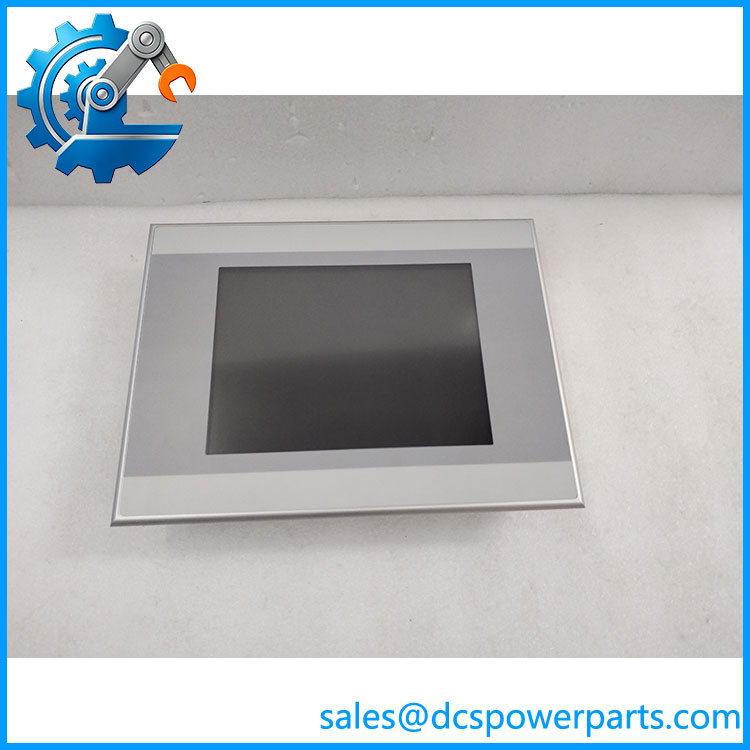
XV-152-D6-84TVRC-10
Product Introduction
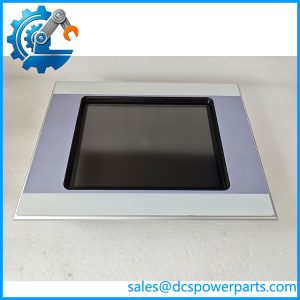
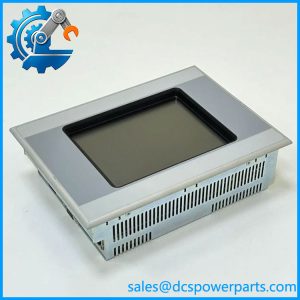
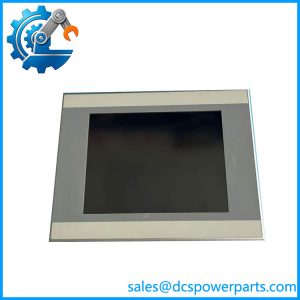
The Eaton XV-152-D6-84TVRC-10 is an 8.4-inch XV150 operator panel combining HMI visualization with integrated PLC functionality. Its VGA TFT display provides 640 × 480 resolution and 64K colors, while the four-wire resistive touchscreen supports operator input in industrial environments. The metal housing and flush-mount design allow installation in machine control cabinets and operator stations.
The D6 configuration provides Ethernet, RS232, RS485, and CANopen/easyNet connectivity. USB Host, USB Device, and an SD card slot support peripheral connection and data handling. The panel uses Windows CE 5.0, with PLC programming and visualization dependent on the appropriate Eaton software environment and installed licenses.
Application Scenarios & Field Pitfalls
Typical applications
- Machine operator stations: Displays machine status, alarms, operating parameters, and manual-control screens.
- PLC-based equipment: Combines visualization and control functions in a single panel where the integrated PLC configuration is used.
- CANopen machinery networks: Connects to compatible drives, remote I/O, and field devices through CANopen.
- Industrial serial communication: Interfaces with legacy equipment using RS232 and RS485.
- Remote monitoring and data exchange: Uses Ethernet for supported network communication and data services.
Field checks before replacement
- Confirm the D6 variant. The D6 model includes CAN, RS485, and RS232. A D0, D4, or D8 version may have a different communication interface arrangement.
- Verify display dimensions and cutout. The 8.4-inch model is not mechanically interchangeable with the 5.7-inch or 10.4-inch versions without cabinet modifications.
- Check the PLC software environment. Confirm the original project, CODESYS version, runtime configuration, and applicable license requirements before replacing the panel.
- Back up the application. Save the HMI project, PLC program, communication settings, recipes, alarm configuration, and retained data where possible.
- Verify CANopen settings. Check node IDs, baud rate, termination, device profiles, and network wiring before reconnecting the machine.
- Inspect the touchscreen and backlight. Check touch calibration, dead zones, display brightness, and screen response during incoming inspection.
- Confirm power requirements. Use a suitable regulated 24 VDC supply and verify polarity and voltage at the panel terminals.
Related Products
- XV-152-D0-84TVR-10 – 8.4-inch XV150 variant with RS232 communication configuration.
- XV-152-D4-84TVR-10 – 8.4-inch version with RS485 and RS232 interfaces.
- XV-152-D6-84TVR-10 – 8.4-inch D6 variant with CAN, RS485, and ; compare the complete suffix before substitution.
- XV-152-D8-84TVR-10 – 8.4-inch version with PROFIBUS, , and .
- XV-152-D6-10TVRC-10 – 10.4-inch D6 panel; different display size and mounting dimensions.
- XV-152-E6-84TVRC-10 – 8.4-inch XV150 E-series configuration with CAN and SmartWire-DT functionality.
These models share the XV150 platform but differ in display size and communication options. A similar front panel does not establish software or hardware interchangeability.
Procurement and Replacement Notes
For replacement procurement, specify both the complete model code XV-152-D6-84TVRC-10 and catalog number 150605. Request photographs of the rear nameplate, terminal connections, display, and enclosure before shipment.
The most important replacement checks are the 8.4-inch display format, D6 communication configuration, Windows CE application compatibility, and PLC runtime licensing. A replacement panel that powers on successfully may still fail to operate the machine if the original application, fieldbus configuration, or license is missing.