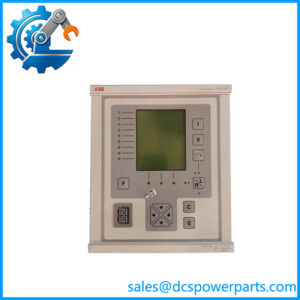
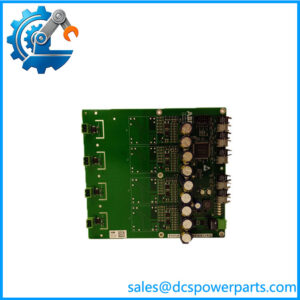
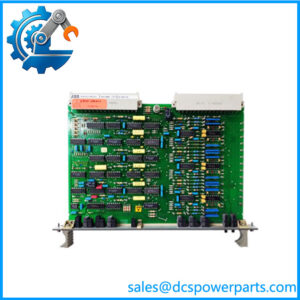
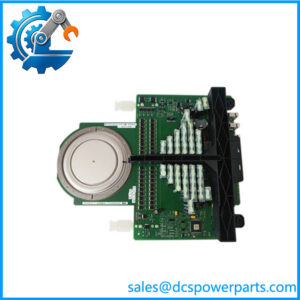
Description
Key Technical Specifications
| Parameter | Specification |
|---|---|
| Manufacturer | ABB |
| Model | SAFT181INF |
| Alternate designation | SAFT 181 INF |
| Associated part number | 58116076; confirm against original label |
| Product type | Interface / control board |
| Application | ABB industrial control or drive equipment; exact system unverified |
| Functional role | Interface circuitry; exact circuit function requires confirmation |
| Supply voltage | Not independently verified |
| Input/output signals | Not independently verified for this exact variant |
| Communication protocol | Not verified |
| Connectors | Confirm against original board and wiring documentation |
| Mounting arrangement | Confirm against the host assembly |
| Operating temperature | Not verified |
| Condition | Confirm for the individual unit |
Specification control: Public product listings provide inconsistent functional descriptions for SAFT181INF. Do not rely on unverified claims about pulse-transformer outputs, channel count, isolation voltage, or communication ports without the applicable ABB technical documentation.
Application Scenarios & Pain Points
When a legacy drive stops unexpectedly, replacing the wrong circuit board can extend downtime rather than resolve the fault. Correct identification comes first.
Typical maintenance scenarios
- Legacy drive repair: Identify the failed board using the complete label and the original equipment parts list before selecting a spare.
- Control-circuit troubleshooting: Check associated wiring, connectors, and supply conditions to distinguish a board failure from a fault elsewhere in the circuit.
- Planned shutdown maintenance: Confirm the exact board revision and availability before the maintenance window begins.
- Spare-parts inventory management: Record the full designation and associated equipment model so that a future emergency order does not depend on a generic catalog description.
Field note
If a replacement board is available but the drive still reports a fault after installation, stop before swapping additional cards. Compare the installed board with the original assembly documentation and inspect connectors and associated circuitry. A similar-looking board is not proof of functional equivalence.
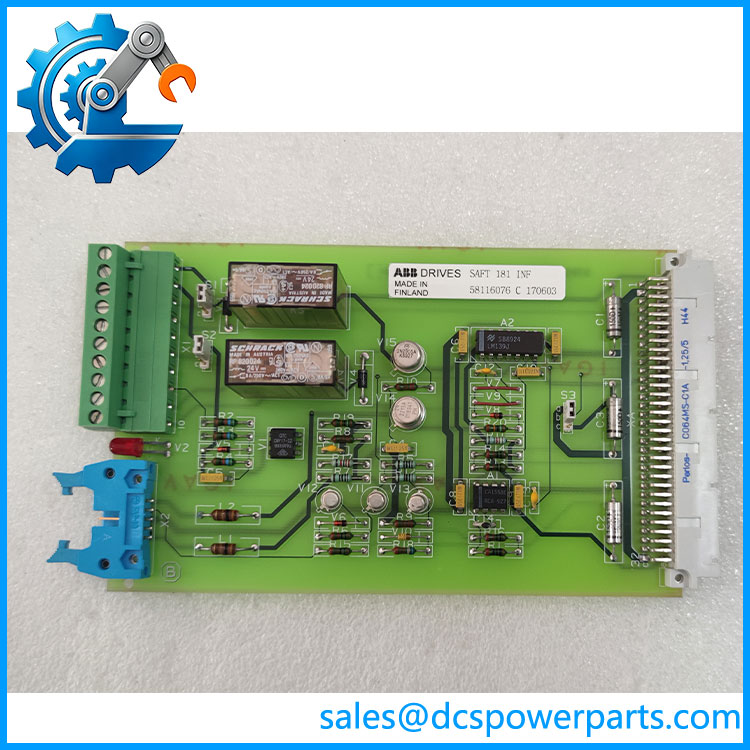
SAFT181INF
Related Products
The following are related identification references and equipment categories for engineering review. They are not confirmed direct replacements for SAFT181INF.
- SDCS-INF-1 — A designation associated with SAFT181INF in some supplier listings. Confirm whether this is the exact equivalent for the installed drive revision before treating it as a cross-reference.
- SDCS-CON-2A — ABB DC-drive control-board designation. It represents a different control function and should not be substituted for an interface board without an approved design reference.
- SDCS-PIN-48 — ABB drive electronics board designation. Verify the intended circuit role and hardware revision before considering it for the same assembly.
- SDCS-POW-1C — ABB power-supply board designation. Its function differs from an interface board; it may be relevant when investigating an auxiliary-supply fault.
- SDCS-COM-81 — ABB communication-board designation. It serves a different functional category and is not an assumed replacement for SAFT181INF.
- SDCS-IOB-3 — ABB I/O-board designation. Consider it only when identifying associated control-system components, not as an automatic substitute.
- SAFT181INF (58116076) — The target board designation and associated part number reported in supplier references. Verify the complete code against the actual unit.
- ABB DCS 500 drive system — A possible application context cited by some supplier descriptions. Confirm the exact drive family and parts list before procurement.
These references identify potentially related ABB drive hardware, not a manufacturer-approved compatibility list. Confirm each model against the installed assembly documentation.
The Engineer’s Guide: Field Pitfalls to Avoid
Warning 1 — Confusing with SDCS-INF-1
Some supplier records associate these designations, but that alone does not establish universal interchangeability.
- Compare the full part number and revision markings.
- Check the original board label and assembly drawing.
- Request documented confirmation of equivalence before ordering an alternate designation.
Warning 2 — Assuming the electrical function from a generic product title
An interface board, a pulse-transformer board, and a communication board can serve very different purposes.
- Verify the board’s location in the circuit diagram.
- Confirm its connectors, pin assignments, and electrical requirements.
- Do not apply assumed voltage or signal ratings based on another ABB board.
Warning 3 — Replacing the board without checking the surrounding circuit
A failed board may be affected by a supply problem, wiring fault, or damaged downstream component.
- Record the drive fault history before removal.
- Inspect connectors and the PCB for corrosion, discoloration, or repair marks.
- Follow approved isolation procedures and use ESD protection during handling.
Frequently Asked Questions (FAQ)
1. What is the ABB used for?
Supplier records identify as an interface or control board. Some listings associate it with the SDCS-INF-1 designation and ABB DC drive equipment, but the exact circuit function should be verified using the original board label and equipment documentation.
2. Is ABB the same as SDCS-INF-1?
Some supplier listings treat the two designations as related. That is not sufficient evidence that every revision or installation is interchangeable.
Compare the original part number, board revision, connector arrangement, and host drive configuration. If the replacement uses a different designation, request a documented cross-reference before purchase.
3. What voltage does the require?
A dependable electrical rating for this exact board has not been established from the available documentation. Do not assume a 24 V DC supply or another voltage based on a generic supplier description.
Use the original board markings and the applicable drive schematic to confirm the required supply and signal levels before installation.
4. How do I verify that a replacement board is genuine and functional?
Request photographs of the actual board, its complete identification label, revision markings, connectors, and PCB surfaces. For refurbished stock, ask for a test report that describes what was tested and under which conditions.
A clean board or successful power-on check does not establish that the board performs its intended function in the target drive.
5. Can I replace with another ABB interface board?
Not without confirming electrical and functional equivalence. Different ABB boards may use similar connectors or have comparable physical dimensions while serving different circuit roles.
Check the complete model, revision, host assembly, wiring, and documented cross-reference before approving an alternative.
6. Does support hot swapping?
Hot-swap support has not been verified. Do not remove or install the board while the equipment is energized unless the specific drive documentation explicitly authorizes that procedure.
Follow the manufacturer’s isolation, discharge, and ESD-handling instructions before servicing the assembly.
7. What should I confirm about warranty and lead time?
Ask the supplier to confirm the exact model, associated part number, physical stock status, unit condition, warranty period, test scope, and expected dispatch date in writing.
For a legacy drive repair, also verify that the offered board matches the installed hardware revision. A readily available but incompatible spare will not shorten the outage.