Description
Key Technical Specifications
| Parameter | Specification |
|---|---|
| Model | XPR10VT-4P3 |
| Manufacturer | Parker CTC Automation |
| Product Family | XP Series PowerStation |
| Device Type | Industrial operator interface / HMI |
| Display Size | 10.4 inches |
| Display Technology | Active-color TFT |
| Resolution | 640 × 480 (VGA) |
| Touchscreen | Yes |
| BIOS | Phoenix-Award |
| Operating Voltage | 24 VDC reported for the XP10VT family; verify exact unit |
| Maximum Input Current | 2 A reported for related XP10VT variants; verify exact unit |
| Operating Temperature | 0 to 50°C (32 to 122°F) |
| Storage Temperature | -20 to 60°C (-4 to 140°F) |
| Environmental Rating | NEMA 4/4X or Type 12, when correctly installed |
| Agency Approvals | CE, UL/cUL reported |
| CompactFlash Support | Type I and Type II reported |
| Operating System | Not confirmed for this exact suffix |
| Communication Ports | Exact port configuration not confirmed |
| Mounting | Panel mounting; verify cutout and mounting hardware |
| Dimensions | Verify against the XPR10VT-4P3 mechanical drawing |
The Parker Aries Controller quick-start documentation identifies XPR10VT-4P3 as a 10.4-inch VGA/TFT touchscreen display. The environmental and temperature figures above are reported in the model-specific technical listing, rather than a complete OEM specification sheet.
Product Introduction
Parker CTC XPR10VT-4P3 XP Series PowerStation
The Parker CTC XPR10VT-4P3 is a 10.4-inch industrial touchscreen operator interface from the XP Series PowerStation family. Its active-color TFT display provides VGA resolution of 640 × 480 pixels for machine status, operator commands, and process visualization.
This terminal is intended for industrial machine-control environments where operators interact with an HMI application at the equipment panel. Before replacement, confirm the installed software, communication interfaces, power arrangement, and panel dimensions. A matching display size alone does not establish application compatibility.
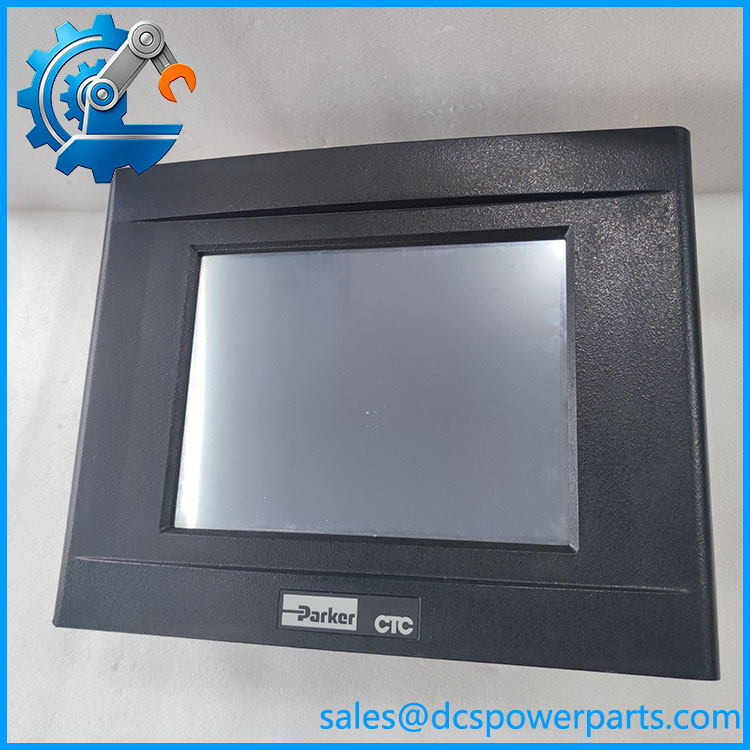
XPR10VT-4P3
Application Scenarios & Field Pitfalls (Engineer’s Perspective)
An HMI replacement can become a commissioning problem when the screen fits the panel but the original application cannot be restored. For the XPR10VT-4P3, the critical checks are the existing XP application, its storage media, communication wiring, and the exact hardware configuration.
Typical application scenarios
- Industrial machine operation: Displays machine status and provides operator access to control functions.
- Production equipment: Supports operator interaction with machine sequences, alarms, and process screens.
- Packaging and material handling: Can serve as the local operator terminal where the original machine was engineered around the XP PowerStation platform.
- OEM equipment maintenance: Provides a replacement route for machinery originally supplied with the XP Series HMI.
Field pitfalls to check before replacement
1. Application and software recovery: Identify the original application development environment and runtime version. Do not assume a project created for another XP Series model will run correctly without conversion or configuration checks. Preserve the original project and storage media before removing the existing terminal.
2. Power and electrical connections: Confirm the DC supply rating, polarity, grounding, and connector arrangement from the nameplate and installation manual. Do not apply the 24 VDC / 2 A figures from related models as final wiring instructions for this exact unit.
3. Display and panel compatibility: Verify the panel cutout, mounting depth, bezel dimensions, and touchscreen condition. Also check the original communication ports and cable pinouts. A replacement with the same 10.4-inch display size may still have different interface or hardware options.
Related Products
These models belong to the Parker CTC XP Series PowerStation family or are identified in Parker documentation as related XPR display options. They should not be treated as automatic drop-in replacements.
| Model | Description | Selection Consideration |
|---|---|---|
| XPR06VT-2P3 | 6-inch TFT touchscreen display | Smaller display format |
| XPR08VT-4P3 | 8-inch TFT touchscreen display | Smaller screen; verify project compatibility |
| XPR10ST-4P3 | 10.4-inch SVGA/TFT touchscreen display | Different display resolution/configuration |
| XPR10VT-4Q3 | 10.4-inch XP PowerStation | Related hardware family; verify suffix-specific details |
| XPR10VT-4R3 | 10.4-inch XP PowerStation | Related model; verify hardware and software configuration |
| XPR10VT-4P1 | 10.4-inch XP PowerStation | Different suffix; do not assume identical hardware |
| XPR10VT-2P1 | 10-inch XP PowerStation | Different model configuration |
| P1X-PWRAC | AC power supply accessory | Confirm whether the existing installation uses this accessory |
| IXM-0150 | Interact Xpress Manager 1.x development software | Relevant to application development and maintenance |
The XPR display variants and the P1X-PWRAC and IXM-0150 items appear in Parker’s Aries Controller quick-start documentation. Confirm the exact XP PowerStation hardware and software requirements before selecting a related model.
Procurement and Quality Control Notes
The is an older XP Series HMI. A secondary product listing reports limited availability, while another listing identifies the model as discontinued. Treat lifecycle and supply status as requiring confirmation rather than assuming new production availability.
For purchasing or replacement, request:
- A clear photograph of the rear nameplate showing the complete designation.
- Photographs of the rear connectors and terminal arrangement.
- Confirmation of display, touchscreen, and backlight operation.
- Evidence that the unit boots and retains its BIOS configuration.
- Confirmation of the application storage media and project backup.
- Inspection of the enclosure, mounting points, and sealing surfaces.
Important: A powered-on display test does not prove that the original HMI application, communications, or machine-control functions work. For a critical machine, request a functional test using the intended application and a compatible test setup.