Description
Product overview
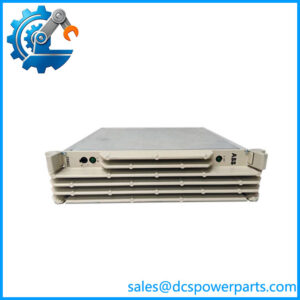
The ABB SPNPM22 Network Processing Module supports communications within ABB Symphony Plus and Harmony control systems. It provides the processing link between the plant-level Control Network (Cnet) and the Controlway bus used by the control unit’s modules. The SPNPM22 also stores the Harmony Control Unit database and coordinates communications with the SPNIS21 network interface module. This makes it an important part of the control system’s communication path rather than a standalone field I/O device.
In maintenance and replacement work, the ABB SPNPM22 should be matched to the installed Harmony rack architecture and the existing Cnet-to-HCU interface arrangement. Confirm that the associated SPNIS21 module, configuration records, firmware requirements, and any redundancy arrangement are compatible with the intended replacement. Hardware versions may differ in their diagnostic connection: ABB documentation describes versions using a front-panel mini-USB port and an earlier arrangement with a DB9 RS-232 connector behind the front panel. Connector appearance and diagnostic access should therefore be checked against the actual unit rather than assumed from the model number alone.
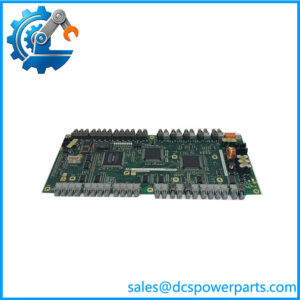
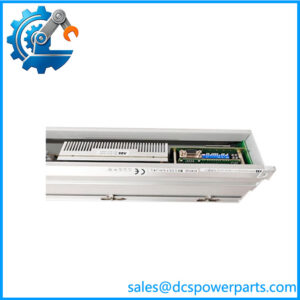
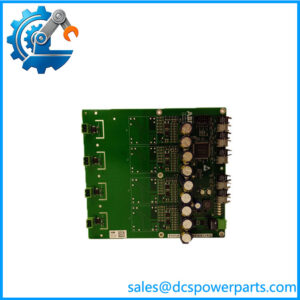
For procurement, request clear photographs of the module label and front panel, along with confirmation of the unit’s condition and inspection scope. A visual inspection alone does not establish that network processing, database handling, or communication with the companion interface has been tested. For a critical DCS spare, the most useful supply record identifies the exact hardware version, the diagnostic port type, and the functional tests actually performed.
Product introduction
The SPNPM22 handles communication coordination inside the Harmony control architecture. Its correct operation depends on the surrounding network interface and the installed control-system configuration.
When sourcing a replacement, check the hardware version and diagnostic connector before dispatch. If the module is intended for a redundant installation, confirm the existing redundancy design and replacement procedure instead of assuming that a single-module swap is sufficient.
Key technical specifications
| Parameter | Specification |
|---|---|
| Manufacturer | ABB |
| Model | SPNPM22 |
| Product designation | Network Processing Module |
| Product family | Symphony Plus / Harmony |
| Primary role | Cnet-to-Controlway communication gateway |
| Associated interface module | SPNIS21 |
| DRAM | 8 MB |
| NVRAM | 512 KB |
| Flash ROM | 2 MB |
| Controlway communication rate | 1 Mbaud |
| Modulebus communication rate | 83.3 kbaud |
| Power requirement | +5 VDC at 2 A |
| Typical power consumption | 10 W |
| Diagnostic connection | Mini-USB on documented version; DB9 RS-232 on an earlier hardware version |
| Ambient operating temperature | 0°C to 70°C (32°F to 158°F) |
| Installation | Harmony rack; verify rack and system documentation |
| Firmware | Verify against the installed system |
| Condition | Confirm new, surplus, or refurbished status with the supplier |
Specifications are based on ABB’s Symphony Plus product catalog and SPNPM22 technical documentation. Confirm the applicable hardware revision before using connector details or power requirements for installation planning.
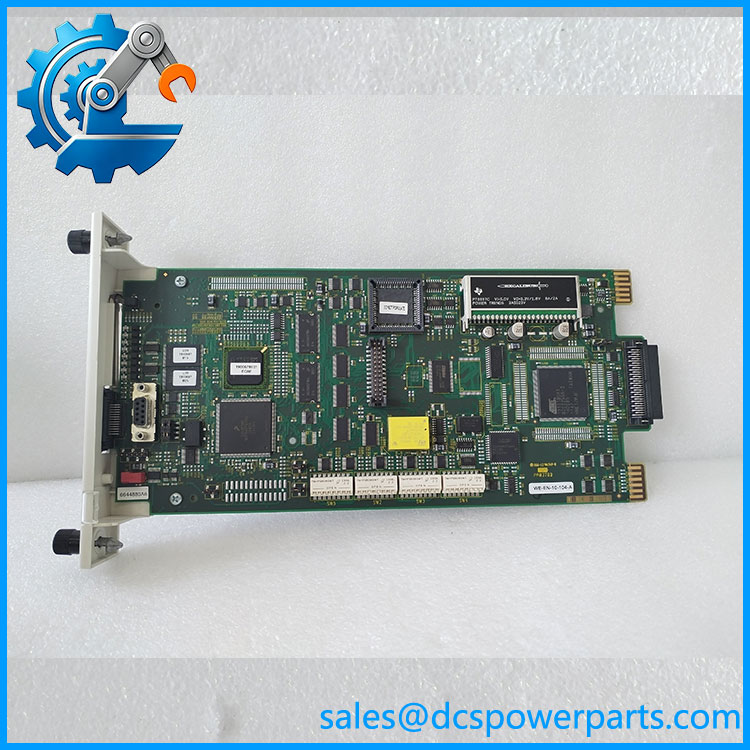
SPNPM22
Related products and components
These components are relevant to the same control-system architecture, but they are not automatically interchangeable with the .
| Model | Relationship |
|---|---|
| SPNIS21 | Companion network interface module for the Cnet-to-HCU interface |
| INNPM22 | Related legacy designation associated with the NPM22 network processing role; confirm exact compatibility |
| NPM22 | Earlier/general module designation associated with this processing role; verify hardware version |
| SPIIT13 | Local transfer module used for communication between two local Cnets |
| NTCL01 | Communication termination unit used in related Cnet interface arrangements |
| NKLS01-10 | Communication module cable used in the documented interface kit |
| IEMMU21 | Module mounting unit used in the documented interface kit |
The SPNIS21 and work together as part of the Cnet-to-HCU interface. Other items in the table belong to related Harmony communication arrangements and should be selected according to the system drawings and bill of materials.
Frequently asked questions
1. What does the ABB do?
It acts as the gateway between Cnet and Controlway, stores the HCU database, and directs communication between Controlway modules and the SPNIS21 network interface.
2. Is the an Ethernet communication module?
It should not be treated as a generic Ethernet module. Its documented role is within the Harmony Cnet-to-Controlway communication architecture.
3. Does the work with ?
Yes. ABB documentation identifies as the network interface module that works with in the Cnet-to-HCU interface.
4. Can I replace an older NPM22 or INNPM22 with an ?
The designations are associated with related network-processing hardware, but do not assume that every version is a direct replacement. Verify the installed system generation, hardware version, firmware, diagnostic connection, and redundancy requirements.
5. Can the be hot-swapped while the system is running?
Do not assume that live replacement is permitted for every installation. Follow the applicable ABB procedure and site change-control requirements, particularly where the module participates in a redundant control arrangement.
6. What should be checked before ordering?
Confirm the exact model, hardware revision, connector type, companion arrangement, required firmware, and whether the spare must support a specific redundancy configuration.
7. What testing should be requested for a surplus or refurbished unit?
Ask for the inspection scope and available functional-test records. Where feasible, testing should cover module startup, diagnostic access, database-related functions, and communication with the intended companion hardware. A supplier should clearly state which tests were completed and which were not.
Procurement and replacement guidance
For an ABB purchase, prioritize exact hardware identification and evidence of condition over a generic “tested” claim. Request front-panel and nameplate photos, confirm the diagnostic connector, and verify compatibility with the existing and Harmony control configuration. If the module is for a critical process-control system, establish the replacement and recovery procedure before installation.