Description
Product Overview
The ABB CP405 A0 1SAP500405R0001 is a 7-inch industrial human-machine interface (HMI) panel designed for ABB automation systems, particularly the AC500 PLC platform. As part of the CP400 Control Panel family, this operator terminal provides the connection between machine operators and the control application, allowing users to view process conditions, adjust parameters, acknowledge alarms, and execute operating commands directly from the equipment cabinet. The official ABB documentation identifies the CP405 as a control panel with a TFT graphical display and touchscreen interface, featuring an 800 × 480 pixel display resolution.
Within machine automation environments, the ABB CP405 A0 1SAP500405R0001 runs HMI projects created with ABB Panel Builder 400 software and communicates with PLC controllers, drives, and external devices through available industrial interfaces. The panel supports graphical visualization elements such as numeric displays, alarm screens, trends, and operator controls, making it suitable for packaging equipment, material handling systems, process skids, and standalone machines. The ABB CP405 A0 1SAP500405R0001 uses a 7-inch TFT color display with a resistive touchscreen, allowing operation in industrial environments where gloves may be required.
For maintenance teams supporting installed ABB AC500 systems, the ABB CP405 A0 1SAP500405R0001 remains a practical replacement option when an existing operator panel reaches the end of its service period. Field replacement requires more than matching the part number — engineers should verify the existing HMI project file, communication driver settings, PLC addressing, and panel firmware compatibility. The front panel protection rating and industrial mounting design allow continued use in control cabinets where space and mechanical dimensions are already established.
Product Introduction (Non-Templated)
A damaged operator screen can leave a machine unavailable even when the PLC and field wiring remain fully functional. The ABB CP405 A0 1SAP500405R0001 restores local control access by providing a dedicated touchscreen interface for ABB automation applications.
Designed for AC500 PLC environments, this HMI panel delivers 7-inch graphical visualization, 800 × 480 resolution, and multiple communication options for legacy replacement projects, machine upgrades, and operator station maintenance.
Key Technical Specifications
| Parameter | Value |
|---|---|
| Product Model | A0 |
| Part Number | 1SAP500405R0001 |
| Manufacturer | ABB |
| Product Type | Industrial HMI Control Panel |
| Series | CP400 Control Panel Series |
| Display Type | 7-inch TFT Color LCD |
| Resolution | 800 × 480 pixels (WVGA) |
| Colors | 65,536 colors |
| Touch Technology | 4-wire analog resistive touchscreen |
| Communication Interfaces | Ethernet, RS-232, RS-485, USB |
| Engineering Software | Panel Builder 400 |
| Supply Voltage | 24 VDC |
| Front Protection Rating | IP66 |
| Rear Protection Rating | IP20 |
| Operating Temperature | 0°C to +50°C |
| Mounting Type | Panel/cabinet flush mounting |
| Application | AC500 PLC HMI operation, machine control, visualization |
| Condition | New Surplus, Factory Sealed |
Related Products
- ABB CP408 1SAP500408R0001 — Larger CP400 series operator panel featuring a 10.1-inch display. Used when additional screen space is required for complex visualization pages and larger equipment layouts.
- ABB CP605 — Updated ABB HMI platform designed as a newer alternative for applications requiring upgraded processing capability and modern engineering environments.
- ABB CP610 — Larger HMI panel option for applications requiring expanded visualization areas and additional operator information.
- ABB PM564-TP-ETH 1SAP140100R0270 — AC500 PLC CPU module commonly paired with CP400 operator panels for machine control applications.
- ABB PM566-TP-ETH 1SAP121000R0270 — Higher-performance AC500 controller option used in larger automation systems requiring increased processing resources.
- ABB CM574-RS 1SAP111100R0270 — Communication module used for expanding system connectivity with additional industrial interfaces.
- ABB TB562-ETH 1SAP180200R0001 — Ethernet-related expansion hardware supporting PLC network communication.
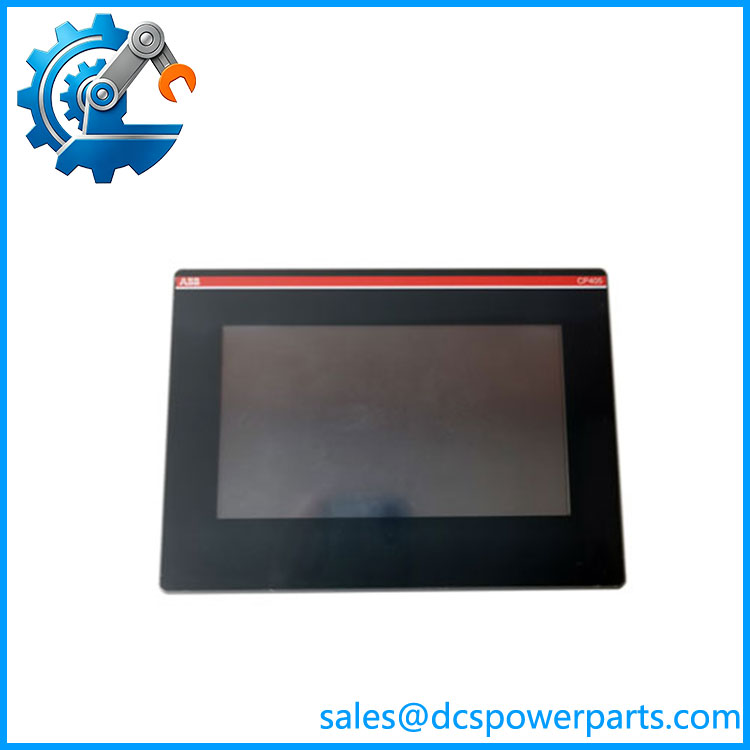
CP405 A0 1SAP500405R0001
Frequently Asked Questions (FAQ)
1. Is the ABB A0 1SAP500405R0001 compatible with my existing PLC system?
The is designed for ABB automation environments, but compatibility depends on the existing PLC communication configuration.
Before replacement, verify:
- PLC communication protocol
- HMI project version
- Panel Builder 400 application file
- Network addressing
- Serial communication parameters
A direct hardware replacement may still require project transfer or configuration adjustment.
2. Can I hot-swap this?
No. The should normally be replaced after removing power from the panel.
Recommended replacement procedure:
- Save the existing HMI project
- Power down the control cabinet
- Disconnect communication and power wiring
- Install the replacement panel
- Reload and test the HMI application
3. Does the A0 support firmware v3.1?
Firmware support depends on the exact hardware revision and Panel Builder 400 software version.
Engineers should verify:
- Existing firmware revision
- Project compatibility
- Communication driver version
- PLC interface settings
Matching the model number alone does not confirm software compatibility.
4. Will I lose my HMI project when replacing the ?
The replacement panel does not automatically contain your original application.
To restore operation:
- Backup the existing HMI project file
- Transfer the project using the approved programming method
- Confirm communication settings
- Test alarms, trends, and operator controls
The PLC program itself is stored separately in the controller.
5. How can I verify a New Surplus ABB A0 is authentic?
Recommended inspection steps:
- Confirm ABB label information
- Verify part number 1SAP500405R0001
- Check screen and connector condition
- Review available functional test records
New Surplus status indicates unused inventory condition, but functional verification remains important before installation.
6. Can the support a DCS or PLC upgrade project?
The is primarily intended for machine automation and PLC applications rather than large-scale DCS operator stations.
It is suitable for:
- Machine control upgrades
- Local operator panel replacement
- Small process skid interfaces
- Legacy maintenance projects
7. What should engineers check before installing the A0?
Before commissioning, confirm:
- Panel cutout dimensions
- Power supply voltage
- Communication wiring
- HMI application backup
- PLC driver configuration
These checks help avoid startup delays during operator panel replacement.