Description
Technical Specifications
| Parameter | Specification |
|---|---|
| Product model | 3BHB040969R0001 |
| Panel model | TPC-1582H |
| Associated unit designation | TPC1582H43A1401E-T |
| Product category | Industrial touchscreen panel |
| Display size | Reported as approximately 15.6 inches; confirm the exact unit |
| Display resolution | 1920 × 1080 reported by one supplier |
| Touch interface | Capacitive touch reported by one supplier |
| Operating system | Windows Embedded Standard reported by one listing; verify installed version |
| Processor | Exact installed processor not independently verified |
| Memory and storage | Configuration not independently verified |
| Ethernet | Reported; exact port count and speed require confirmation |
| USB interfaces | Reported; exact port count and version require confirmation |
| Power consumption | Not independently verified for the exact assembly |
| Operating temperature | Not independently verified |
| Mounting | Panel or equipment-specific mounting; confirm mechanical drawings |
Specification caution: Supplier listings give inconsistent details for the processor, memory, storage, and display configuration. These values should not be treated as confirmed ABB specifications without the manufacturer’s documentation or the physical unit’s nameplate.
Product Overview
The 3BHB040969R0001 is listed in industrial spare-parts catalogs alongside the TPC-1582H touchscreen terminal, with the associated designation TPC1582H43A1401E-T. This identifies it as an operator-interface device rather than a conventional PLC I/O module. Its intended role is to give operators a local means of viewing system information and interacting with compatible control applications.
In industrial installations, a touchscreen terminal may display equipment status, alarms, trends, operating parameters, and control screens provided by the installed software. The actual functions depend on the application and configuration loaded onto the terminal. The model designation alone does not establish which control platform, runtime software, or project files are installed.
For maintenance teams, replacing this type of terminal requires more than matching the screen size. The hardware revision, display and touch characteristics, mounting dimensions, power requirements, operating system, and application compatibility all need to be checked. If the original terminal contains a site-specific HMI project, confirm whether the project and any required licenses or installation media are available before removing the existing unit.
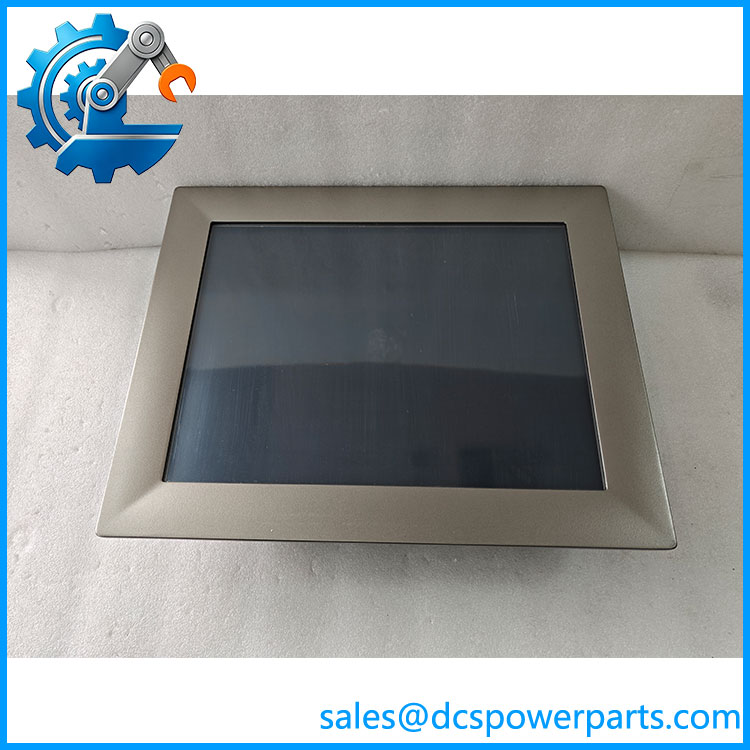
3BHB040969R0001 TPC-1582H
Major Features and Advantages
1. Local operator interaction
The TPC-1582H is identified as an industrial touchscreen panel. It can serve as the local interface for compatible applications, allowing operators to interact with screens designed for the relevant equipment or process.
2. Visual process monitoring
When configured with appropriate HMI software, a terminal can present operating values, alarms, equipment status, and other process information in one location. The exact screens and functions are determined by the installed project rather than by the panel hardware alone.
3. Industrial system connectivity
Supplier descriptions report Ethernet and USB connectivity. Before integrating or replacing the 3BHB040969R0001, verify the physical ports, network configuration, and peripheral requirements against the actual unit. Do not assume that every TPC-1582H variant has identical interfaces.
4. Replacement planning for existing equipment
Using the full part number and associated terminal designation helps distinguish the intended assembly from other industrial panel computers. Confirm the original mounting arrangement, connector locations, display configuration, and software dependencies before ordering a replacement.
Typical Applications
Subject to confirmation of the host system and installed software, this type of industrial touchscreen terminal may be used for:
- Local machine operation and status display
- Industrial process visualization
- Alarm and event presentation
- Equipment monitoring and maintenance interfaces
- Operator access to compatible control applications
These are general HMI applications, not a verified list of functions specific to every 3BHB040969R0001 installation.
Installation and Maintenance
- Verify the identification. Check the physical label for 3BHB040969R0001, TPC-1582H, and the complete associated model designation.
- Record the existing configuration. Document mounting dimensions, connectors, power input, and any attached peripherals.
- Check software dependencies. Identify the installed operating system, HMI runtime, application project, drivers, and required licenses.
- Back up the application. Preserve available project files and configuration data before replacing a functioning terminal.
- Follow electrical safety procedures. Isolate the equipment as required and observe electrostatic-discharge precautions.
- Test before returning to service. Verify display and touch operation, network communication, application startup, alarm presentation, and any operator commands permitted by the installation.
Product Assurance and Procurement Notes
When sourcing ABB 3BHB040969R0001, request clear photographs of the nameplate, rear connections, and mechanical mounting arrangement. Ask the supplier to identify the unit’s actual condition and specify what functional testing has been performed.
For a replacement terminal, confirm whether the existing HMI application can run on the offered hardware and operating system. A physically compatible screen is not necessarily a software-compatible replacement, and a terminal supplied without the required project files may not restore the original operator interface.
Procurement note: The part number is associated in supplier listings with the TPC-1582H industrial touchscreen terminal. Because published hardware specifications conflict, verify the exact unit configuration and application compatibility before treating it as a direct replacement.