Description
Product Overview
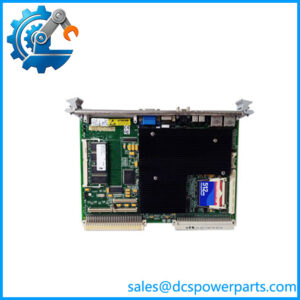
The GE Fanuc VMIVME-2540-300 is a VMEbus digital input/output module developed for industrial computer systems requiring reliable discrete signal handling. Operating within the VMIVME hardware platform, this board provides a direct interface between external field devices and VME processors, allowing industrial systems to collect status signals, issue control outputs, and manage machine-level events through a modular computer architecture. The GE Fanuc VMIVME-2540-300 is commonly associated with legacy automation installations where VME-based processing remains an active part of the control strategy.
Designed for applications such as equipment monitoring, automated test platforms, and specialized control systems, the VMIVME-2540-300 enables engineers to integrate digital signals without changing the existing VME chassis infrastructure. The module communicates through the VMEbus backplane while handling discrete I/O functions required by industrial applications, including device status monitoring, interlock handling, and actuator control. This approach helps extend the operational life of established systems where complete hardware replacement would introduce unnecessary engineering changes.
The GE Fanuc VMIVME-2540-300 continues to serve maintenance and modernization requirements for facilities operating mature VME computer platforms. In practical field situations, the main concern is not only obtaining a replacement board but ensuring hardware revision, I/O characteristics, software drivers, and application configuration remain aligned. Engineers should verify original system documentation before installation, as differences between board versions may affect addressing, signal behavior, or integration requirements. For controlled replacement projects, this module offers a direct path to restoring existing VME-based control functions while preserving the surrounding system architecture.
Product Introduction (Non-Templated)
When a legacy VME control rack loses a digital interface board, replacing the entire automation computer is often unnecessary. The VMIVME-2540-300 provides a compatible route for restoring discrete signal processing within established VME systems.
Supporting industrial control applications with 64-channel digital I/O capability, this module fits legacy replacement programs, automated test equipment, and DCS system upgrade projects where existing VME hardware remains operational. Revision and driver verification should be completed before commissioning.
Key Technical Specifications
| Parameter | Value |
|---|---|
| Product Model | VMIVME-2540-300 |
| Manufacturer | GE Fanuc / Abaco Systems |
| Product Type | VME Digital Input/Output Module |
| Product Series | VMIVME Digital I/O Series |
| Bus Interface | VMEbus |
| Channel Capacity | 64 Digital I/O Channels |
| Signal Type | Discrete Digital Signals |
| Application | Industrial control, monitoring, automated test systems |
| Module Format | VME Plug-in Board |
| Installation | Standard VME Chassis Slot |
| System Compatibility | VMIVME Industrial Computer Platforms |
| Condition | New Surplus, Factory Sealed |
Related Products
- VMIVME-2540-000 — Earlier version of the VMIVME-2540 digital I/O module family, used in similar VME-based discrete control applications.
- VMIVME-2541-100 — Related digital I/O solution designed for industrial systems requiring expanded discrete signal handling capability.
- VMIVME-3215-000 — Analog input acquisition module from the VMIVME family, used when systems require analog measurement instead of digital status signals.
- VMIVME-4140-000 — Analog output/data acquisition board supporting VME systems that require controlled analog signal generation.
- VMIVME-7750 — VME processor platform commonly paired with I/O boards for embedded industrial computing applications.
- VMIVME-7698 — VME single-board computer used as a processing platform in legacy control architectures.
- VMIVME-5567 — Reflective memory communication module for high-speed data exchange between distributed VME computers.
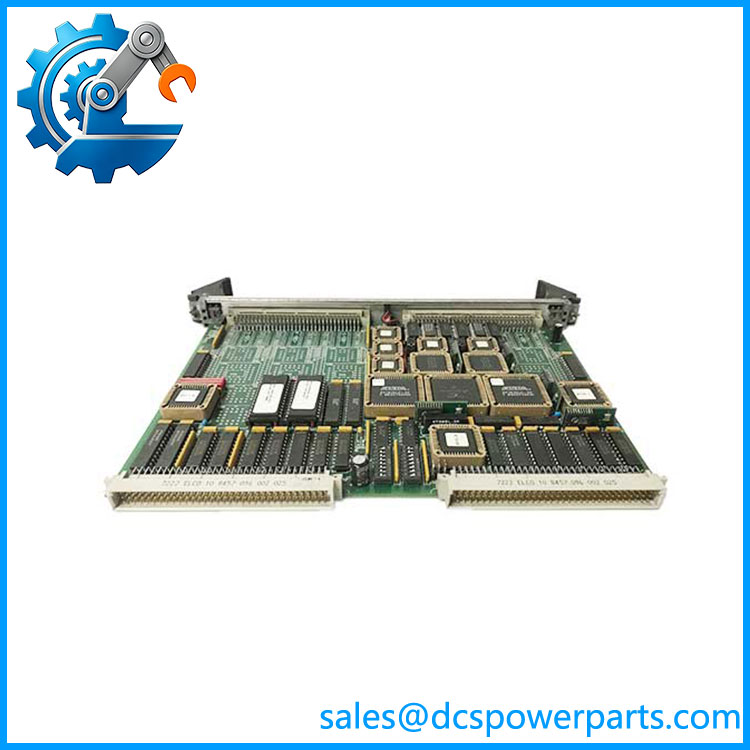
VMIVME-2540-300
Frequently Asked Questions (FAQ)
1. Is the compatible with my existing VME control chassis?
Compatibility depends on the complete hardware environment rather than the module number alone. Before installation, confirm:
- VME backplane type
- Slot requirements
- Address configuration
- Existing application driver support
Matching the original revision is recommended for production systems.
2. Can I hot-swap this?
No. The should normally be installed only after system power has been removed.
VME platforms generally require controlled shutdown procedures because removing a board under power may affect the backplane, connected devices, or running applications.
3. Does this module support firmware v3.1?
Firmware support depends on the specific board revision and software environment. Engineers should compare the existing module identification data, firmware documentation, and application driver requirements before replacement.
A matching part number does not always guarantee identical firmware behavior.
4. Will replacing the erase my control program?
No. The module functions as an I/O interface and does not normally contain the main control application logic.
After replacement, verify:
- Digital channel mapping
- Software I/O configuration
- Alarm and interlock settings
- Communication parameters
5. How do I confirm a New Surplus is genuine?
Recommended checks include:
- Inspecting OEM markings and labels
- Confirming board revision information
- Checking connector condition
- Reviewing available inspection or test records
Unused inventory condition should still be validated before installation into a critical control system.
6. Can the be used for legacy DCS replacement projects?
Yes, when the existing architecture uses VME-based controllers or industrial computers. Typical applications include replacing failed I/O boards, extending system service life, and maintaining older automation platforms.
A compatibility review should cover signal voltage levels, software support, and spare strategy.
7. What should engineers verify before installing this module?
Before commissioning, verify:
- Hardware revision compatibility
- Correct VME addressing settings
- Field wiring compatibility
- Application software recognition
- Functional testing of all connected digital channels
These checks reduce startup issues during replacement work.