Description
Product Overview
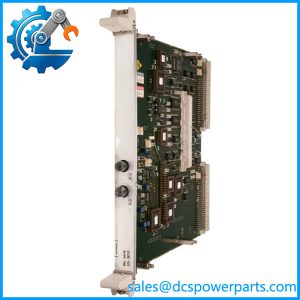
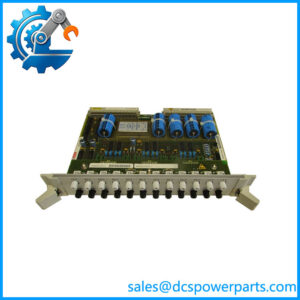
In a Siemens Robicon medium-voltage drive, fiber-optic communication is part of the control path between electronic assemblies and the drive’s power-cell or related control circuitry. The Siemens Robicon A1A461D85.00M is listed as a fiber-optic link board (FOLB) for the NXGII control platform. A spare-parts list identifies it as a 12-channel fiber-optic board and associates it with part number 6SR3900-0LM00-1AD0. This makes it a component to investigate when diagnosing fiber-link faults, communication interruptions, or control-board issues in a compatible drive configuration.
The board should be treated as a drive-specific control component, not as a generic fiber-optic network adapter. Its suitability depends on the installed Robicon control generation, the connected assemblies, the fiber-optic cable arrangement, and the board revision. A visually similar board or a part number with a related prefix is not sufficient proof of compatibility. Before replacement, compare the installed label and connector layout with the proposed spare, and check the applicable drive documentation and bill of materials.
For maintenance teams, the Siemens Robicon A1A461D85.00M is most relevant to planned spares management and fault recovery on supported NXGII installations. Before commissioning a replacement, document the original board’s position, cable routing, connector assignments, and any diagnostic indicators. After installation, verify the link status and the drive’s relevant diagnostics using the approved service procedure. Confirm whether the replacement is new, unused surplus, or refurbished, and establish the applicable warranty and return terms. These checks help reduce the risk of installing a mismatched board and confusing a hardware problem with a cable, configuration, or downstream fault.
Product Introduction
Fiber-link faults can interrupt communication between control electronics and drive assemblies, but replacing the board without confirming the fault path can lead to repeat downtime. The A1A461D85.00M is identified in Robicon NXGII spare-parts references as a 12-channel fiber-optic link board.
For a replacement, check the complete part number, revision, connector arrangement, and drive configuration before removing the existing assembly. A successful physical fit alone does not establish electrical or functional compatibility.
Key Technical Specifications
| Parameter | Details |
|---|---|
| Product model | A1A461D85.00M |
| Manufacturer / brand | Siemens Robicon |
| Product type | Fiber-optic link board (FOLB) |
| Associated part number | 6SR3900-0LM00-1AD0 |
| Reported channel count | 12-channel fiber-optic board |
| System association | Robicon NXGII control |
| Main function | Fiber-optic signal linking within the drive control architecture |
| Fiber type | Verify from the installed board and system documentation |
| Connector type | Verify from the board revision and cable assembly |
| Supply voltage | Not verified |
| Operating temperature | Not verified for this specific board |
| Installation method | Installed within the compatible drive control assembly; follow the applicable service manual |
| Firmware requirements | Verify against the installed control system and board revision |
| Protection rating | Not verified |
| Operating accuracy | Not applicable as a standalone measurement specification |
| Condition / warranty | Confirm with supplier before purchase |
The model identification and 12-channel description are supported by Robicon spare-parts references. Detailed electrical ratings, connector specifications, and revision-specific compatibility should be confirmed against the applicable Siemens documentation.
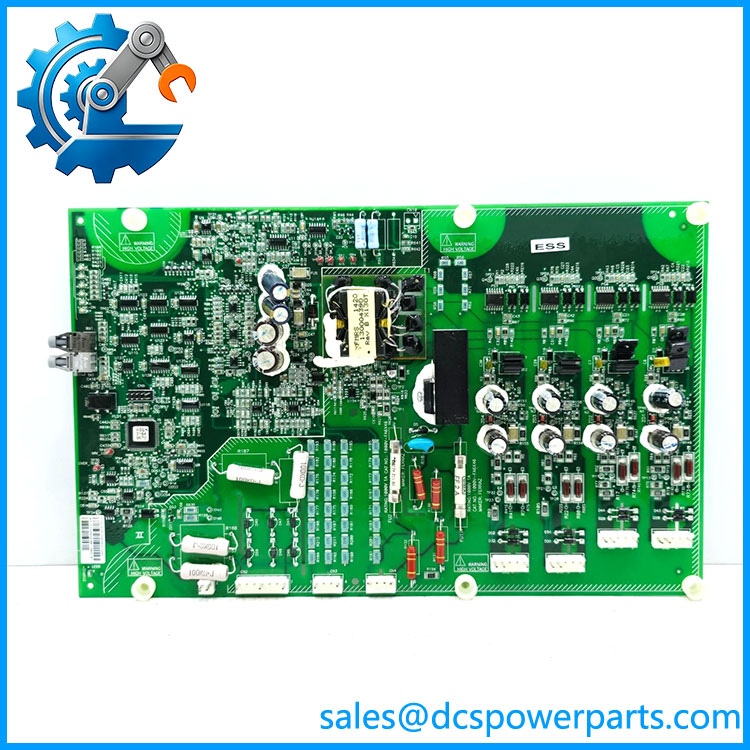
A1A10000432.02M
Related Products
These parts appear in Robicon NXGII spare-parts references or related fiber-optic assemblies. They serve different functions and should not be treated as automatic substitutes.
- A1A10000423.00M — System I/O board. Relevant when troubleshooting controller input/output functions rather than the fiber-optic link itself.
- A1A10000350.00M — BGA modulator board. A separate control assembly; verify its relationship to the affected drive configuration before replacing it.
- A1A098194 — Coated ISA backplane. A controller backplane component, not a fiber-optic board.
- A5E03407403 — Communications board. Listed separately from the fiber-optic link board in NXGII spare-parts references.
- A1A252241.55S — Fiber-optic hub board kit reference. Check the kit contents and confirm whether the required board and cables are included.
- A1A260901.00 — Flat link cable between the modulator board and fiber-optic hub board, according to the spare-parts listing. Inspect cable continuity and connector condition during fault diagnosis.
- A5E01708486 — Signal-conditioning board. A separate signal-conditioning component; it is not a direct replacement for the FOLB.
- A1A10000623.00M — Single-board computer and keypad adapter assembly listed for NXGII control. Relevant when investigating controller-level faults.
Frequently Asked Questions
Q1. What does the Siemens Robicon A1A461D85.00M do?
It is listed as a 12-channel fiber-optic link board for the Robicon NXGII drive control system. Its role is associated with fiber-optic signal links within the drive’s control architecture. Confirm the exact connected assemblies against the drive documentation.
Q2. How do I confirm compatibility with my existing drive?
Check the complete part number on the installed board, revision markings, drive model, control generation, and connector arrangement. Have the supplier verify the proposed replacement against the drive’s bill of materials or service documentation. Do not rely on the model prefix alone.
Q3. Can I hot-swap this board while the drive is running?
Do not assume that hot-swapping is supported. Follow the equipment-specific service procedure and site lockout/tagout requirements. Isolate the relevant power sources and verify the required safe state before removing or installing the board.
Q4. Does this board support firmware v3.1?
A firmware v3.1 compatibility claim could not be verified for this exact part number. Check the installed control hardware, firmware release, and applicable compatibility documentation before commissioning the replacement.
Q5. Is a new surplus A1A461D85.00M guaranteed to be genuine and unused?
No. “New surplus” is a condition description, not proof of authenticity or operating condition. Request photographs of the actual board label, revision, serial or traceability markings where available, packaging, and test records. Clarify the warranty and return policy in writing.
Q6. Will replacing the board erase drive parameters or configuration data?
That cannot be confirmed for every NXGII configuration. Back up available drive parameters and control configuration before maintenance, following the applicable service procedure. Do not assume that configuration data is stored independently of the board being replaced.
Q7. What should be checked if the drive still reports a fiber-link fault after replacement?
Start with the fault code and diagnostic history. Inspect fiber cables for damage, contamination, tight bends, and loose or incorrectly routed connections. Confirm the board revision and connector assignments, then check the connected assembly and its power or control status as specified in the service manual. Avoid repeated board swaps until the fault path has been isolated.