Description
Product Overview
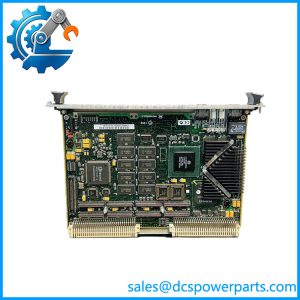
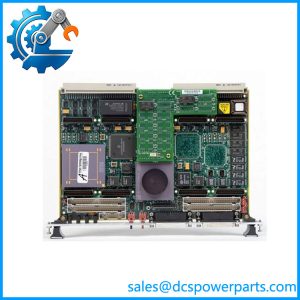
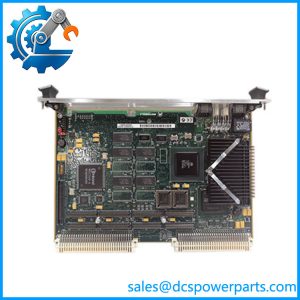
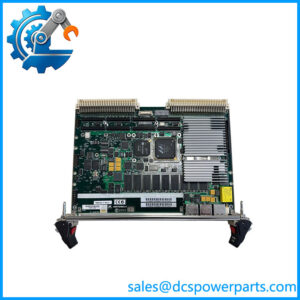
The Motorola MVME5500 is a 6U VME single-board computer developed for embedded computing applications requiring substantial processor and memory resources within a VME64x backplane. The platform uses a PowerPC processor architecture, with published MVME5500 variants reaching 1 GHz, and provides ECC SDRAM, Flash memory, VMEbus interfaces, PCI expansion, Ethernet, serial communication, and PMC expansion. The board was designed around the Motorola Computer Group PowerPC embedded-computing architecture and is suited to industrial control, telecommunications, defense, transportation, and other long-life embedded systems where VME remains part of the installed platform. (manuals.plus)
For Motorola MVME5500, exact configuration matters more than the family name. The series includes different processor, memory, front-panel, PMC, and rear-I/O combinations. Published documentation identifies a PowerPC 7455 processor with L2 cache and up to 1 GB of ECC SDRAM, while the PCI subsystem supports 64-bit operation at 33 or 66 MHz. The board also provides two 10/100/1000 Ethernet interfaces, serial ports, and a VME64x interface capable of high-speed block transfers. (manuals.plus)
The Motorola MVME5500 remains relevant when maintaining legacy VME computer systems in which application software, I/O boards, custom PMC modules, or VME backplane infrastructure cannot be economically migrated. Its practical value is therefore tied to compatibility with the existing VME chassis and operating environment rather than simply processor speed. When sourcing a replacement, confirm the board assembly number and revision, processor frequency, RAM capacity, boot firmware, PMC cards, rear transition requirements, and operating system before installation.
Product Introduction
When a VME system has years of application code behind it, replacing the computer is rarely equivalent to replacing a modern PC. MVME5500 provides PowerPC processing, ECC SDRAM, Gigabit Ethernet, PCI expansion, and VME64x connectivity on a 6U board. (manuals.plus)
For a legacy VME computer replacement, match the processor variant, memory population, firmware, PMC configuration, backplane requirements, and operating system image. A visually identical board with a different build configuration may not be a functional substitute.
Key Technical Specifications
| Parameter | Value |
|---|---|
| Manufacturer | Motorola Computer Group |
| Model | MVME5500 |
| Product Type | 6U VME Single-Board Computer |
| Architecture | PowerPC |
| Processor | PowerPC 7455 / 7447 family, depending on variant |
| Maximum Processor Speed | Up to 1 GHz |
| L2 Cache | 256 KB on documented 7455 configuration |
| System Memory | Up to 1 GB ECC SDRAM |
| Flash Memory | Up to 32 MB on documented configuration |
| VME Interface | VME64x |
| VME Data Width | 64-bit |
| VME Transfer Rate | Up to approximately 320 MB/s under specified conditions |
| PCI Bus | 64-bit, 33/66 MHz |
| Ethernet | 2 × 10/100/1000Base-T |
| Serial Ports | Front-panel serial interfaces |
| PMC Expansion | 2 PMC slots |
| Rear I/O | P2/P0 rear-I/O options depending on configuration |
| Front Panel | 6U VME format |
| Operating System Support | VxWorks, Linux and other supported embedded environments depending on BSP |
| Board Management | Flash/firmware-based initialization and diagnostics |
| Application | Industrial, telecom, transportation, defense and embedded computing |
The precise memory, processor, rear-I/O and PMC configuration depends on the specific build. Do not treat the maximum family specification as proof of the configuration on a particular board.
Related Products
- MVME5100 — Earlier Motorola PowerPC VME single-board computer family. It is useful for legacy-system comparisons but does not provide the same processor and I/O capability as an .
- MVME6100 — Later-generation PowerPC VME SBC family with higher-performance processor and enhanced I/O resources. It may be considered for system migration where software and backplane compatibility permit.
- — A specific family configuration. The suffix should be checked against the installed board’s processor, memory, and I/O population before substitution.
- — Another configured variant. Differences in build options can affect memory, processor speed, and installed interfaces.
- — PMC expansion cards can add application-specific I/O, communications, storage, or processing resources. The PMC type must be checked when replacing a populated board.
- VME64x backplane — The depends on the host VME backplane for system-level operation. Slot assignment and P1/P2/P0 connectivity should be verified before installation.
- VME rear transition module — Required when the installed application uses rear-panel I/O. The exact transition hardware depends on the configuration and installed PMC/rear-I/O options.
- MVME2400 — Earlier PowerPC VME SBC family suitable for lower-performance legacy applications. It is not a direct performance-equivalent replacement for .
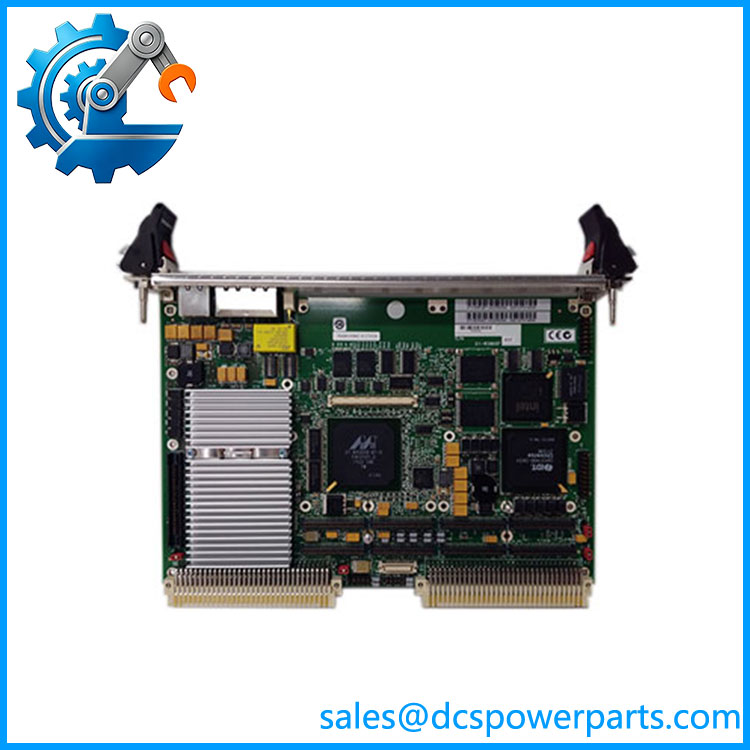
MVME5500
Frequently Asked Questions
What is Motorola used for?
The is a 6U VME single-board computer for embedded and real-time computing systems.
Typical roles include:
- VME system controller
- Industrial computer
- Real-time control processor
- Data acquisition host
- Telecommunications controller
- Transportation computing
- Defense and test equipment
Its value comes from combining PowerPC processing with VMEbus, PCI, Ethernet, memory, and PMC expansion on one board.
What processor does use?
The documented architecture uses PowerPC processors, including the PowerPC 7455 family. Some configurations reach 1 GHz. (manuals.plus)
This is important during replacement because the family was sold in multiple configurations. The processor frequency should be read from the board identification rather than assumed from the family number.
How much memory can support?
The platform supports up to 1 GB of ECC SDRAM in documented configurations. (manuals.plus)
Do not assume every contains 1 GB. Actual installed memory depends on the specific assembly configuration.
Does support Gigabit Ethernet?
Yes. The documented architecture provides two 10/100/1000Base-T Ethernet interfaces. (manuals.plus)
When replacing a board, verify whether the existing application uses one or both Ethernet ports and whether the software expects a particular device numbering or MAC-address arrangement.
Can I replace an with an MVME6100?
Potentially, but this is a migration rather than a guaranteed plug-in replacement.
Check these items first:
- Processor architecture and BSP.
- Operating-system version.
- Boot firmware.
- VMEbus configuration.
- PMC modules.
- Rear-I/O requirements.
- Ethernet device mapping.
- Application binary compatibility.
- Memory requirements.
- Backplane and chassis constraints.
A newer VME computer may physically fit while still requiring software or hardware changes.
Can I hot-swap the ?
Do not assume so.
The is a VME single-board computer, and whether live insertion is permitted depends on the specific VME chassis, backplane implementation, system design, and board configuration. A conventional VME installation should normally be powered down and electrically isolated before board removal unless the complete system is explicitly designed and approved for live insertion.
Will replacing erase my application software?
It depends on where the application and boot components are stored.
Before replacement, document and back up:
- Boot parameters
- Flash contents
- Operating-system image
- Application binaries
- BSP version
- Hardware configuration
- Network settings
- PMC drivers
- Custom VME device configuration
Do not assume that two boards with the same catalog-family designation contain identical Flash contents or firmware.
Does support VxWorks?
The platform was designed for embedded operating environments including VxWorks, with board support packages providing the hardware-specific initialization and device support.
For a legacy replacement, the BSP version is often more important than the operating-system name alone. A VxWorks application that runs on one configuration may require different BSP or driver support on another processor or I/O configuration.
How should a New Surplus be tested?
For an embedded VME board, visual inspection is not enough.
Recommended acceptance procedure:
- Record the complete board assembly number and revision.
- Verify processor speed and installed RAM.
- Inspect P1/P2/P0 connectors.
- Check PMC sockets and installed modules.
- Install the board into a known-good VME chassis.
- Verify power-up diagnostics.
- Check boot firmware and Flash contents.
- Test VMEbus access.
- Verify Ethernet interfaces.
- Test serial communication.
- Verify PMC devices where fitted.
- Boot the intended operating environment.
- Run the customer’s application or a controlled equivalent.
- Record all firmware, memory, and hardware-identification data.
Procurement note: for , the family number alone is not enough to establish equivalence. Processor speed, RAM, PMC population, firmware, and rear-I/O configuration can materially change how the board behaves in an installed VME system.