Description
Product Overview
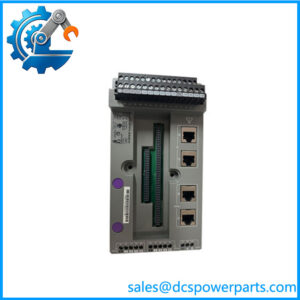
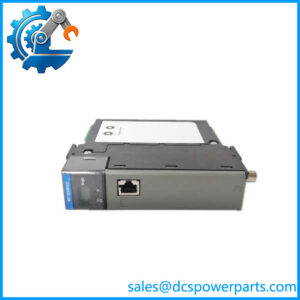
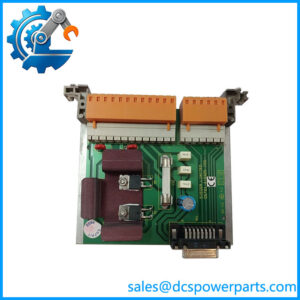
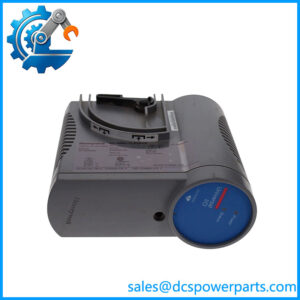
The Honeywell XSL512 is a manual terminal disconnect module for the Excel 5000 Open System distributed I/O family. It is installed between a compatible terminal block and the associated XFL-series electronics module, providing a way to disconnect individual field-terminal connections from the electronics without rewiring each conductor. The module is intended for commissioning, installation, fault isolation, and routine maintenance in building automation and HVAC control panels. It is a passive switching accessory rather than a controller or signal-processing module, so it does not independently measure inputs, generate control outputs, or execute application logic.
The Honeywell XSL512 provides 18 manual disconnect switches, allowing technicians to isolate individual connections at the terminal interface during troubleshooting. Its physical position in the assembly is important: it fits between the terminal block and the distributed I/O electronics module. Honeywell documentation identifies the XSL513 as the terminal block for XFL521-, XFL522-, and XFL523-series modules, while the XSL514 is designated for the XFL524-series digital output module. Verify the full module and terminal-block part numbers before specifying the disconnect accessory for an existing installation.
When sourcing a Honeywell XSL512, inspect the switch mechanism, housing, safety latch, and any supplied end cover. The documented dimensions are approximately 58 mm wide, 97 mm long, and 55 mm high. Confirm the panel’s available clearance and the orientation of adjacent modules before fitting the assembly. During maintenance, follow the applicable site isolation procedures and Honeywell installation instructions; the presence of manual disconnect switches should not be interpreted as proof that all work can safely be performed with the system energized. A replacement should match the installed terminal arrangement and intended XFL module configuration, with the wiring diagram used to verify each connection before return to service.
Product Introduction
Troubleshooting a legacy I/O panel often requires isolating field connections without repeatedly removing conductors. The Honeywell XSL512 provides 18 manual disconnect switches in the Excel 5000 distributed I/O assembly, allowing technicians to separate individual terminal connections from the associated electronics module.
Installed between the terminal block and the compatible XFL module, the XSL512 supports commissioning and fault diagnosis while preserving the existing field-wiring arrangement. Confirm the terminal base, module type, and accessory fit before replacement.
Key Technical Specifications
| Parameter | Value |
|---|---|
| Product Model | XSL512 |
| Manufacturer / Brand | Honeywell |
| Product Type | Manual terminal disconnect module |
| System Family | Excel 5000 Open System distributed I/O |
| Disconnect Switches | 18 |
| Core Function | Manual disconnection of terminal connections from the I/O electronics module |
| Installation Position | Between the terminal block and distributed I/O module |
| Compatible System | Honeywell Excel 5000 XFL distributed I/O family; verify the exact module and base |
| Dimensions (W × L × H) | Approximately 58 × 97 × 55 mm |
| Retention | Safety latch |
| Communication Protocol | No independent communication interface; depends on the associated I/O assembly |
| Working Voltage | No independent rating confirmed for the disconnect accessory; check the connected circuit specifications |
| Operating Temperature | Verify against the applicable product documentation |
| Protection Rating | Not confirmed; check the product label and documentation |
| Condition | Verify whether the supplied unit is unused, surplus, or previously installed |
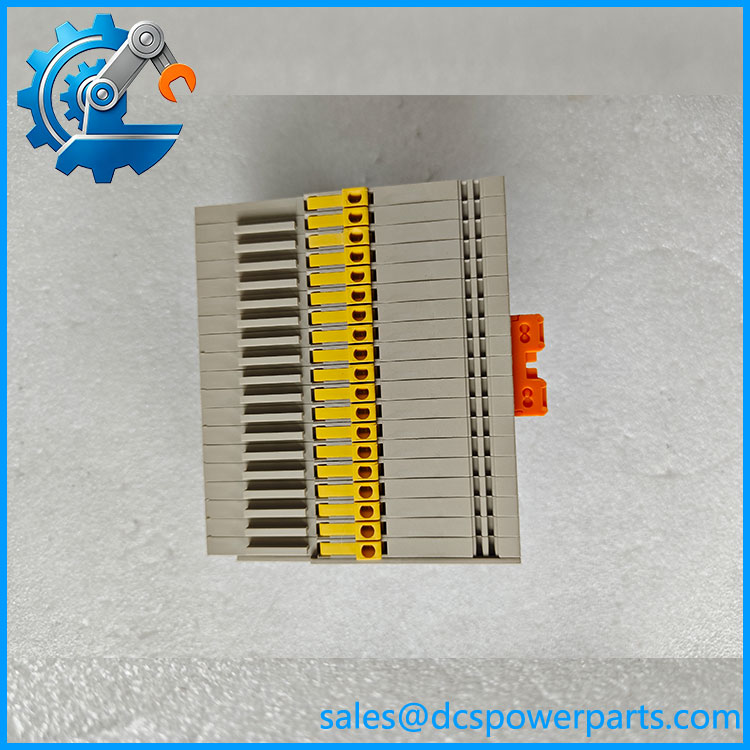
XSL512
Related Products
- XSL513 — Terminal block for XFL521-, XFL522-, and XFL523-series modules; provides the field-wiring connection points used with the .
- XSL514 — Terminal block designated for the XFL524 digital output module; confirm the complete assembly before selecting the disconnect arrangement.
- XSL511 — LONWORKS connector module that provides the bus connection between the controller and distributed I/O assembly.
- XFL521B — Analog input module for sensor signals; a related electronics module in the Excel 5000 distributed I/O family.
- XFL522B — Analog output module used for compatible actuator-control signals.
- XFL523B — Digital input module for monitoring binary field states.
- XFL524B — Digital output module with relay outputs; uses the XSL514 terminal block rather than the XSL513.
- XFR522A — Manual override accessory for the XFL522B analog output module; provides output override functionality rather than terminal disconnection.
- XFR524A — Manual override accessory for the XFL524B digital output module; intended for output control and override rather than field-terminal isolation.
Frequently Asked Questions
What does the Honeywell do?
The lets a technician manually disconnect individual terminal connections from the associated distributed I/O electronics module. Its 18 switches support installation work and troubleshooting without requiring every field wire to be removed from its terminal.
Which Honeywell modules can use the ?
It belongs to the Excel 5000 Open System distributed I/O family. Confirm the exact XFL module and terminal-block combination in the relevant Honeywell documentation before ordering, especially when replacing a legacy assembly.
Can I hot-swap the while the controller is running?
Do not assume that the disconnect module can be installed or removed under power. Honeywell documentation describes module exchange capabilities in the distributed I/O family, but the permitted procedure depends on the specific assembly and installation. Follow the approved isolation and maintenance procedure.
Does the support firmware v3.1?
The is a manual switching accessory, not a firmware-bearing controller. Firmware compatibility should be assessed for the connected XFL electronics module and the host control system, rather than the disconnect module itself.
How do I check whether the is compatible with my existing terminal block?
Verify the full part numbers of the terminal block and XFL module, compare the physical mounting and latch arrangement, and check the wiring documentation. Do not rely on visual similarity alone when selecting a replacement.
How can I verify the authenticity and condition of a Honeywell ?
Request photographs of the actual item, its part markings, switch bank, housing, and safety latch. Ask for a clear condition statement and any available traceability or inspection records. Packaging alone is not sufficient proof of authenticity.
Is the available as new surplus, and what warranty applies?
Availability and condition depend on the individual unit. Ask the supplier to distinguish unused surplus from previously installed equipment, state whether the switches have been inspected or tested, and provide the applicable warranty terms in writing.
Procurement note: Before installation, confirm the terminal block, connected XFL module, wiring layout, switch operation, and mechanical retention. The is a switching accessory, not a substitute for an approved electrical isolation procedure.