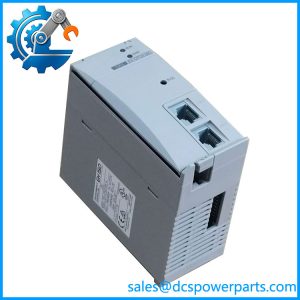
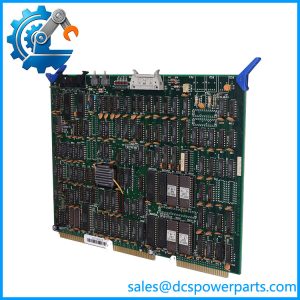
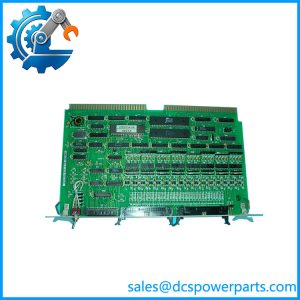
Description
Key Technical Specifications
| Parameter | Specification |
|---|---|
| Product Model | LPU100A |
| Manufacturer | Hitachi |
| Product Family | HIACS |
| Product Type | CPU / Processor Module |
| System Role | Controller processing |
| Application | Industrial DCS / PLC control |
| Architecture | Legacy Hitachi control system |
| Installation | System-specific rack/backplane |
| I/O Relationship | Host CPU for associated I/O architecture |
| Communication | System-dependent; verify installed configuration |
| Operating Voltage | Verify from original Hitachi documentation |
| Operating Temperature | Verify from original documentation |
| Firmware | Revision-dependent |
| Condition | New Surplus / Used / Tested Refurbished |
One indexed reference specifically identifies LPU100A as a Hitachi CPU Module, while another places it among Hitachi industrial automation control hardware.
There is a separate commercial listing that describes LPU100A as a 16-point digital I/O module with 24 VDC inputs and outputs. That conflicts with the CPU-module identification found elsewhere, so those I/O specifications should not be used for procurement without primary documentation.
That distinction matters. Ordering an I/O card when the plant actually needs a processor is not a small paperwork error; it can leave the cabinet down while the replacement sits unused.
Application Scenarios & Pain Points
When an old controller stops executing, technicians often start chasing field wiring because the DCS shows multiple downstream alarms. In reality, a single processor or controller fault can make healthy I/O appear unavailable.
- HIACS DCS maintenance: LPU100A is relevant to legacy Hitachi control installations where CPU-level hardware remains part of the operating system architecture.
- Industrial process control: The module can serve at the controller level in applications where field I/O and control logic depend on the Hitachi processor architecture.
- Legacy system recovery: An exact spare is useful when replacing an obsolete controller is not immediately practical and the plant needs to restore the existing configuration.
- Controller troubleshooting: Watchdog alarms, loss of controller execution, and broad I/O communication failures are reasons to investigate the CPU, rack power, and backplane together.
Field note: Before condemning the processor, measure the rack supply and inspect the backplane. On older systems, oxidation or a marginal connector can produce symptoms that look remarkably similar to CPU failure.
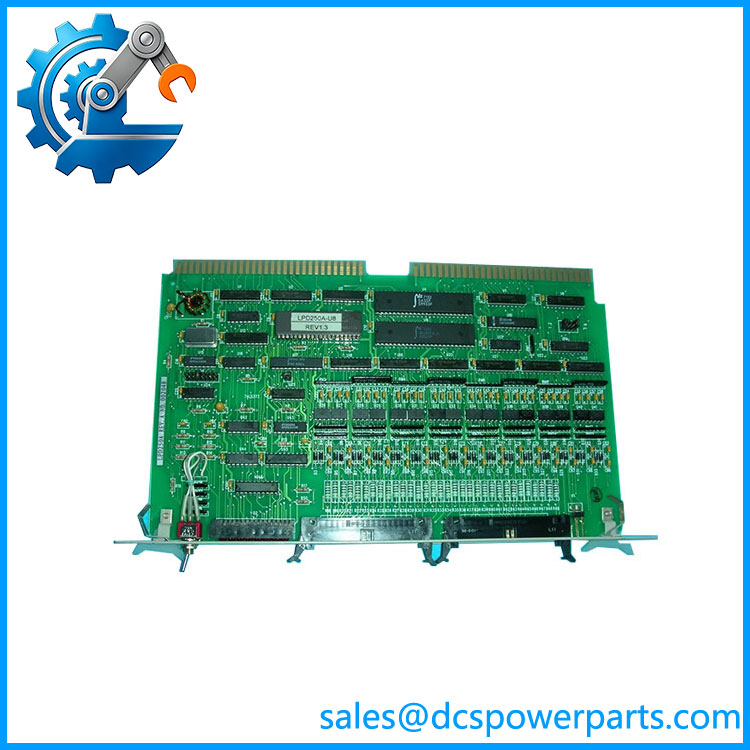
LPD250A
Related Products
- HITACHI LPU100A — The exact CPU-module reference covered here. Use the complete model and hardware revision when sourcing.
- HITACHI LPU100H — A closely related Hitachi model appearing in the same industrial automation product references. It should not be assumed interchangeable without checking the controller architecture and hardware revision.
- HITACHI PS6000 — A Hitachi programmable logic controller family reference. It represents a broader controller platform and should not be treated as a direct LPU100A replacement.
- HITACHI PS6515 — Hitachi control-system hardware found in the same legacy equipment ecosystem. Its exact system function differs from the CPU role.
- HITACHI LPD200A — A legacy Hitachi control module. It belongs to the same general generation of industrial hardware but performs a different system function.
- HITACHI LPD250B — Another legacy Hitachi controller-related reference. It is not a direct CPU substitute and requires system-level compatibility checking.
- HITACHI LPD350A — Legacy Hitachi industrial control hardware that may appear in related systems. Its function differs from the processor role.
- HITACHI LYA220A — Another Hitachi automation module reference. It may be complementary in a legacy control installation but should not be substituted based solely on model-number similarity.
The Engineer’s Guide: Field Pitfalls to Avoid
⚠️ Do not use an unverified I/O specification for .
Some commercial references describe as a 16-point digital I/O module, while other references specifically identify it as a CPU module. That conflict is too significant to ignore. Confirm the actual hardware label and system manual before ordering.
⚠️ Check hardware revision and firmware compatibility.
A processor with the same base model can still behave differently across hardware revisions or firmware generations. Verify the installed revision before replacing it.
⚠️ Do not overlook the rack power and backplane.
If the CPU shows no execution or communication, check supply voltage, rack connections, neighboring modules, and backplane contacts first. Old connectors can develop oxidation or mechanical looseness over years of thermal cycling.
Practical check: Photograph the label, front indicators, connectors, rack position, and adjacent modules. Record the controller diagnostics before removing the original unit. If the existing CPU can still communicate, capture its configuration and application data before replacement.
Frequently Asked Questions (FAQ)
What is HITACHI ?
Available industrial references identify HITACHI as a CPU module used in Hitachi industrial control hardware, including legacy HIACS-related systems.
Is a digital I/O module?
There is conflicting commercial information on this point. One listing describes it as a 16-point digital I/O module, while another specifically identifies it as a CPU Module. Because these are fundamentally different functions, I would not use the I/O specification without confirming the physical unit and original documentation.
Is part of the Hitachi HIACS system?
Available references associate with Hitachi HIACS industrial control hardware. The exact HIACS generation and controller configuration should still be verified from the installed cabinet documentation.
Can be replaced by LPU100H?
Not automatically. The similar model names suggest related Hitachi hardware, but compatibility depends on the controller generation, firmware, rack/backplane, I/O architecture, and application configuration. Treat LPU100H as a candidate for engineering review, not a drop-in replacement.
What should I check when buying a used ?
Ask for clear photographs of:
- Complete nameplate
- Hardware revision
- Front-panel LEDs
- Connectors
- Board condition
- Backplane interface
For a critical DCS spare, request functional controller testing rather than a simple power-on test.
Does a replacement contain the original control program?
Do not assume it does. The presence of application software, configuration, retained memory, or site-specific parameters depends on the individual unit and how it was removed and stored. A replacement processor should be treated as hardware unless the seller can provide verifiable evidence of the required application data.