Description
Product Overview
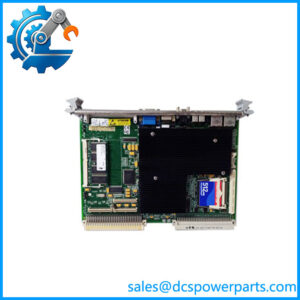
When a legacy industrial computer or test system develops processor, memory, or communication faults, replacing the single-board computer can preserve the existing VMEbus architecture without redesigning the entire equipment platform. The GE Fanuc VME-7807RC is a 6U VMEbus single-board computer designed for embedded applications requiring general-purpose processing, peripheral connectivity, and expansion within a single VME slot. Its Intel Pentium M processor and Intel 855GME chipset support computing, graphics, and I/O functions for industrial control and data acquisition systems.
The GE Fanuc VME-7807RC supports processor options from 1.1 GHz to 1.8 GHz, up to 1.5 GB of DDR SDRAM, and an optional bootable CompactFlash device of up to 2 GB. The board provides a PCI-X PMC expansion site, Ethernet connectivity, four serial ports, four USB 2.0 ports, and storage interfaces. Some functions are routed through the rear I/O connector and require a compatible transition module. The exact processor, memory, Ethernet configuration, and rear-I/O arrangement depend on the ordered version. Before replacement, compare the full part number, installed PMC card, operating system, BIOS configuration, and transition-module wiring with the original system.
Key Technical Specifications
| Parameter | Specification |
|---|---|
| Product Model | VME-7807RC |
| Alternative Designations | VME7807-RC, VMIVME-7807RC |
| Manufacturer | GE Fanuc / GE Intelligent Platforms |
| Product Type | VMEbus single-board computer |
| Processor | Intel Pentium M |
| Processor Options | 1.1 GHz, 1.4 GHz, and 1.8 GHz documented options |
| L2 Cache | Up to 2 MB; varies by processor option |
| Chipset | Intel 855GME |
| System Bus | 400 MHz |
| System Memory | Up to 1.5 GB DDR SDRAM |
| Boot Storage | Optional bootable CompactFlash, up to 2 GB |
| Form Factor | 6U VME, single-slot Eurocard |
| Expansion | One 5 V PCI-X PMC site, 66 MHz |
| VMEbus Interface | Tundra Universe II; VME64 modes documented |
| Ethernet | 10/100 Ethernet; Gigabit Ethernet configuration depends on option |
| Serial Ports | Four, with RS-232/RS-422 support documented |
| USB | Four USB 2.0 ports |
| Storage Interfaces | IDE and SATA support, with connections depending on rear-I/O configuration |
| Graphics | Integrated SVGA; digital video support through rear I/O |
| Operating Systems | Windows 2000/XP, Linux, QNX, and VxWorks listed for supported configurations |
| Supply Requirements | +5 VDC, typically 4.0 A and up to 5.4 A; +12 VDC draw below 1 mA, per documented specification |
| Cooling | Passively cooled board; chassis airflow is required |
| Operating Temperature | Confirm the applicable hardware manual and ordered configuration |
| Protection Rating | No IP enclosure rating specified |
| Installation | Compatible 6U VMEbus card cage |
Specifications are based on the VME-7807RC product documentation. Not every interface is necessarily populated or accessible on the front panel; rear-I/O and VITA 31.1 options affect the configuration.
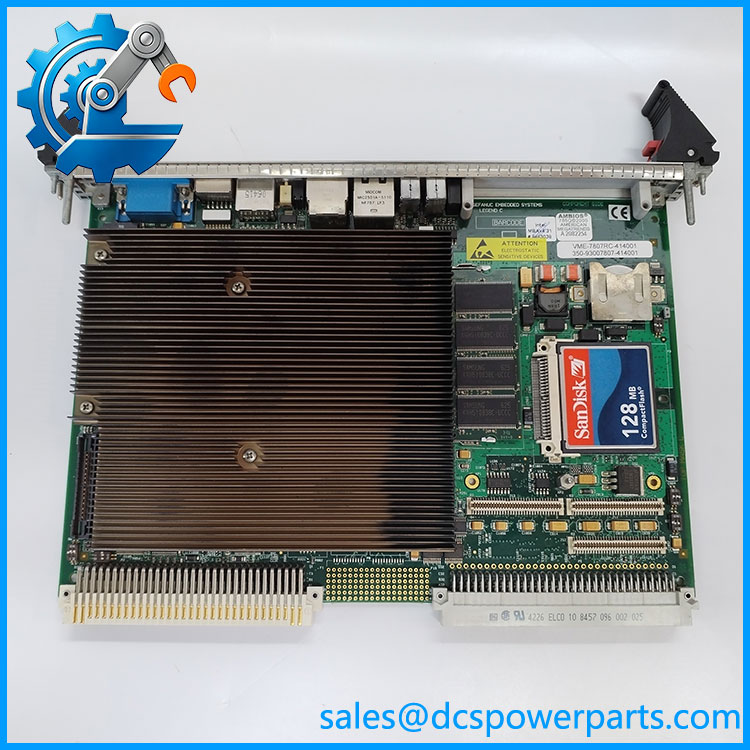
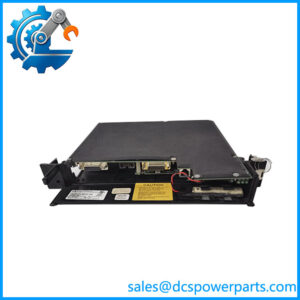
VME-7807RC
Major Features and Advantages
Pentium M processing in a single VME slot
The VME-7807RC combines an Intel Pentium M processor with the Intel 855GME chipset in a 6U, single-slot board. This allows a legacy system to retain its VMEbus backplane while providing computing resources for data acquisition, industrial software, and equipment monitoring. Processor speed and cache size depend on the ordered configuration.
Flexible memory and boot storage
The board supports a DDR SDRAM SODIMM and optional soldered memory, with a documented maximum of 1.5 GB. Optional CompactFlash storage can serve as a boot device. During maintenance, verify the installed memory arrangement, storage capacity, boot-device order, and operating-system image. A replacement board may require software restoration or configuration work even when its hardware appears identical.
Ethernet and serial communication
The board provides Ethernet and four serial interfaces for supported networking, console access, and peripheral communication. Ethernet capabilities vary with the selected configuration, including optional Gigabit Ethernet and VITA 31.1 support. Serial port routing also differs between front-panel and rear-I/O connections, so check the manual and transition-module pinouts before reconnecting equipment.
PMC expansion capability
One PCI-X PMC expansion site allows a compatible mezzanine card to add application-specific functionality. This may be important in systems using specialized interface, communications, or data acquisition cards. Confirm the PMC card’s electrical and mechanical requirements, driver support, and front-panel or rear-I/O routing before substituting a host board.
Legacy operating-system support
The product documentation lists Windows 2000, Windows XP, Linux, QNX, and VxWorks for supported configurations. These are legacy software environments, and compatibility depends on the board revision, BIOS, drivers, and application requirements. A processor board replacement should include a review of the existing boot image and any software licenses or configuration files required for recovery.
Application Scenarios and Common Pain Points
- Industrial control computers: Hosts control or monitoring software in equipment designed around a VMEbus backplane.
- Automated test systems: Provides processing, peripheral connectivity, and expansion for test sequencing and data collection.
- Data acquisition platforms: Supports systems that collect and process measurements through compatible interface hardware.
- Simulation and instrumentation: Serves as a computing platform where the VMEbus architecture and installed PMC modules are part of the established design.
- Legacy system refurbishment: Helps maintain older equipment where migration to a different computer architecture would require significant reengineering.
Common issues include failure to boot from CompactFlash, memory detection errors, Ethernet link problems, serial communication faults, and missing rear-I/O signals. These symptoms can originate from the board, transition module, backplane, BIOS settings, peripheral cards, or software image. A systematic diagnosis should isolate the failing subsystem before the controller board is replaced.
Related Products and Components
The following products are related by hardware family or system function. They are not all direct substitutes for the VME-7807RC.
| Model | Product role | Key distinction |
|---|---|---|
| VMIVME-7807 | Pentium M VME single-board computer | Closely related family member; verify exact options |
| V7807RC | VMEbus single-board computer designation | Product-family designation associated with the platform |
| -420001 | Specific ordering variant | Confirm processor, memory, and interface configuration |
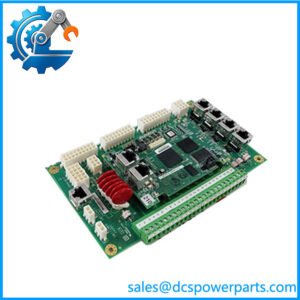
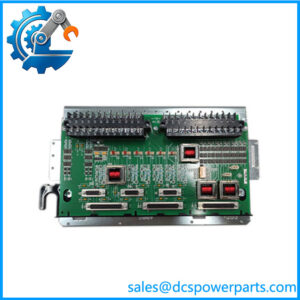
| VMIACC-0586 | Rear transition module family | Provides access to supported rear-I/O signals |
| ACC-0586RC | Rear transition module variant | Check revision and connector compatibility |
| VMIACC-0590 | Rear transition module family | Alternative rear-I/O arrangement; confirm signal mapping |
| ACC-0590RC | Rear transition module variant | Verify the intended configuration |
| Compatible PCI-X PMC module | Expansion card | Requires electrical, mechanical, and driver compatibility |
The manual identifies the VMIACC-0586 and VMIACC-0590 families as rear-I/O options. Exact suffixes and revisions must be checked against the installed hardware.
Engineer’s Guide: Three Checks Before Replacement
1. Match the processor and memory configuration. Confirm the full model and ordering code, CPU speed, installed DDR SDRAM, and CompactFlash arrangement. Do not assume every board has the same memory or processor.
2. Check rear-I/O and PMC compatibility. Identify the transition module, P2/P0 wiring, installed PMC expansion card, and Ethernet configuration. A front-panel connector match does not prove that rear-I/O signals or expansion functions are equivalent.
3. Verify the software environment and power supply. Record the operating system, BIOS settings, boot device, drivers, and application image before removing the existing board. Confirm that the VME rack supplies meet the documented voltage and current requirements, and that cooling airflow is adequate.
Important: Do not treat and VMIVME-7807 as interchangeable solely because their product descriptions overlap. Compare the complete ordering code, hardware revision, and system configuration before installation.
Frequently Asked Questions
1. What is the GE Fanuc used for?
It is a VMEbus single-board computer used in embedded computing, industrial control, automated test, instrumentation, and data acquisition systems. It combines Pentium M processing with memory, communication interfaces, graphics, and PMC expansion.
2. What processor does the use?
The board family uses Intel Pentium M processors, with documented options from 1.1 GHz to 1.8 GHz. Cache size and other details vary by processor option. Confirm the actual installed processor before ordering a replacement.
3. How much RAM and storage does the support?
It supports up to 1.5 GB of DDR SDRAM and an optional bootable CompactFlash device of up to 2 GB. The installed capacity may be lower, so check the existing board’s configuration and the original system requirements.
4. Does the have Gigabit Ethernet?
Gigabit Ethernet is available in documented configurations, including options associated with VITA 31.1 support. The exact number and routing of Ethernet ports depend on the board variant. Verify the installed hardware and connector arrangement rather than assuming every unit has dual front-panel Gigabit Ethernet.
5. Can the run Linux or VxWorks?
Both Linux and VxWorks are listed among the supported operating-system families for documented configurations. Compatibility with a specific release depends on the board revision, BSP or driver package, BIOS, and application software. Verify the exact software environment before replacing a working board.
6. Can I replace a with a VMIVME-7807?
They belong to a closely related product family, but the exact hardware options may differ. Check the ordering code, processor, memory, rear-I/O arrangement, VITA 31.1 configuration, and PMC card before treating one as a replacement for the other.
7. What should I check when buying a used or refurbished ?
Request clear photographs of the board label, connector area, and installed components. Ask for the exact processor and memory configuration, a boot and interface test report, and confirmation of the warranty and return conditions. If the board is intended for production equipment, also verify the boot media and required software image before scheduling installation.
Procurement recommendation: For the GE Fanuc , prioritize an exact configuration match and documented functional testing. Confirm processor speed, memory, CompactFlash, Ethernet options, rear-I/O hardware, and PMC compatibility before approving the board for a critical legacy system.