Description
Key Technical Specifications
| Parameter | Specification |
|---|---|
| Manufacturer | GE / GE Fanuc |
| Model | SLN080 |
| Part Number | IC086SLN080-A |
| Product Type | Industrial Ethernet Switch |
| Switch Type | Unmanaged |
| Port Count | 8 |
| Ethernet Interface | 10/100Base-T(X) |
| Connector | RJ45 copper Ethernet |
| Network Standard | IEEE 802.3 / Fast Ethernet family |
| Application | Industrial automation and control networking |
| Configuration | Plug-and-play / unmanaged |
| Management Interface | None as an unmanaged switch |
| Mounting | Verify against exact hardware revision |
| Power Supply | Verify from the unit label and installation documentation |
| Operating Temperature | Verify against the exact revision/documentation |
Several secondary listings report 12–48 VDC dual power input, approximately 7 W consumption, -40°C to +70°C operation, IP30 protection, and DIN-rail/wall mounting. Those values are not sufficiently corroborated by a strong OEM source in the available documentation, so they should be treated as configuration-specific rather than universal specifications.
Product Introduction
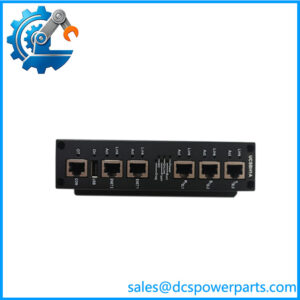
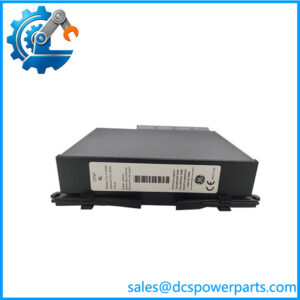
The GE is an industrial Ethernet switch intended to provide an eight-port copper Ethernet connection point within an automation network. The unit is generally identified as an unmanaged switch, meaning network traffic is handled without requiring the operator to configure VLANs, routing rules, or a web-based management interface. This makes the hardware particularly relevant to established control cabinets where the requirement is straightforward Ethernet connectivity between PLCs, HMIs, SCADA equipment, remote devices, and other network nodes.
For maintenance teams, the important distinction is that the is network infrastructure rather than a controller or I/O card. A failed switch can make several otherwise healthy automation devices appear to have communication faults simultaneously. Replacing the correct switch can therefore restore multiple communication paths without changing PLC programs or replacing individual control modules.
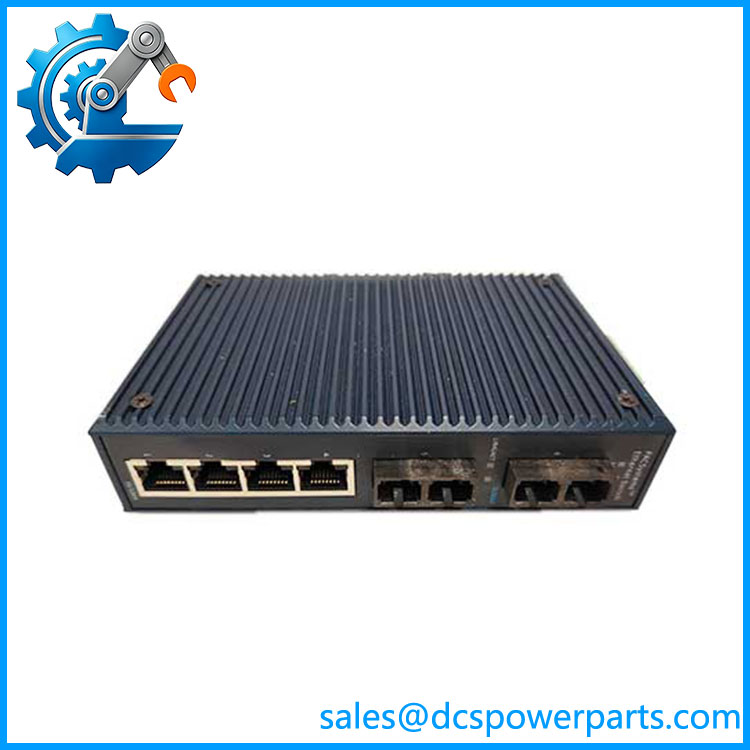
SLN080 IC086SLN080-A
Application Scenarios & Field Pitfalls — The Engineer’s Perspective
Engineering Pain Point
When several PLCs, HMIs, remote I/O stations, or supervisory devices suddenly disappear from an industrial network, engineers often begin troubleshooting each endpoint. If multiple devices fail at the same time, the common network infrastructure should be investigated first.
The occupies exactly this type of position. Because it is an unmanaged Ethernet switch, there is little configuration to inspect. The practical troubleshooting sequence is therefore heavily hardware-oriented: power supply, port LEDs, Ethernet cables, connectors, link negotiation, upstream equipment, and network topology.
Typical Applications
1. PLC control networks
The eight copper ports provide a compact connection point for PLC CPUs, remote I/O adapters, programming stations, and local automation devices.
2. HMI and SCADA connectivity
The switch can provide the physical Ethernet connection between control equipment and supervisory systems where the network architecture uses conventional copper Ethernet.
3. DCS and process-control cabinets
Legacy process-control installations may use industrial Ethernet switches to connect controllers, operator interfaces, engineering stations, and supporting equipment.
4. Factory-floor networking
The eight-port format is appropriate for compact machine cells and control panels where a small number of Ethernet nodes must share a local network segment.
Technical Pitfalls
1. Do not confuse the with a PLC CPU.
Some reseller pages describe as a VersaMax CPU or high-performance controller. That classification is not consistent with the stronger repeated identification of the part as an eight-port industrial Ethernet switch.
2. It is not an optical-fiber interface by default.
One listing calls the an optical fiber interface board, while other sources identify eight copper 10/100Base-T(X) ports. For procurement, the physical connectors on the actual unit should be checked before assuming an optical configuration.
3. Unmanaged does not mean fault-free.
There is no normal software configuration to verify on an unmanaged switch. A communication problem should therefore be investigated through power, cabling, link status, port behavior, and upstream/downstream devices.
4. Check duplex and speed negotiation.
Older automation equipment can have fixed Ethernet settings. If an attached device expects a particular speed or duplex mode, replacing a switch with a different hardware generation can expose compatibility issues that were not present with the original installation.
5. Verify the power configuration.
Do not automatically apply the frequently published 12–48 VDC specification to every unit. Confirm the power requirements from the installed unit’s identification label and the original cabinet documentation before energizing a replacement.
6. Check the complete network topology.
Replacing the switch will not correct a broken fiber uplink, damaged copper cable, failed remote device, duplicate IP address, or problem farther upstream. The should be diagnosed as one component within the complete industrial Ethernet path.
Related Products
- GE — Eight-port industrial Ethernet switch; the subject model.
- GE SLN042 IC086SLN042-A — Related IC086 networking hardware with a different port configuration; verify exact port and network requirements before substitution.
- GE IC086 series networking hardware — Related industrial networking products used within GE automation environments.
- GE VersaMax PLC modules — PLC control hardware that may communicate through the but is functionally separate from the switch.
- GE Series 90-30 Ethernet modules — Legacy GE PLC networking hardware; not automatically interchangeable with the .
- GE RX3i Ethernet modules — Later GE control-network hardware; requires system-level compatibility review before modernization.
- GE WESDAC D20 series — Substation RTU hardware that can use Ethernet infrastructure but belongs to a different control architecture.
- GE IS420ESWBH1A — Mark VIe industrial Ethernet switch hardware; different system family and should not be treated as a direct substitute for the .
Procurement Note
For a GE replacement, confirm the complete part number, connector arrangement, power-input marking, mounting arrangement, and the existing network topology. If the installed switch is being replaced during a plant outage, photograph every Ethernet connection before removal and record which ports connect to controllers, HMIs, engineering stations, and uplinks.
The most important procurement point is functional identity: this is an Ethernet switch, not a PLC CPU or process I/O module. Because public listings contain several contradictory descriptions, the actual nameplate and hardware configuration should take priority over generic catalog specifications.