Description
Product Introduction
When an older machine depends on a dedicated operator panel, replacing the display without preserving the original application and communication settings can create avoidable commissioning delays. The GE Fanuc IC754VSF12CTD is a 12-inch QuickPanel View HMI designed to provide touchscreen access to machine information and operator controls in industrial automation systems.
For maintenance teams supporting legacy equipment, this model can serve as a replacement candidate when the original terminal is damaged or no longer reliable. Confirm the complete part number, hardware revision, application backup, and PLC communication configuration before purchasing a replacement.
Key Technical Specifications
| Parameter | Specification |
|---|---|
| Model | IC754VSF12CTD |
| Manufacturer | GE Fanuc Intelligent Platforms |
| Product family | QuickPanel View |
| Device category | Industrial HMI / operator interface |
| Display size | 12 inches |
| Display technology | Color TFT |
| Resolution | 800 × 600 pixels |
| Operator input | Touchscreen |
| Supply voltage | Commonly listed as 24 VDC; verify nameplate |
| Power consumption | Listed as 48 W in product catalogs |
| Serial communications | RS-232 and RS-485 reported for this model |
| Ethernet | Reported in some catalog descriptions; verify the actual unit and port configuration |
| Application software | Proficy View Machine Edition |
| Memory | 64 MB reported in model-specific catalog documentation |
| Installation | Panel-mounted; confirm cutout and mounting hardware |
| Lifecycle status | Reported discontinued |
| Operating temperature | Confirm from the applicable hardware manual |
| Protection rating | Do not assume an IP or NEMA rating without documentation |
Sources report the model’s 12-inch touchscreen, display resolution, serial interfaces, memory, and software association. Some catalog descriptions differ on power-input range and communication-port details, so the installed unit’s label and applicable manual should take precedence.
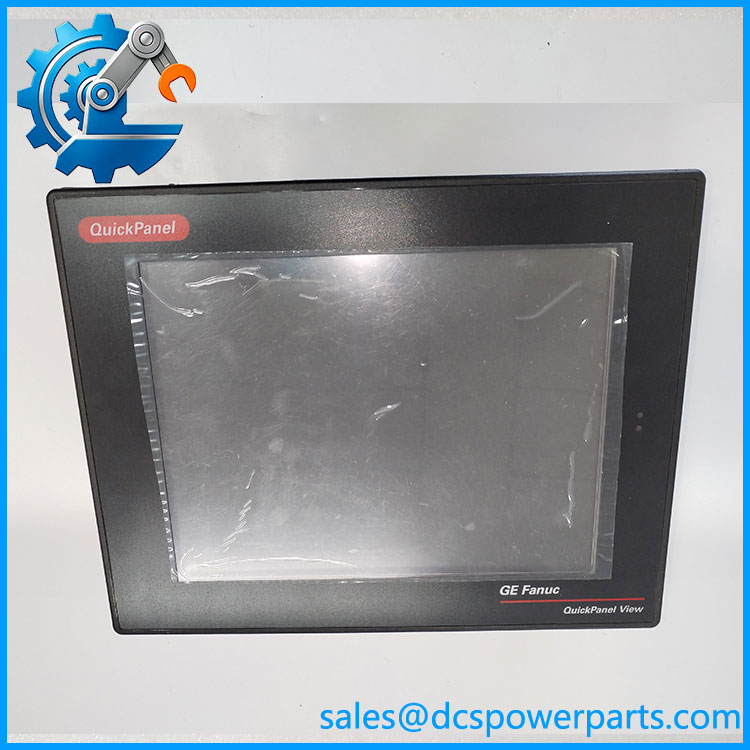
IC754VSF12CTD
Application Scenarios and Pain Points
A legacy HMI can become a production bottleneck when its touchscreen stops responding, the display becomes unreadable, or the original project file is missing.
- Machine operator stations: Restore local access to status screens, alarms, and operator commands where the existing application supports them.
- Process monitoring: Maintain established visualization functions on older PLC-based or machine-control systems.
- Maintenance and repair: Replace a failed terminal while retaining the existing control architecture, subject to revision and configuration checks.
- Legacy equipment support: Reduce unplanned redesign work when an exact or approved replacement remains available.
Field note: A terminal that powers on is not necessarily a functional replacement. The project may depend on a specific software version, serial-port assignment, communication driver, or stored application configuration.
Related Products
These models belong to the GE Fanuc QuickPanel family, but they are not automatic drop-in replacements for IC754VSF12CTD.
| Model | Product distinction |
|---|---|
| IC754VSI12CTD | 12-inch QuickPanel View variant with a different model designation and reported memory configuration. |
| IC754VSF15CTD | 15-inch QuickPanel View variant; panel cutout and application layout may differ. |
| IC754VSB06CTD | 6-inch QuickPanel View family variant with a different display size and product designation. |
| IC754VGI08CTD | 8-inch QuickPanel View family model; confirm its hardware and software capabilities before considering migration. |
| IC754VSI06STD | 6-inch QuickPanel View variant with a different display configuration. |
Engineer’s Guide: Checks Before Replacement
- Verify the complete catalog number and revision. Compare the label on the existing HMI with the replacement, including any suffix after
IC754VSF12CTD. A shared base number does not establish identical hardware. - Preserve the application and communication settings. Obtain the original project backup if possible. Check the Proficy View Machine Edition version, PLC driver, serial settings, Ethernet configuration where applicable, and any custom scripts or alarm definitions.
- Check the physical and electrical installation. Confirm the supply voltage, current capacity, panel cutout, connector locations, grounding, and ventilation. Back up the original configuration before removing the old unit, and validate operator commands and alarms during controlled commissioning.
Frequently Asked Questions
Q1. What is the GE Fanuc IC754VSF12CTD?
It is a 12-inch QuickPanel View industrial HMI with a color TFT touchscreen, used for operator interaction and machine or process visualization.
Q2. Does IC754VSF12CTD use a 24 VDC power supply?
Product listings commonly specify 24 VDC and 48 W. Confirm the actual unit’s nameplate and installation manual before applying power.
Q3. Can I replace it with another 12-inch QuickPanel model?
Not based on screen size alone. Hardware revision, application software, communication interfaces, memory, and panel dimensions must be checked.
Q4. Is discontinued?
Available catalog documentation reports the model as discontinued. Before planning a replacement, confirm availability and consider the long-term support implications for the existing control system.
Q5. Does a replacement unit include the original HMI project?
Do not assume so. Confirm whether the application file is available separately and whether it can be restored using the software version and project format used by the installed system.
Q6. What should I confirm when purchasing a used or refurbished unit?
Request the exact nameplate details, hardware revision, photographs of the connectors and display, touchscreen test results, power-on test evidence, and written warranty terms. Ask whether the unit has been tested beyond a basic power-up.
Q7. What information helps establish compatibility before ordering?
The most useful information is the existing unit’s full catalog number and revision, a photograph of its nameplate and rear connectors, the HMI project software version, and the PLC model and communication method. These details help distinguish a suitable replacement from a similar-looking variant.