Description
B&R X20CP1486 | X20 CPU Module | Ethernet POWERLINK Controller
Key Technical Specifications
| Parameter | Specification |
|---|---|
| Manufacturer | B&R Industrial Automation |
| Model | X20CP1486 |
| Product Type | X20 CPU Module |
| B&R ID Code | 0x2164 |
| Processor | Intel Celeron 650 |
| L1 Cache | 2 × 16 KB |
| L2 Cache | 256 KB |
| Standard RAM | 64 MB SDRAM |
| User RAM | 1 MB SRAM |
| Remanent Variables | Up to 256 KB |
| Integrated I/O Processor | Yes |
| Modular Interface Slots | 1 |
| CompactFlash | 1 slot |
| RS232 | 1, up to 115.2 kbit/s |
| Ethernet | 1 × 10/100 Mbit/s |
| POWERLINK | 1 × POWERLINK V1/V2, 100 Mbit/s |
| USB | 2 × USB 1.1 Type A |
| X2X Link | 1 master interface |
| Input Voltage | 24 VDC, -15% / +20% |
| Maximum Input Current | 2.2 A |
| Power Consumption | 13.5 W, excluding memory card, interface module and USB |
| X2X Link Power Output | 7 W nominal |
| Protection Rating | IP20 |
| Dimensions | 150 × 99 × 85 mm |
| Operating Temperature | 0 to 55°C |
| Fanless Operation | 0 to 45°C |
| Storage Temperature | -25 to +70°C |
| Cooling | Monitored replaceable fan / fanless with derating |
B&R specifies the X20CP1486 as a high-performance X20 CPU with an additional I/O processor. Its onboard interfaces include Ethernet, POWERLINK, USB, RS232, and X2X Link, while the single modular interface slot distinguishes it from the wider X20CP3486.
Product Introduction
The B&R X20CP1486 is a central CPU module for the B&R X20 automation system. It combines an Intel Celeron 650 processor with an integrated I/O processor, 64 MB SDRAM, 1 MB SRAM, removable CompactFlash application storage, and onboard real-time communication through POWERLINK. The controller is intended for demanding machine-control and process-control applications within the X20 platform.
The onboard Ethernet and POWERLINK interfaces allow the CPU to coordinate standard network communication and deterministic machine-level communication without requiring a separate communication card. X2X Link provides the connection to distributed X20 I/O, while one modular interface slot allows additional interface functionality when required.
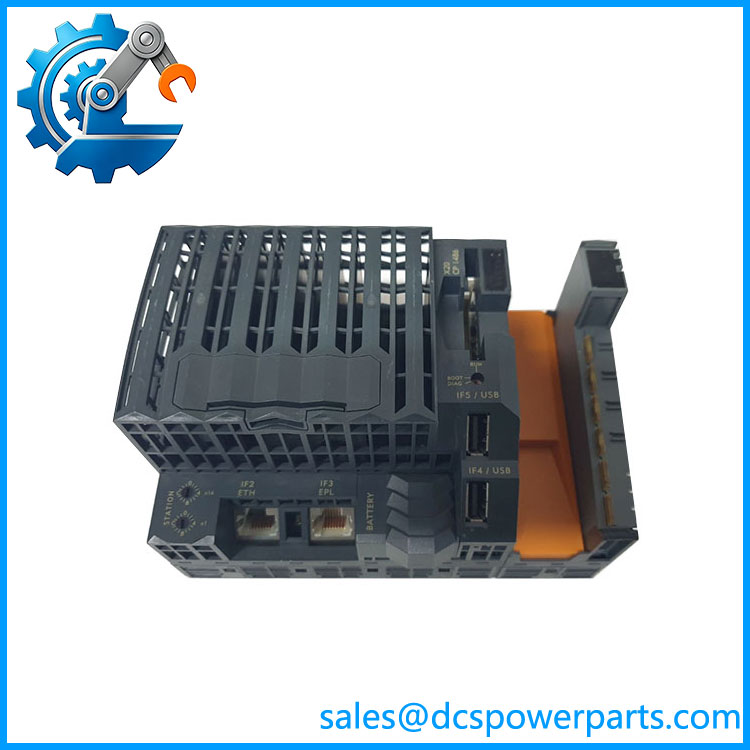
X20CP1486
Application Scenarios & Field Pitfalls — Engineer’s Perspective
Engineering Pain Point
When an X20CP1486 fails, replacing the CPU is only part of the recovery process. The CompactFlash application, Automation Studio project, firmware/hardware configuration, retained variables, network parameters, and POWERLINK configuration all need to be considered.
A CPU that powers up correctly can still fail to reproduce the original machine behavior if the application memory or Automation Studio hardware configuration does not match the installed system.
Typical Applications
- B&R X20 PLC and machine-control systems
- High-speed machine automation using POWERLINK
- Process-control applications using X20 distributed I/O
- Motion systems using B&R ACOPOS drives
- Industrial systems using X2X Link distributed I/O
B&R specifically states that the X20CP1486 supports ACOPOS and Visual Components, and positions the CPU for applications ranging from high-end machine manufacturing to demanding process control.
Technical Pitfalls to Avoid
- Do not confuse the with a generic X20 I/O module.
It is the system CPU and contains the PLC processing function. X20 I/O modules depend on the CPU and X2X Link architecture for application-level control. - Check the CompactFlash application memory.
B&R explicitly states that the application memory must be ordered separately. The CPU itself is supplied with a backup battery and other standard accessories, but the CompactFlash card is a separate item. - Do not assume X20CP3486 is a direct physical equivalent.
B&R identifies the X20CP3486 as the wider related CPU, while the has only one modular interface slot and a smaller housing. A migration therefore requires checking the existing interface-module arrangement and cabinet space. - Watch the cooling conditions.
B&R specifies 0–55°C operation with the fan operating, while fanless operation is limited to 0–45°C under the stated conditions. The fan is monitored and can be replaced externally. - Verify the installed Automation Studio hardware version.
B&R provides hardware upgrades for the across Automation Studio V2.6, V3.0, and V4.0 environments. The engineering workstation and installed CPU hardware should therefore be checked before commissioning a replacement.
Related Products
- B&R X20CP3486 — Related higher-capacity X20 CPU with more interface expansion capability; wider than the .
- B&R X20CP1381 — X20 CPU variant for applications requiring a different processing and interface configuration.
- B&R X20CP1586 — Related X20 controller variant in the same general CPU family.
- B&R X20CP3586 — Higher-end X20 CPU family member with expanded interface capability.
- B&R X20IF10E1-1 — X20 modular interface hardware used when additional communication functionality is required.
- B&R X20 I/O modules — Distributed I/O devices connected through the X2X Link architecture.
- B&R ACOPOS — Motion-control platform supported by the .
- B&R Automation Studio — Engineering environment used for configuring and programming the X20 controller.
Procurement Check
Before approving a replacement, verify:
- Exact model:
- B&R ID code: 0x2164
- Intel Celeron 650 CPU architecture
- 64 MB SDRAM / 1 MB SRAM
- Existing CompactFlash card and application
- Automation Studio version
- PLC runtime/firmware compatibility
- POWERLINK network configuration
- X2X Link I/O configuration
- Ethernet IP configuration
- RS232 application, if used
- Installed modular interface card
- Battery condition
- Cooling fan condition
- 24 VDC supply and current capacity
- Cabinet temperature and mounting orientation
Recommended procurement description:
B&R X20 CPU Module, Intel Celeron 650, 64 MB SDRAM, 1 MB SRAM, Ethernet, POWERLINK V1/V2, 2 × USB, RS232, X2X Link Master, 1 Modular Interface Slot, 24 VDC.
The key point for replacement work is that is the central processing unit of the X20 system, not an ordinary X20 I/O module. Its CompactFlash application, POWERLINK configuration, X2X Link topology, firmware, and interface-module arrangement should all be checked before commissioning. B&R’s current product documentation continues to provide technical data and hardware-upgrade documentation for this model.