Description
B&R 4PP065.0571-X74F
Key Technical Specifications
| Parameter | Specification |
|---|---|
| Manufacturer | B&R Industrial Automation |
| Model | 4PP065.0571-X74F |
| Product Family | Power Panel 65 |
| Panel Designation | PP65 |
| Display Type | TFT color |
| Display Size | 5.7 in / 144 mm |
| Resolution | QVGA, 320 × 240 pixels |
| Display Colors | 262,144 |
| Touchscreen | Analog resistive |
| Touch Controller | B&R, 12-bit |
| Function Keys | 10 |
| Processor | Geode LX800 |
| CPU Architecture | 32-bit x86 |
| Clock Frequency | 500 MHz |
| RAM | 128 MB DDR SDRAM |
| SRAM | 232 kB |
| Firmware Flash | 4 MB |
| CompactFlash | 1 slot |
| Ethernet | 1 × 10/100 Base-T |
| X2X Link | 1 |
| USB | 2 × USB |
| Interface Module Slot | 1 × PP65 Compact IF |
| Supply Voltage | 24 VDC |
| Front Protection | IP65 |
| Housing Material | Polyester |
| Dimensions | 203 × 145 × 56.5 mm |
| Weight | Approx. 0.75 kg |
| Cooling | Passive heat sink |
| RTC | Battery-backed |
| Battery | 3 V / 950 mAh lithium |
| Typical Battery Service Life | 4 years |
| Certifications | CE, UKCA, cULus |
| B&R ID Code | 0xB9BC |
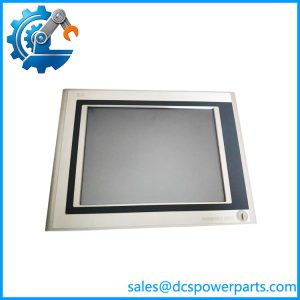
B&R specifies the 4PP065.0571-X74F as a PP65 with a 5.7-inch QVGA color TFT display, resistive touch, 10 function keys, 128 MB DRAM, 232 kB SRAM, CompactFlash, Ethernet 10/100, X2X Link, two USB ports, and IP65 protection at the front.
The integrated controller uses a 500 MHz Geode LX800 processor with 128 MB DDR SDRAM, 232 kB SRAM, 4 MB firmware flash, MTCX control hardware, and battery-backed real-time clock. B&R identifies Automation Runtime C2.96 as the starting PP65-supported version for this hardware.
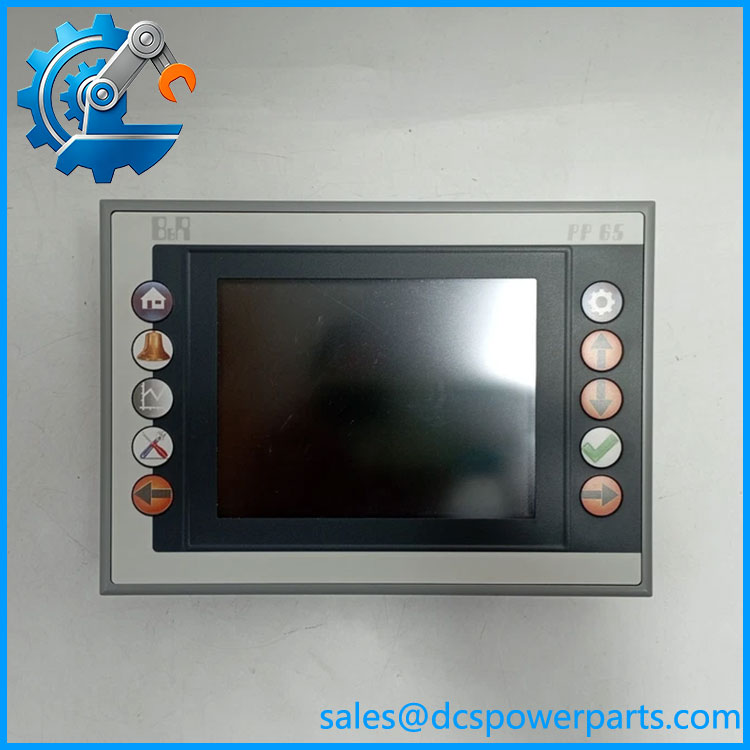
4PP065.0571-X74F
Product Introduction
The B&R 4PP065.0571-X74F is a Power Panel 65 designed for machine-level visualization and control. It combines a 5.7-inch operator display with an embedded controller, allowing the panel to perform more than a conventional HMI display function. Its X2X Link interface, Ethernet port, CompactFlash storage, USB connectivity, and optional PP65 interface modules make it suitable for established B&R machine-control architectures.
The X74F designation matters during replacement. B&R’s product data identifies this version with X2X Link, while the closely related 4PP065.0571-P74F uses POWERLINK instead. A replacement should therefore be selected from the complete material number rather than from the generic PP65 family name.
Engineering Pain Point
The main field risk with an older is assuming that the panel hardware alone defines the machine configuration. The controller, Automation Runtime version, CompactFlash application image, retained variables, communication configuration, and HMI project can all affect startup behavior. B&R also documents hardware upgrades for this exact material number across several Automation Studio generations, so the installed software environment should be recorded before replacing the unit.
Typical Applications
- Machine operator interface — Displays process values, alarms, recipes, diagnostics, and operator controls.
- Integrated machine controller — Uses the embedded controller rather than functioning solely as a remote display.
- X2X-based machine architectures — Provides the X2X Link connection used by compatible B&R I/O and automation components.
- Legacy B&R machine maintenance — Suitable for maintaining established installations where the original application and communication architecture must be preserved.
Technical Pitfalls to Avoid
- Do not substitute a P74F for an X74F without checking the architecture. The has X2X Link; the P74F has POWERLINK. These are different communication configurations.
- Check the Automation Runtime version. B&R specifies support beginning with Automation Runtime C2.96 for this hardware. The actual machine application may require a particular runtime and Automation Studio version.
- Preserve the CompactFlash image. The CompactFlash card can contain the machine application and runtime-related data. Do not assume a replacement panel will boot the machine application without the correct storage image.
- Check the interface-module configuration. The has one Compact IF slot. Available modules include RS232, RS232/RS485/RS422/CAN, and PROFIBUS DP combinations. The installed interface module can therefore be part of the machine’s communications architecture.
- Verify the 24 VDC connection and terminal block. B&R lists the 0TB103 family as the 24 VDC connector and states that the terminal block is ordered separately. Do not assume the replacement unit includes the same field connector.
- Check battery condition on long-idle equipment. The unit uses a removable 3 V / 950 mAh lithium battery with a specified service life of about four years. Battery-backed RTC and retained data behavior should be checked during refurbishment.
Related Products
- B&R 4PP065.0571-P74F — variant with POWERLINK rather than the ‘s X2X Link configuration. It is not an automatic replacement.
- B&R 4PP065.IF10-1 — interface module providing one RS232 interface.
- B&R 4PP065.IF23-1 — interface module combining serial and CAN interfaces.
- B&R 4PP065.IF24-1 — interface module with PROFIBUS DP slave plus serial interfaces.
- B&R 4PP065.IF33-1 — interface module providing two electrically isolated CAN interfaces.
- B&R 0TB103.9 — 24 VDC screw-clamp terminal block for the panel power connection.
- B&R 0TB103.91 — 24 VDC cage-clamp terminal block option.
- B&R 0TB704.9 / 0TB704.91 — Four-pin accessory terminal blocks used with applicable interfaces.
- B&R 4A0006.00-000 — Replacement 3 V / 950 mAh lithium battery specified for the .
Procurement Note
Specify the unit as:
B&R Industrial Automation 4PP065.0571- — Power Panel 65, , 5.7-inch QVGA resistive touchscreen, X2X Link.
For an operating machine, verify the complete material number, hardware revision, Automation Runtime version, CompactFlash/application image, installed interface module, X2X configuration, and 24 VDC connector before approving a replacement.
The most important identification point is the suffix: is not interchangeable by default with P74F. B&R documents these as different communication configurations, so the installed machine architecture should determine the replacement rather than the general “Power Panel 65” family name.