Description
Product Overview
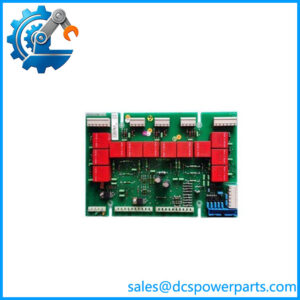
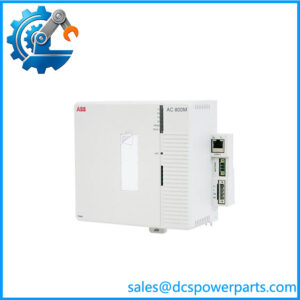
The ABB SPNIS21 is a network interface module for ABB Symphony Plus and legacy Bailey INFI 90 distributed control systems. It provides the Cnet-facing communication interface that allows control-system nodes to exchange information across the plant network. In the Cnet-to-Harmony Control Unit (HCU) arrangement, the SPNIS21 works with the SPNPM22 network processing module to connect the HCU and its rack controllers to Cnet. This makes the module a communication component rather than a field signal I/O card.
The SPNIS21 handles the network-facing side of node communication, while the SPNPM22 manages processing between Cnet and the Controlway side of the system. ABB documents Cnet communication rates of 10 MHz or 2 MHz and a typical SPNIS21 power requirement of 4.1 W from a +5 VDC supply. The catalog also describes large network capacity, including more than 62,000 nodes across the system and up to 250 nodes on a single network in the specified configurations. Actual capacity depends on the network architecture and connected interface types.
For maintenance teams, the ABB SPNIS21 must be matched to the existing communication architecture, node address, loop assignment, termination hardware, and associated processor module. The legacy INNIS21 designation is documented as a compatible predecessor or related version, but any substitution should follow the applicable system manual and hardware revision. Before replacing a module, record switch and jumper settings, verify the Cnet cable and termination unit, and check the SPNPM22 status. A replacement module that powers up but has incorrect network settings may fail to join the network or communicate with the expected nodes.
Product Introduction
Communication faults in a DCS can disrupt data exchange between controllers and supervisory nodes even when field I/O remains operational. The ABB SPNIS21 provides the Cnet network interface for compatible Symphony Plus and INFI 90 HCU communication arrangements, working alongside the SPNPM22 processor module.
Before installation, document the node address, Cnet loop number, communication-rate settings, and termination-unit configuration. These settings must agree with the existing network design for the replacement to communicate correctly.
Key Technical Specifications
| Parameter | Specification |
|---|---|
| Product Model | SPNIS21 |
| Manufacturer | ABB |
| Product Type | Network interface module |
| Product Family | Symphony Plus / Bailey INFI 90 |
| Primary Function | Cnet network interface for HCU communication |
| Associated Processor Module | SPNPM22 |
| Network | Cnet |
| Communication Rates | 10 MHz or 2 MHz |
| Power Supply | +5 VDC |
| Current Consumption | 825 mA |
| Typical Power Consumption | 4.1 W |
| Network Capacity | More than 62,000 nodes system-wide under documented architecture |
| Single-Network Capacity | Up to 250 nodes in specified configurations |
| Operating Temperature | 0°C to 70°C |
| Configuration | Node address, loop assignment, and communication settings must match the system |
| Installation | Compatible Harmony rack / module mounting unit |
| Related Legacy Model | INNIS21; verify revision and system requirements |
| Condition | Confirm actual stock condition and test status |
Specifications are based on ABB’s Symphony Plus product catalog and Cnet-to-HCU communication documentation.
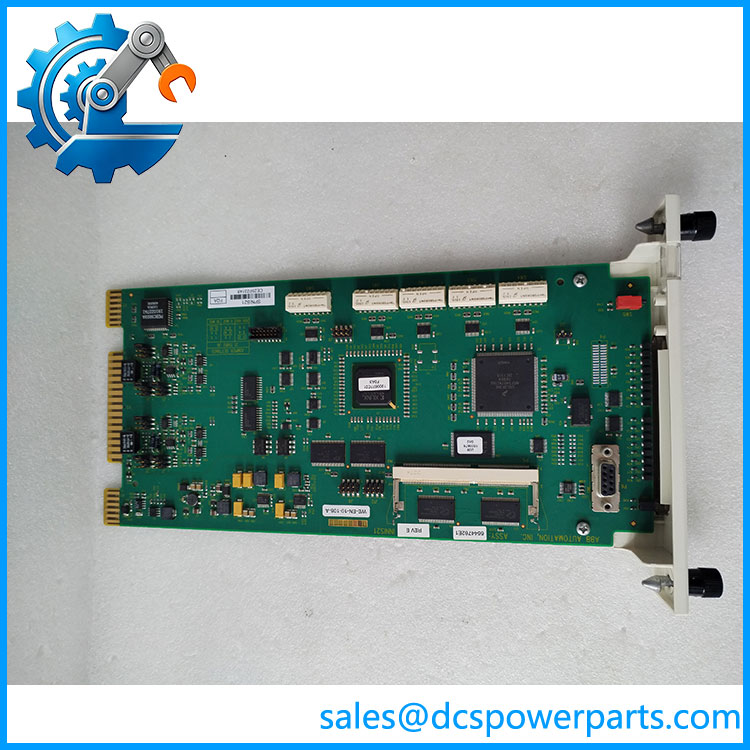
SPNIS21
Related Products and Components
- ABB SPNPM22 — Network Processing Module: Works with the and serves as the gateway between Cnet and Controlway. It handles the HCU database and communication processing between the controller-side modules and .
- ABB INNIS21 — Legacy Network Interface Module: The related INFI 90 designation. Confirm hardware revision and the applicable compatibility statement before substituting.
- ABB INNPM22 — Legacy Network Processing Module: The related legacy processor designation. Confirm compatibility with the installed /INNIS21 generation and redundancy arrangement.
- ABB NTCL01 — Loop Termination Unit: Provides the termination interface for the Cnet communication connection. Cable type and jumper settings must match the installed network.
- ABB NKLS01-10 — Communication Cable Assembly: A 10-foot cable assembly listed in ABB communication-kit documentation for -related systems.
- ABB IEMMU21 — Module Mounting Unit: Provides the rack mounting arrangement for the relevant Harmony communication modules.
- ABB NFTP01 — Field Termination Panel: Used in documented communication-interface assemblies with the associated termination hardware.
- ABB SPIET800 — INFI-Net-to-Ethernet Transfer Module: Used in specific Symphony Plus communication arrangements to transfer data between INFI-Net and Ethernet-based systems. It is not a direct replacement for .
- ABB SPIIT13 — Local Transfer Module: Provides local transfer between two Cnet networks in supported configurations. Its role differs from the network interface.
Frequently Asked Questions
1. What does the ABB do in a DCS?
It provides the Cnet network interface for a compatible HCU communication arrangement. It works with the network processing module to connect the Harmony control unit and associated rack controllers to the control network.
2. Is a digital input module?
No. ABB identifies the as a network interface module. Supplier listings that describe it as a 16-channel digital input module conflict with ABB’s documentation and should not be used as the basis for procurement or wiring.
3. Can replace INNIS21?
ABB’s Cnet-to-HCU documentation identifies and INNIS21 as corresponding Symphony Plus and legacy INFI 90 versions, and describes them as fit-and-function replacements in the documented arrangement. Still verify the host-system generation, associated processor module, and required configuration before installing the replacement.
4. Does work independently of ?
It is designed to work with in the Cnet-to-HCU interface. The processor module controls the interface’s startup behavior and communication processing. If the does not come online, check status, module seating, node and loop settings, and the network termination arrangement.
5. Can I hot-swap the ?
The applicable manual contains a module installation procedure, but site conditions and hazardous-area rules still matter. Do not remove or insert it with power applied in a Class I, Division 2 hazardous location unless the area is confirmed nonhazardous. Follow the system manual and plant maintenance procedure.
6. How do I diagnose a network communication failure after replacement?
Check the module’s status LED, unique node address, Cnet loop assignment, communication-rate switch and jumper settings, cable type, and NTCL01 termination configuration. Also verify that the is operating normally and that the network settings agree with other nodes. Change one configuration variable at a time and record the original settings.
7. What should I verify when buying a new-surplus ?
Request a clear photograph of the nameplate, module faceplate, connectors, and any visible revision markings. Ask for the stock condition and available functional-test results. Confirm whether the purchase is for specifically or a legacy replacement, and check whether any additional cables or termination hardware are needed.
Procurement recommendation: Order the ABB network interface module by its exact designation. Confirm the associated , network settings, termination unit, and hardware revision before approving a replacement; this is a network communication component, not a digital I/O card.