Description
Key Technical Specifications
| Parameter | Specification |
|---|---|
| Manufacturer | Toshiba |
| Model | SN626 |
| Ordering number | GSN626**S; confirm full suffix |
| Controller family | S2T |
| Network family | TOSLINE-S20 |
| Network type | S20LP optical loop |
| Module category | Transmission / network module |
| Internal supply consumption | 800 mA at 5 V |
| Approximate weight | 350 g |
| Compatible base units | BU648E and BU643D, subject to slot restrictions |
| Mounting position | Slots 1–4 on BU648E; slots 1–3 on BU643D |
| Optical connector type | Verify against the installed module and hardware manual |
| Optical cable specification | Verify against the network installation documentation |
| Operating temperature | Not confirmed from the available product references |
Toshiba’s documentation identifies SN626 as the S2T TOSLINE-S20LP optical loop module. It is distinct from SN625, which is the coaxial-bus version, and SN627, which is the double-loop optical version.
Product Introduction
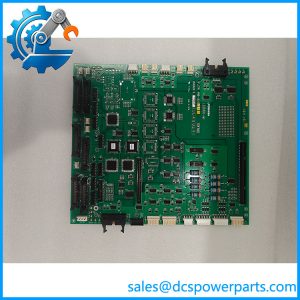
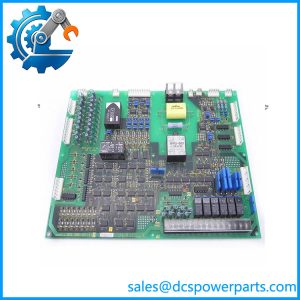
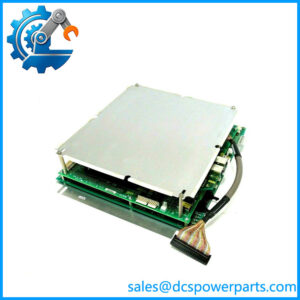
The Toshiba SN626 is an optical network module for the S2T programmable controller. It provides a TOSLINE-S20LP optical loop connection, allowing supported S2T systems to exchange network data through an optical transmission path.
For maintenance teams, the SN626 is relevant when an installed S2T network uses this specific optical loop architecture. Replacement planning must account for the network topology, module position, optical cabling, and the configuration of connected stations.
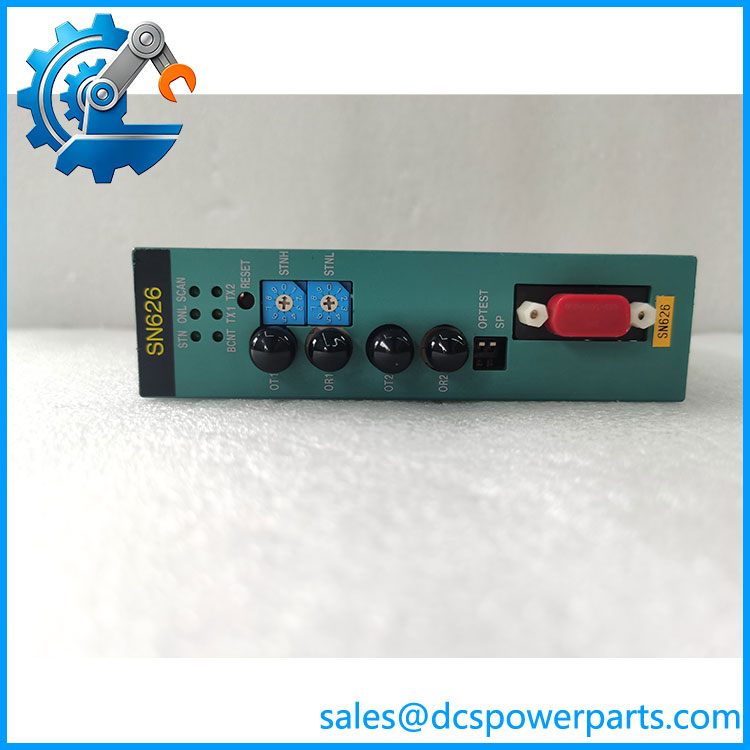
SN626
Application Scenarios & Field Pitfalls (Engineer’s Perspective)
Intermittent communication faults on a legacy PLC network can be difficult to isolate. A damaged optical cable, incorrect loop connection, incompatible network module, or station configuration error may produce symptoms that resemble a failed controller. Replacing the SN626 without checking the network architecture can leave the original fault unresolved.
Typical application areas include:
- Manufacturing lines: Optical network communication between S2T controllers and supported distributed stations.
- Process automation: Network data exchange in existing Toshiba S2T control installations.
- Industrial material handling: Communication links across equipment areas where optical transmission is part of the installed network design.
- Legacy control-system maintenance: Replacement of an SN626 in an existing TOSLINE-S20LP optical loop installation.
Field pitfalls
1. Do not confuse with SN625 or SN627. SN625 is the S2T coaxial-bus module, is the S20LP optical loop module, and SN627 is the S20DLP double-loop optical module. These differences affect network topology and replacement selection.
2. Check the mounting position. Toshiba’s S2T mounting table lists for slots 1–4 on the BU648E base and slots 1–3 on the BU643D base. Confirm the installed base model and available slot before fitting the module.
3. Inspect the complete optical link. Confirm the optical cable type, connector condition, routing, and loop continuity against the original installation documentation. Do not assume that an optical connector or cable from another Toshiba network family is suitable.
For incoming inspection, check the model label, ordering suffix, connector condition, board damage, and signs of previous repairs. A powered bench check alone does not establish correct operation on the installed TOSLINE-S20LP network.
Related Products
These Toshiba modules are relevant to S2T network configuration and maintenance, but their functions differ:
- SN625 — TOSLINE-S20 coaxial-bus module for S2T. Not a direct optical replacement for .
- SN627 — TOSLINE-S20DLP double-loop optical module for S2T. Used for a different optical network arrangement.
- SN621 — TOSLINE-S20 coaxial-bus module for S2E.
- SN622 — TOSLINE-S20 optical-bus module for S2E.
- PU662T — S2T CPU module with 32K-step program capacity.
- PU672T — S2T CPU module with 64K-step program capacity.
- BU648E — S2T main base with nine slots.
- BU643D — S2T main base with four slots.
- EN651A — S2T Ethernet module supporting 100BASE-TX/10BASE-T.
These models are documented in Toshiba’s controller product and hardware references. Their inclusion does not establish that they can substitute for one another.
Procurement note: Request the full part number, including its ordering suffix, before purchasing. Also confirm whether the installed network uses single-loop or S20DLP double-loop architecture. The module type, optical cabling, and station configuration must match the existing system.