Description
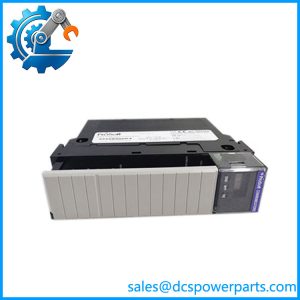
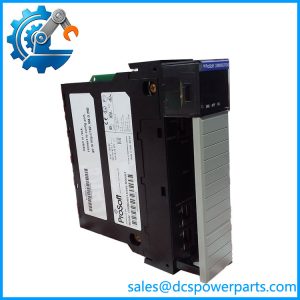
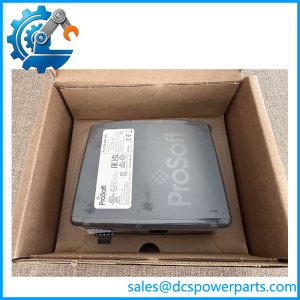
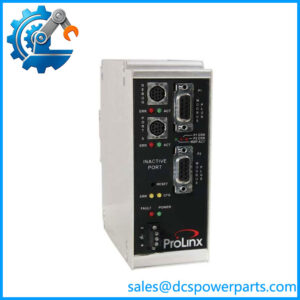
ProSoft 6104-WA-PDPM | Wireless PROFIBUS DP Master | ProLinx 6000 Series
Key Technical Specifications
| Parameter | Specification |
|---|---|
| Manufacturer | ProSoft Technology |
| Product Family | ProLinx 6000 Series |
| Model | 6104-WA-PDPM |
| Product Type | Wireless PROFIBUS DP Master |
| PROFIBUS Role | Class 1 Master |
| PROFIBUS Interface | PROFIBUS DP |
| Wireless Network | ProLinx Wireless |
| Configuration Software | ProSoft Configuration Builder |
| PROFIBUS Configuration | SyCon or compatible PROFIBUS configuration software |
| Physical Installation | Stand-alone DIN rail |
| Related Slave Module | 6105-WA-PDPS |
| Configuration File | PPF |
| Product Category | Legacy wireless gateway |
The setup guide states that the PROFIBUS Master driver is configured as a Class 1 PROFIBUS Master and can continuously connect to slave devices. The module can also exchange PROFIBUS data with another wireless PROFIBUS node, allowing remote PROFIBUS segments to communicate without a direct physical PROFIBUS cable.
ProSoft’s example configuration uses the 6104-WA-PDPM at one end and 6105-WA-PDPS at the remote end. The supplied configuration environment includes PROFIBUS database mapping, wireless configuration, radio Ethernet parameters, and module-specific PDPM settings.
Product Introduction
The ProSoft 6104-WA-PDPM is a ProLinx 6000 Series Wireless PROFIBUS DP Master designed for applications where a PROFIBUS segment needs to communicate over an industrial wireless link. Rather than functioning as conventional PLC I/O, it acts as a communications interface between PROFIBUS devices and the ProLinx wireless network.
The architecture is particularly useful where installing new PROFIBUS cable is difficult or expensive. A typical arrangement places the 6104-WA-PDPM on the master side and a 6105-WA-PDPS at the remote PROFIBUS segment. The wireless link then carries the mapped PROFIBUS data between the two sides.
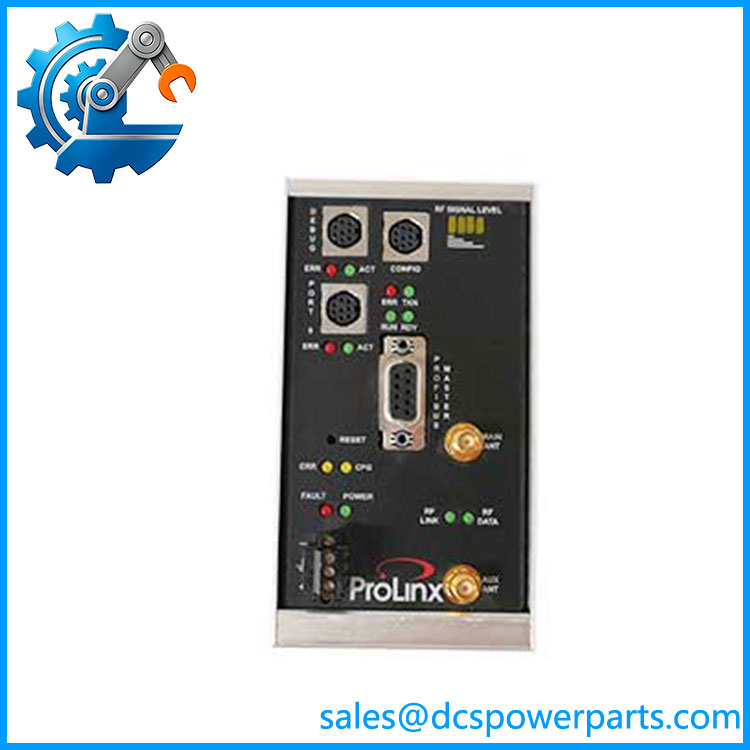
6104-WA-PDPM
Application Scenarios & Field Pitfalls — The Engineer’s Perspective
Engineering Pain Point
When a remote PROFIBUS installation requires a new cable route through an operating plant, the physical installation can become more difficult than the control-system configuration itself. The 6104-WA-PDPM was designed for this type of architecture, allowing PROFIBUS communication to be extended through a wireless link instead of installing a direct fieldbus cable.
Typical Applications
- Wireless PROFIBUS DP remote I/O
- Remote PROFIBUS device networks
- Industrial automation retrofit projects
- Power-generation and process-control installations
- Mobile or difficult-to-cable process equipment
- Remote PROFIBUS segments where physical cable installation is impractical
ProSoft’s documentation illustrates wireless PROFIBUS arrangements involving AC 800M controllers, S800 I/O, 6104-WA-PDPM, and 6105-WA-PDPS, showing its use as a remote-I/O communication architecture rather than as a standalone I/O card.
Technical Pitfalls
- Do not classify 6104-WA-PDPM as a relay or analog/digital I/O module.
It is a Wireless PROFIBUS DP Master communications module. ProSoft’s own documentation places it in the ProLinx wireless gateway family. - Master/slave pairing must be checked.
The documented wireless PROFIBUS architecture uses 6104-WA-PDPM as the master-side module and 6105-WA-PDPS as the slave-side module. - Do not treat the wireless link as a transparent Ethernet cable without checking configuration.
PROFIBUS database mapping and wireless parameters are configured separately. The supplied setup procedure includes both PROFIBUS and radio-network configuration. - Configuration files are part of the spare strategy.
ProSoft’s example uses a.PPFconfiguration file. For a plant spare, preserve the actual configuration rather than assuming that a replacement module will reproduce the existing network behavior with factory defaults. - Radio configuration matters.
The setup guide requires parameters such as radio IP, subnet information, gateway, network name/SSID, and channel selection. The available channels depend on the regulatory region. - Hazardous-area installation requires attention.
ProSoft’s installation documentation includes Class I, Division 2 warnings and requires appropriate power, wiring, and replacement procedures for hazardous locations. Power must be removed before replacement or wiring when required by the installation conditions. - Wireless performance should not be judged only by signal strength.
PROFIBUS timing, network loading, radio interference, antenna placement, channel selection, and configuration all affect practical communication performance. A replacement should be tested using the actual plant network configuration.
Related Products
- 6105-WA-PDPS — Wireless PROFIBUS DP Slave module designed to operate with the wireless PROFIBUS architecture.
- 6104-WA-PDPM / 6105-WA-PDPS — The documented Wireless PROFIBUS Master/Slave product pair.
- ProLinx 6000 Series — Host product family for the 6104-WA-PDPM.
- PROFIBUS DP Master devices — Controller-side equipment communicating with the PDPM module.
- PROFIBUS DP remote I/O — Typical field devices located on the remote PROFIBUS segment.
- S800 I/O — One example of remote I/O shown in documented wireless PROFIBUS application architecture.
Procurement Note
For a replacement, specify the complete 6104-WA-PDPM designation and confirm that the plant uses the ProLinx 6000 Wireless PROFIBUS architecture. Do not substitute it with a conventional wired PROFIBUS master merely because both products provide PROFIBUS DP functionality.
Before commissioning a spare, preserve the existing PROFIBUS configuration, database mapping, wireless network parameters, channel settings, radio addressing, and master/slave arrangement. ProSoft’s documentation makes clear that the module requires configuration beyond simply connecting the PROFIBUS cable.
The part is now listed by ProSoft under its Legacy Products / 6000 Series support section, so firmware, configuration-software availability, and the condition of the wireless hardware should be considered when planning a long-term replacement strategy.