Description
Product Overview
The Pro-face AGP3400-S1-D24 is a 7.5-inch industrial HMI designed to provide an operator interface between production equipment and its control system. It combines a color STN display with an analog resistive touchscreen, allowing operators to monitor machine conditions, enter commands, review alarms, and access process information. With a 640 × 480 pixel resolution and 4,096 display colors, the panel supports graphical machine screens and operating-status displays.
The AGP3400-S1-D24 operates from a 24VDC supply and provides multiple communication interfaces for industrial equipment integration. Its documented interface arrangement includes RS-232 communication, RS-422/RS-485 serial communication, Ethernet, USB, and a CompactFlash card interface. The panel supports up to four protocol drivers simultaneously, subject to the selected communication configuration and GP-Pro EX project settings. These features allow the HMI to communicate with compatible PLCs and other automation devices without requiring the operator interface to perform the PLC’s control logic itself.
For maintenance and replacement work, the Pro-face AGP3400-S1-D24 requires attention to both hardware and application compatibility. The replacement panel should match the original display type, power supply, communication wiring, and project configuration. A project created for another AGP3000 model may require conversion or adjustment before it can run correctly. Check the GP-Pro EX version, communication driver, PLC connection settings, and any external memory used for data backup or project transfer.
The panel’s documented operating temperature is 0°C to 50°C, with an IP65 rating stated in its model datasheet. Its aluminum housing and panel-mount design make it suitable for installation in industrial operator stations where front-panel access and routine machine monitoring are required.
Product Introduction (Non-Templated)
When an HMI fails, the main commissioning risk is often not the screen itself but the recovery of the original operator project and PLC communication settings. The AGP3400-S1-D24 uses a 7.5-inch STN display, so confirm the display technology and resolution before replacing a unit with another AGP3400 variant.
The existing GP-Pro EX project, PLC driver, serial pinout, and Ethernet configuration should be checked before installation. A physically compatible panel does not guarantee that the machine application will transfer and run without modification.
Key Technical Specifications
| Parameter | Specification |
|---|---|
| Product Model | AGP3400-S1-D24 |
| Manufacturer | Pro-face |
| Product Type | Industrial HMI touch panel |
| Display Size | 7.5 inches |
| Display Technology | Color STN LCD |
| Display Colors | 4,096 |
| Display Resolution | 640 × 480 pixels |
| Display Area | 153.7 × 115.8 mm |
| Touchscreen | Analog resistive film |
| Touch Resolution | 1024 × 1024 |
| Application Memory | 8 MB FEPROM |
| Data Backup Memory | 320 KB SRAM |
| Serial Interface COM1 | RS-232 |
| Serial Interface COM2 | RS-422/RS-485 |
| Ethernet | Supported |
| USB | Supported |
| CompactFlash | Supported |
| Maximum Simultaneous Drivers | 4 |
| Input Voltage | 24VDC |
| Operating Temperature | 0°C to 50°C |
| Front Protection Rating | IP65, as stated in model datasheet |
| Housing Material | Aluminum |
| External Dimensions | 215 × 170 × 60 mm |
| Panel Cutout | 204.5 × 159.5 mm |
| Programming Software | GP-Pro EX |
| PLC Control Functionality | No built-in PLC control function |
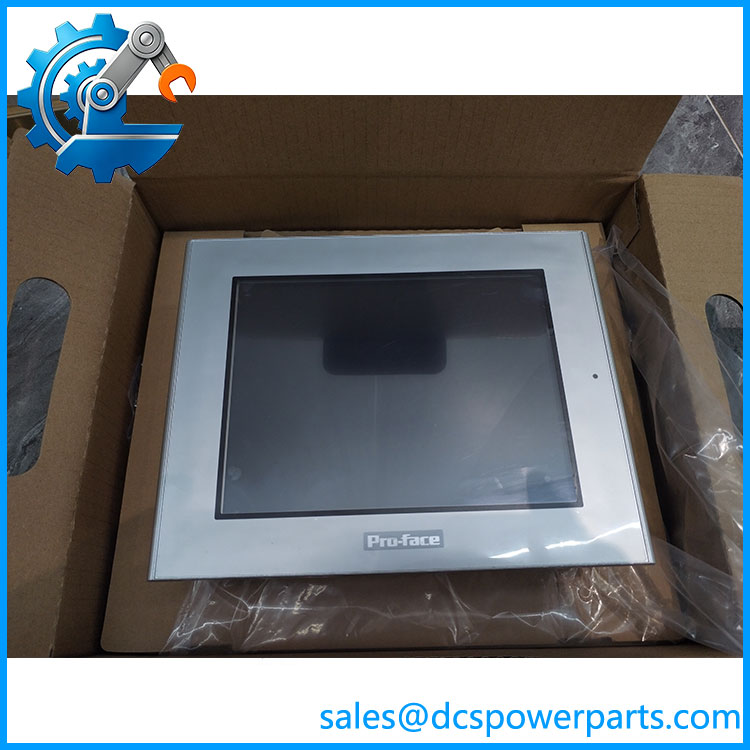
AGP3400-S1-D24
Major Features and Advantages
7.5-inch color operator display
The STN color screen provides 4,096 colors at 640 × 480 resolution. This display configuration supports machine overview screens, alarm lists, parameter entry pages, and process-status graphics. When replacing an older unit, verify that the original application was designed for the STN version rather than a TFT variant.
Resistive touchscreen operation
The analog resistive touchscreen uses a 1024 × 1024 touch resolution. It supports direct operator input through on-screen controls. Touchscreen calibration and response should be checked during incoming inspection, especially on refurbished equipment.
Multiple communication interfaces
The panel provides serial communication, Ethernet, USB, and CompactFlash interfaces. COM1 is specified as RS-232 in the model datasheet, while COM2 supports RS-422/RS-485. Confirm the actual connector pinout and PLC communication driver before reconnecting field wiring.
GP-Pro EX application environment
The -S1-D24 is programmed using GP-Pro EX. Application recovery should include checking the project file, software version, PLC driver, screen resources, and communication parameters. Retaining the original project backup is preferable to rebuilding the HMI application from the running machine.
Industrial panel-mount construction
The aluminum housing and documented IP65 rating support installation in industrial operator panels. The published operating range is 0°C to 50°C. Cabinet temperature, ventilation, and front-panel sealing remain important installation checks.
Related Products
The following models are related Pro-face HMI products or variants. They should not be treated as direct replacements without checking display type, mounting dimensions, power supply, and project compatibility.
- -T1-D24 — 7.5-inch TFT version of the family.
- -CA1M — STN version with built-in CANopen master functionality.
- -T1-D24-CA1M — TFT version with built-in CANopen master functionality.
- AGP3300-S1-D24 — Smaller AGP3000-family STN HMI model.
- AGP3500-S1-D24 — Larger AGP3000-family STN operator interface.
- AGP3500-T1-D24 — Larger AGP3000-family TFT operator interface.
Frequently Asked Questions
Q1: What iso-face used for?
It is an industrial HMI panel used for machine monitoring, operator commands, alarm display, and communication with compatible PLCs and automation equipment.
Q2: Canace an with an -T1-D24?
Do not assume direct interchangeability. The S1 version uses an STN display, while the T1 version uses a TFT display. Check the project compatibility, display characteristics, and hardware configuration before substitution.
Q3: Can Iap the ?
Do not assume hot-swap capability. Isolate the 24VDC supply before disconnecting the panel, follow the machine’s electrical safety procedure, and verify that the PLC and other connected equipment are in a safe state.
Q4: Does this HMI support firmware v3.1?
Firmware compatibility cannot be determined from the model number alone. Check the installed system version, GP-Pro EX project version, and applicable Pro-face documentation before updating or transferring an application.
Q5: Which communication interfaces are available?
The model datasheet lists RS-232, RS-422/RS-485, Ethernet, USB, and CompactFlash interfaces. The exact PLC communication setup depends on the selected driver and wiring configuration.
Q6: Can I recover the original HMI program from the panel?
Application recovery depends on whether the project can be transferred or retrieved from the existing unit and whether the necessary transfer settings and software are available. Keep a separate GP-Pro EX project backup whenever possible.
Q7: What should I inspect before purchasing a refurbished unit?
Check the LCD for dead pixels, discoloration, and uneven backlighting. Test touchscreen response across the full display, verify Ethernet and serial communication, inspect the CompactFlash and USB interfaces, and confirm stable operation on a 24VDC supply.
Procurement note: The most important replacement checks are the STN display versmplete designation, 24VDC input, communication interfaces, and availability of the original GP-Pro EX project.