Description
Product Overview
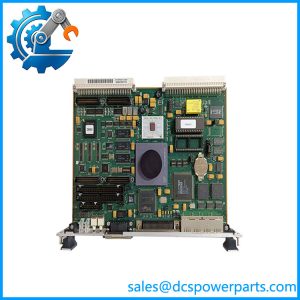
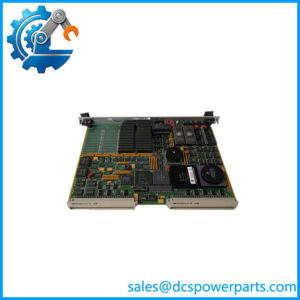
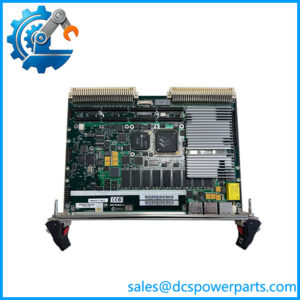
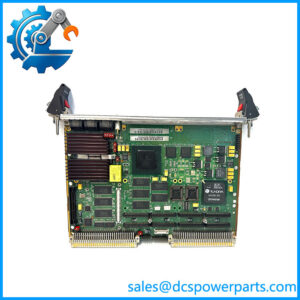
The Motorola MVME2400 is a VMEbus single-board computer built around the PowerPC 603e processor family for embedded computing applications that require a dedicated CPU within a VME chassis. Rather than functioning as a conventional PLC CPU, the board provides general-purpose embedded processing, VMEbus master/slave capability, memory resources, and system-level communication interfaces. Motorola’s MVME2400 family was designed for applications spanning industrial control, telecommunications, instrumentation, and other embedded systems where long service life and VME compatibility were important design requirements.
Depending on the exact model configuration, Motorola MVME2400 boards use PowerPC 603e processors with clock speeds reaching approximately 200 MHz. The family supports dynamic RAM, flash memory, Ethernet, serial communication, and VMEbus connectivity. The board architecture also provides a transition path for legacy VME systems that were originally built around older 68000-family or PowerPC processors. In practical automation installations, the MVME2400 can serve as the host computer for custom control software, data acquisition applications, motion-control programs, or supervisory functions while dedicated VME I/O boards handle field signals.
For Motorola MVME2400 replacement work, the family designation alone is not sufficient. MVME2400 boards exist in multiple configurations with differences in processor speed, memory capacity, firmware, front-panel I/O, and installed options. A physically compatible VME board can still be unsuitable if the operating system, boot image, memory map, or application software expects a different configuration. For a legacy system, record the existing board’s full assembly number, CPU speed, RAM/flash configuration, firmware or boot ROM information, and connected transition modules before approving a replacement.
Product Introduction
When an older VME controller fails, replacing the complete chassis can create unnecessary engineering work. provides PowerPC-based processing inside the established VME architecture, allowing legacy control equipment to retain its existing I/O backplane and application structure.
With processor configurations reaching 200 MHz, Ethernet connectivity, serial ports, and VMEbus access, the is suited to embedded control and data-processing systems where migration to a newer platform is not practical.
Key Technical Specifications
| Parameter | Value |
|---|---|
| Manufacturer | Motorola |
| Product Family | |
| Product Type | VME Single-Board Computer |
| CPU Architecture | PowerPC |
| Processor | PowerPC 603e |
| Maximum Reported CPU Speed | Up to 200 MHz, variant-dependent |
| System Bus | VMEbus |
| VME Capability | VMEbus master/slave operation |
| Ethernet | 10Base-T / 100Base-TX, configuration-dependent |
| Serial Communication | Multiple asynchronous serial interfaces, configuration-dependent |
| Memory | DRAM capacity varies by model |
| Flash Memory | Configuration-dependent |
| Boot Firmware | Firmware/ROM configuration-dependent |
| Front-Panel I/O | Model/transition-module dependent |
| Operating System | OS-dependent; commonly used with embedded real-time operating systems |
| Application | Industrial control, telecommunications, instrumentation, embedded computing |
| Form Factor | VME single-board computer |
| Condition | New Surplus, subject to inspection and testing |
Related Products
- — The broader Motorola VME PowerPC family. Different suffixes identify different CPU, memory, and I/O configurations, so the complete model number should be matched.
- MVME2300 — Earlier PowerPC-based VME single-board-computer family. It can be relevant for legacy-system comparisons but should not be treated as a direct substitute without software and hardware verification.
- MVME2600 — Higher-performance PowerPC VME family with expanded system resources. It can be considered for system upgrades where the application and VME backplane permit the change.
- MVME2700 — Later PowerPC VME platform with more processing and I/O capability. Useful as an upgrade candidate rather than a drop-in replacement.
- MVME167 — Motorola 68040-era VME CPU board. It represents an older processor architecture and may be found in legacy systems that were later migrated toward PowerPC hardware.
- MVME162 — Compact Motorola VME controller used extensively in industrial embedded systems. Its architecture and processor resources differ from the .
- MVME172 — 68060-based VME controller family. It can be encountered in older automation and instrumentation systems but requires application-specific compatibility checking.
- MVME5500 — Later PowerPC VME single-board computer with substantially different processing and peripheral architecture. It is more appropriate for a planned modernization than a blind replacement.
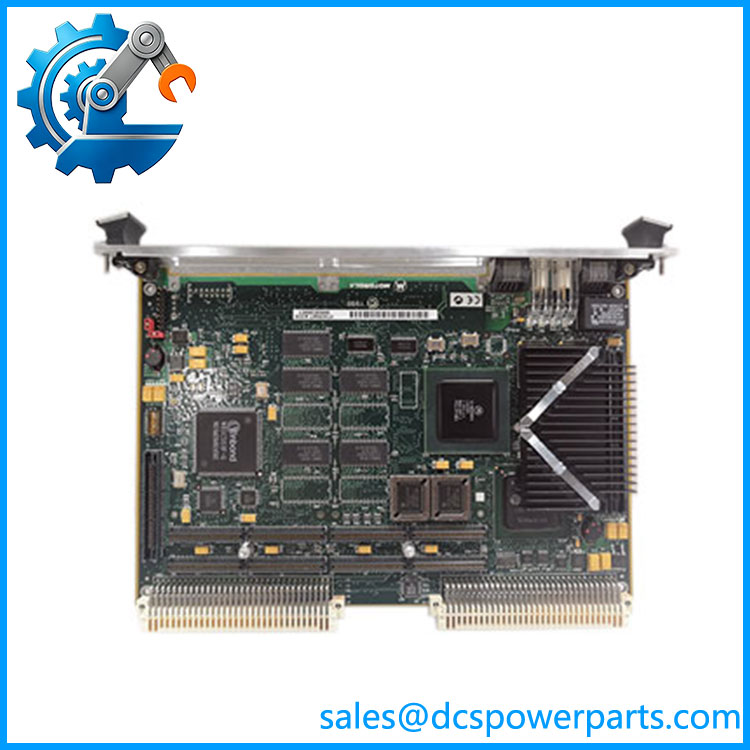
MVME2400
Frequently Asked Questions
What is the Motorola used for?
The is a PowerPC-based VME single-board computer. It provides the CPU and system-level computing resources required by embedded applications running inside a VME chassis.
Typical uses include:
- Industrial control
- Data acquisition
- Instrumentation
- Telecommunications
- Embedded real-time computing
- Legacy automation controllers
It should not be confused with a dedicated VME digital or analog I/O module.
What processor does the use?
The family is based on the PowerPC 603e processor. Certain configurations are rated up to approximately 200 MHz.
The exact CPU speed should be confirmed from the board’s complete model/assembly number because “” identifies a product family rather than one universal hardware configuration.
Can I replace an with an MVME2600?
Not automatically.
Both are PowerPC-based VME platforms, but the hardware architecture, memory resources, peripheral interfaces, firmware, and software environment can differ.
For a replacement or upgrade, compare:
- VMEbus requirements.
- CPU architecture and clock speed.
- Memory map.
- Boot ROM/firmware.
- Operating system.
- Ethernet and serial interfaces.
- Transition-module requirements.
- Application binary compatibility.
A faster processor does not guarantee that legacy application software will run correctly.
Can I hot-swap the ?
Do not assume hot-swap capability.
Although the board is installed in a VME chassis, live insertion depends on the specific VME backplane, system design, board configuration, and operating procedure. The also provides active system-level processing, so uncontrolled removal can interrupt the application or corrupt data.
Use the equipment’s approved shutdown procedure before removing the board unless the installed architecture specifically documents live replacement.
Will replacing the erase my application software?
That depends on where the application and boot image are stored.
The board can contain nonvolatile flash/boot resources, while the application may also reside on external storage or be loaded by a host development environment. Therefore, do not assume that a replacement board contains the same software image simply because the hardware number matches.
Before replacement, document:
- Boot ROM/firmware version
- Operating system
- Application image
- Flash contents
- RAM configuration
- Network settings
- Serial-port assignments
- VME address configuration
For a legacy controller, software compatibility can be more difficult than obtaining the physical board.
Does the support Ethernet?
Yes. configurations provide Ethernet connectivity, with technical references describing 10/100 Mbps Ethernet capability. The exact connector arrangement and supported interface depend on the specific board configuration and transition hardware.
Check the existing front-panel or rear-transition connection before ordering a replacement.
How should I verify a New Surplus ?
For an obsolete VME CPU, I would request a board-level inspection and functional test rather than accepting a visual “unused” claim.
Verify:
- Complete model number
- Board revision
- CPU type and clock speed
- DRAM capacity
- Flash/boot ROM configuration
- Battery condition, if fitted
- Ethernet connector
- Serial interfaces
- VMEbus connector condition
- Front-panel indicators
- Firmware/boot test
- VMEbus communication
- Operating-system boot, where the original software image is available
One practical point: “New Surplus” describes condition, not software compatibility. A factory-unused board can still require the correct firmware, boot image, application software, and configuration before it can replace a working legacy in the field.