Description
Product Overview
The Micro Innovation GF1-10TVD-000 is an industrial operator panel from the GF1 Micro Panel family, designed to provide a graphical interface between machine operators and automation equipment. The GF1 range uses a color TFT display and supports touch-based operation for viewing process values, navigating machine screens, acknowledging alarms, and entering operating parameters. Documentation for the GF1-10TVD family identifies a 10.4-inch LCD with 640 × 480 VGA resolution and a 24 VDC supply with electrical isolation. These family-level specifications should be checked against the exact unit before installation.
The GF1 platform is associated with GALILEO engineering software and uses PCMCIA-card storage for project-related functions. This makes project compatibility an important consideration when maintaining an existing machine. Before replacing a panel, verify the original project files, software version, communication settings, and connected controller interface. The complete model code matters because related GF1 variants may differ in power input, front-panel construction, or hardware configuration. The Micro Innovation GF1-10TVD-000 should not be assumed interchangeable with GF1-10TVB or GF1-10MVA variants simply because they share the same display size.
For maintenance teams supporting legacy production equipment, retaining the original HMI family can reduce the scope of a machine retrofit and preserve familiar operator workflows. Before commissioning a replacement, inspect the display, touch response, connectors, mounting dimensions, and project-storage accessories. Confirm that the panel starts correctly, communicates with the intended controller, and displays the required screens and alarms. Since the GF1 family is listed in lifecycle documentation as discontinued, procurement should include checks for exact part-number identity, unit condition, and available functional-test records.
Product Introduction
An HMI replacement can delay a machine restart if the display hardware, power input, or engineering project does not match the original installation. The Micro Innovation GF1-10TVD-000 belongs to a 10.4-inch color-panel family with 640 × 480 resolution and a documented 24 VDC isolated-supply configuration.
Confirm the exact suffix, GALILEO project compatibility, communication interfaces, and mounting requirements before ordering a replacement.
Key Technical Specifications
| Parameter | Value |
|---|---|
| Product Model | GF1-10TVD-000 |
| Manufacturer | Micro Innovation AG |
| Product Series | GF1 Micro Panel |
| Product Type | Industrial HMI touch panel |
| Display Size | 10.4 inches |
| Display Technology | TFT color LCD |
| Resolution | 640 × 480 pixels (VGA) |
| Supply Voltage | 24 VDC for the GF1-10TVD family |
| Supply Isolation | Electrically isolated for the documented family |
| Engineering Software | GALILEO; confirm required version |
| Project Storage | PCMCIA-card storage associated with the GF1 platform |
| Mounting | Panel-mounted; verify cutout dimensions |
| Front Protection | IP65 may require a separately specified rear compression frame |
| Rear Protection | IP20 reported for the GF1 family |
| Operating Temperature | Verify against the exact model’s technical documentation |
| Lifecycle | Legacy / discontinued family |
| Condition | Confirm unit-specific status and test records |
Specifications such as display size, resolution, and supply arrangement are based on family documentation. Confirm the exact model suffix and accessories before relying on mechanical or environmental ratings.
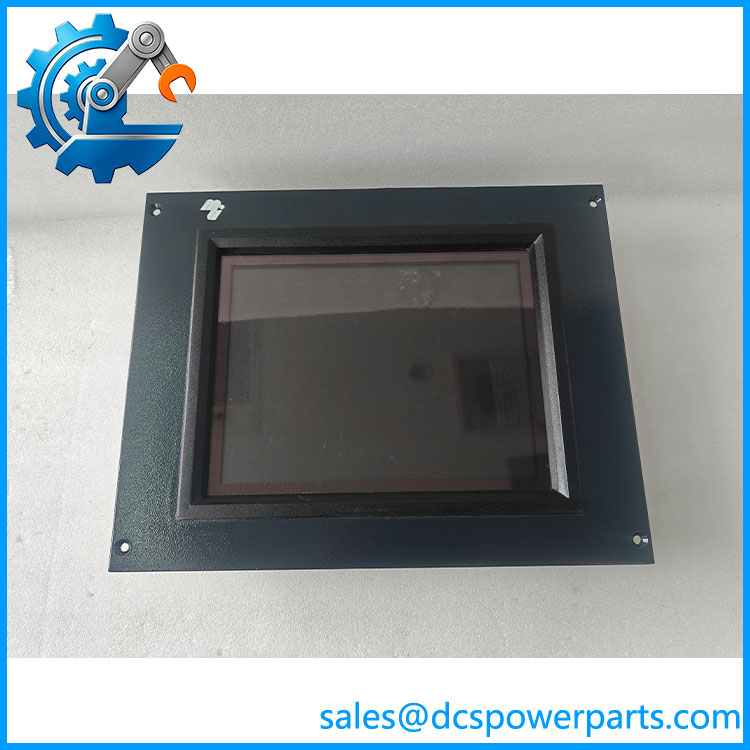
GF1-10TVD-000
Related Products
- GF1-10TVB — 10.4-inch color HMI variant with a documented non-isolated 24 VDC supply arrangement.
- GF1-10MVA — 10.4-inch GF1 variant designed for 100–240 VAC input rather than the 24 VDC arrangement.
- GF2-10TVD-002 — Related GF2 Micro Panel; verify project migration and hardware compatibility.
- GF2-10TVD-003 — Another GF2-family panel requiring a model-specific compatibility check.
- PCC-8MB-FA — 8 MB PC card listed in legacy lifecycle documentation for GF1 project-storage applications; confirm whether the installed panel requires this card.
These are related models and accessories, not guaranteed drop-in replacements. Verify supply voltage, mounting, interfaces, engineering software, and application migration before selecting an alternative.
Frequently Asked Questions
1. What is the Micro Innovation -000 used for?
It is an industrial HMI panel used for machine visualization and operator interaction. The panel presents configured screens, process information, and operator controls for a compatible automation system.
2. Does the -000 use a 24 VDC power supply?
The family is documented with a 24 VDC electrically isolated supply. Verify the exact nameplate and manual before connecting power. The GF1-10MVA variant, by contrast, uses an AC supply.
3. Can I replace it with a GF1-10TVB model?
Not without checking the electrical and hardware differences. The GF1-10TVB family is documented with a non-isolated 24 VDC supply, while the family uses an isolated supply. Verify the original wiring, project compatibility, and complete part numbers before approving a replacement.
4. Can I hot-swap this HMI while the machine is operating?
Do not assume hot-swap support. Follow the machine’s shutdown and isolation procedure and assess whether losing the operator interface would affect safe operation, alarm handling, or production control.
5. Will the existing GALILEO project work on a replacement panel?
Compatibility depends on the engineering software version, runtime, hardware variant, and project configuration. Back up the original project and verify that the replacement can run it before removing the existing panel.
the discontinued?
The GF1 family appears in lifecycle documentation that lists related GF1 products as discontinued, with a listed end-of-life date of January 1, 2007. Confirm the exact model’s lifecycle status and the availability of serviceable units before planning a replacement.
7. What should I verify before purchasing a replacement?
Check the full model number, supply requirements, display condition, touch response, mounting dimensions, communication connections, and availability of the original GALILEO project. Ask for label photographs, functional-test records, and written warranty terms, particularly when sourcing legacy equipment.