Description
Product Overview
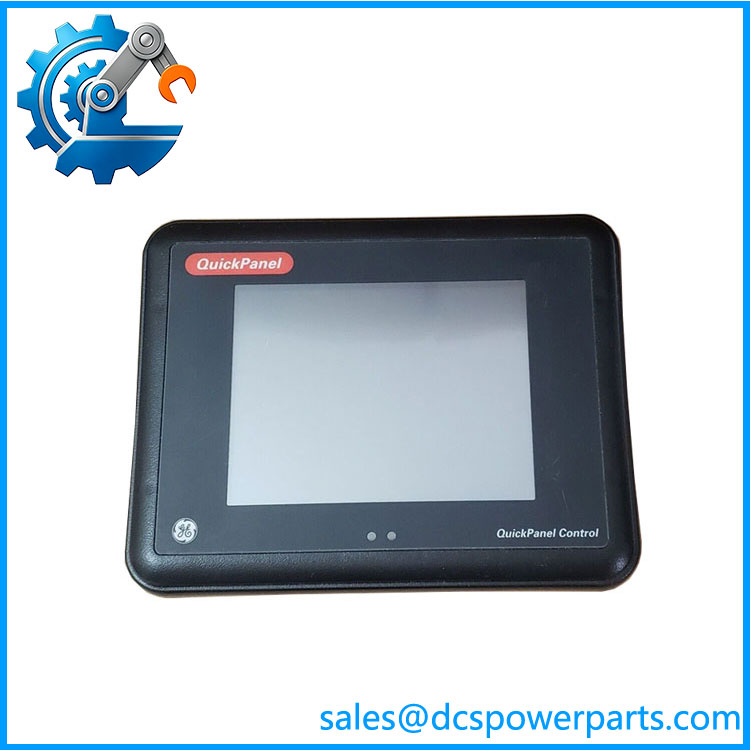
The GE IC754CSX06CTD is a 6-inch QuickPanel View industrial Human Machine Interface (HMI) designed for operator visualization and machine control applications. As part of the GE QuickPanel family, this unit provides a compact touchscreen interface for displaying process information, alarms, trends, and operator commands within PLC-based automation systems. The GE IC754CSX06CTD is commonly integrated into manufacturing equipment, process control panels, and industrial machinery where direct operator interaction with control logic is required.
The GE IC754CSX06CTD combines a color TFT display with a resistive touchscreen interface, allowing operators to interact with graphical screens in industrial environments. The unit provides serial communication capability through RS-232 and RS-485 interfaces, with Ethernet connectivity available for integration into plant networks depending on system configuration. It is designed to communicate with PLC controllers and automation devices while running operator interface applications developed for the QuickPanel platform.
Within GE automation architectures, the GE IC754CSX06CTD acts as the visualization layer between machine operators and control systems. It does not execute PLC logic itself; instead, it displays information received from controllers and sends operator commands back to the automation system. Typical applications include production equipment monitoring, machine status visualization, alarm handling, recipe selection, and manual control functions.
For engineers maintaining installed GE QuickPanel systems, replacement requires more than matching the catalog number. To be completely transparent, project files, communication drivers, screen application backups, and PLC communication settings should be verified before installation. A physically compatible HMI without the correct application software may power up correctly but fail to communicate with the control system.
The practical value of the GE IC754CSX06CTD is maintaining existing operator interface designs without redesigning the complete machine control panel. Before returning the unit to service, technicians should confirm touchscreen operation, communication ports, power input stability, and application download compatibility.
Key Technical Specifications
| Parameter | Value |
|---|---|
| Product Model | GE |
| Manufacturer | GE Fanuc / GE Intelligent Platforms |
| Product Type | Industrial HMI / Operator Interface Terminal |
| Product Series | QuickPanel View |
| Display Size | 6-inch class |
| Display Type | Color TFT LCD |
| Touchscreen Type | Resistive Touch |
| Display Resolution | 640 × 480 pixels VGA |
| Processor | Intel XScale PXA255, up to 400 MHz |
| Flash Memory | 64 MB |
| DRAM | Up to 64 MB |
| SRAM | 512 KB battery-backed retention memory |
| Communication Ports | Ethernet, RS-232, RS-485 |
| Expansion Interface | Memory expansion slot |
| Input Voltage | 12–30VDC |
| Typical Power Consumption | Approx. 15W |
| Mounting Method | Panel mount |
| Front Protection | Industrial panel enclosure |
| Application Software | QuickPanel View Runtime |
| Main Application | PLC operator visualization and machine control |
IC754CSX06CTD
Related Products
- GE IC754CSL06MTD — Related QuickPanel View model with similar 6-inch operator interface functions. Suitable when replacing comparable HMI installations with different hardware configurations.
- GE IC754CST06CTD — QuickPanel View touchscreen terminal variant. Used in applications requiring similar visualization functions with different option selections.
- GE IC754VSI06CTD — QuickPanel View HMI family member. Provides alternative hardware configuration for operator interface applications.
- GE QuickPanel View Series — Complete HMI product family supporting machine visualization, alarms, and PLC communication.
- GE RX3i PACSystems Series — Controller platform commonly paired with GE HMIs for industrial automation applications.
- GE VersaMax PLC Series — Compact PLC family often connected with QuickPanel interfaces in machine automation systems.
- GE Series 90-30 PLC — Legacy PLC platform frequently maintained with QuickPanel operator terminals for existing equipment.
Frequently Asked Questions (FAQ)
1. What is the GE used for?
The is an industrial HMI used to display machine information and provide operator commands in PLC-based automation systems. It acts as the operator interface layer rather than the controller executing machine logic.
2. Can I hot-swap the GE ?
Normally, no. HMIs should be replaced under controlled maintenance conditions.
Recommended procedure:
- Backup the existing HMI application.
- Record communication parameters.
- Remove power from the panel.
- Replace the terminal.
- Download and verify the application.
A replacement unit may require software restoration before operation.
3. Does the GE support firmware v3.1?
The HMI hardware does not use firmware versions in the same way as PLC CPUs.
Compatibility depends on:
- QuickPanel runtime version
- Application project version
- Communication driver compatibility
- PLC interface settings
The correct runtime environment should be confirmed before replacement.
4. Will replacing the GE erase my PLC logic?
No. The HMI does not store the PLC control program.
After replacement, engineers should verify:
- HMI project download
- PLC communication link
- Screen operation
- Alarm and data display functions
5. How can I verify a New Surplus GE ?
Recommended inspection steps:
- Confirm GE part number label.
- Verify identification.
- Inspect touchscreen surface and connectors.
- Power up the unit for display testing.
- Verify communication ports before installation.
6. What PLC systems can communicate with the GE ?
The HMI can be integrated with compatible PLC systems through supported communication drivers and interfaces. Common applications include GE PLC families and other industrial controllers using Ethernet or serial communication methods.
7. Is the GE suitable for machine upgrade projects?
Yes, when the existing control architecture still supports QuickPanel View hardware. For upgrade projects, engineers should review PLC communication drivers, HMI application files, screen resolution requirements, and available replacement hardware before making changes.