Description
Product Overview
The Allen-Bradley 6181P-17A2MWX1DC is a Bulletin 6181P integrated-display industrial computer intended for industrial operator stations, machine interfaces, and visualization systems. Its 17-inch resistive touchscreen combines the display and computing hardware in a single assembly, reducing the need for a separate industrial monitor and computer. The aluminum 5:4 bezel configuration is suited to installations designed around this form factor. In an existing automation system, the computer may host HMI applications, equipment status screens, production interfaces, or supervisory software, depending on the installed software and system architecture.
The hardware configuration includes an Intel Core i3-4102E dual-core processor running at 1.6 GHz, 4 GB of DDR3 RAM, and a 256 GB MLC SSD. It was supplied with Windows 10 IoT Enterprise 64-bit, and its DC power input is rated for 18–32 VDC. Published technical information also lists two Gigabit Ethernet interfaces, five USB 3.0 ports, two RS-232 serial interfaces, a DisplayPort connection, DVI-I, and PS/2 interfaces. These interfaces can support connections to plant networks, peripheral equipment, and legacy devices, but the actual application depends on the installed drivers, software, and required communication protocols.
For replacement planning, the key issue is not simply whether another computer has a similar display size. The replacement must match the panel cutout, mounting arrangement, DC power requirements, touchscreen behavior, communications interfaces, and operating-system dependencies of the existing installation. Rockwell Automation lists the 6181P-17A2MWX1DC as discontinued as of September 30, 2023. Before replacing a failed unit, preserve application files, licenses, system images, and configuration data where possible. Confirm whether the installed HMI or SCADA software supports the proposed replacement operating system and hardware. A replacement computer may require software migration and validation rather than a direct hardware swap.
Product Introduction
The Allen-Bradley 6181P-17A2MWX1DC is a 17-inch industrial computer with an integrated resistive touchscreen, DC power input, and Windows 10 IoT Enterprise 64-bit. It is intended for industrial visualization and operator-interface applications where a combined display and computing platform is required.
Because this model is discontinued, procurement should verify the complete catalog number, hardware series, installed storage and operating system, and available test documentation. Confirm actual condition with supplier, especially for used or refurbished equipment.
Key Technical Specifications
| Specification | Details |
|---|---|
| Manufacturer | Rockwell Automation / Allen-Bradley |
| Catalog number | 6181P-17A2MWX1DC |
| Product series | Bulletin 6181P, Series F |
| Product type | Integrated-display industrial computer |
| Display size | 17 inches |
| Resolution | 1280 × 1024 pixels |
| Aspect ratio | 5:4 |
| Touch technology | Analog resistive |
| Bezel material | Aluminum |
| Processor | Intel Core i3-4102E, dual-core |
| Processor speed | 1.6 GHz |
| Chipset | Intel QM87 |
| Installed memory | 4 GB DDR3 |
| Maximum listed memory | 16 GB |
| Storage | 256 GB MLC SSD |
| Operating system | Windows 10 IoT Enterprise, 64-bit |
| Power input | 18–32 VDC |
| Maximum power consumption | 180 W DC, as listed in the technical datasheet |
| Ethernet | 2 × 10/100/1000 Mbps |
| Serial interfaces | 2 × RS-232 |
| USB | 5 × USB 3.0 |
| Display interfaces | DisplayPort and DVI-I |
| Other interfaces | 2 × PS/2; microphone and audio line input/output |
| Mounting cutout | Approximately 424 mm wide × 329.5 mm high |
| Housing protection | IP66 listed in the technical datasheet; verify installation and sealing conditions |
| Lifecycle status | Discontinued September 30, 2023 |
| Condition | Confirm actual condition with supplier |
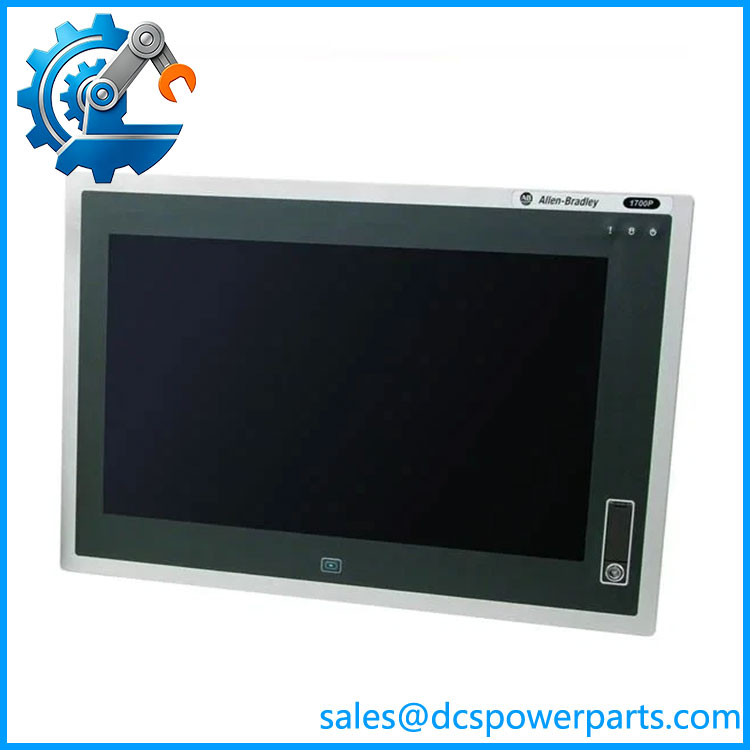
6181P-17A2MWX1DC
Related Products
These models belong to related industrial-computing families or share the same display size. They are comparison candidates, not confirmed drop-in replacements.
| Model | Description |
|---|---|
| Allen-Bradley 6181P-17A2MWX1AC | Similar 17-inch integrated-display computer with AC power input rather than DC. |
| Allen-Bradley 6181P-17C2MWX1DC | 17-inch integrated-display model with a stainless-steel bezel; verify the complete configuration. |
| Allen-Bradley 6181P-17A2MW71DC | Related 17-inch model configured for Windows 7 Professional 64-bit. |
| Allen-Bradley 6181P-17A2SW71DC | Related 17-inch configuration with 32 GB SLC SSD and Windows 7 Professional. |
| Allen-Bradley 6181X-12P2SWX1DC | Integrated-display industrial computer from the 6181X family; different display size and hardware configuration. |
Frequently Asked Questions
Q1: What is the Allen-Bradley 6181P-17A2MWX1DC used for?
It is an industrial computer with an integrated touchscreen, commonly used for HMI, machine operation, industrial visualization, and supervisory applications. The exact role depends on the software installed by the machine builder or system integrator.
Q2: What power supply does this model require?
The DC version accepts 18–32 VDC. Do not confuse it with the related 6181P-17A2MWX1AC model, which uses 100–240 VAC. Verify the catalog number on the equipment label before connecting power.
Q3: Is the 6181P-17A2MWX1DC still manufactured?
Rockwell Automation lists the model as discontinued effective September 30, 2023. Existing units may still be available through surplus inventories or repair channels, but availability and condition need independent verification.
Q4: Can another industrial computer replace it directly?
Not necessarily. Check the panel cutout, mounting hardware, display dimensions, touchscreen technology, power supply, I/O interfaces, operating-system compatibility, and application requirements. A physically compatible computer may still require software migration.
Q5: Can the original HMI software be transferred to a replacement computer?
Possibly, but the result depends on the application version, license terms, activation method, drivers, and Windows compatibility. Preserve the original system image and application backups before attempting migration.
Q6: What should procurement verify for a used or refurbished unit?
Confirm the full catalog number and Series F identification, inspect the display and touchscreen, check the power input and ports, and request evidence of boot testing and storage health. Ask whether the original operating system and recovery image are included.
Q7: What information should be backed up before replacing a failed unit?
Preserve the HMI or SCADA project, operating-system recovery image, application installers, licenses, network settings, device drivers, and any machine-specific configuration files. Validate the replacement offline or in a controlled test environment before connecting it to live equipment.